Updated: March 2026 (Please refer to the official real-time page for the latest information on third-party API limits and system offline translation status.)
Finding the ideal word-selection translation tool on macOS is often a contradictory process: many powerful, established software programs are too bloated in terms of installation size, memory usage, or customizable configurations, making it difficult to meet the needs of users who seek a "lightweight" solution.
If you frequently switch between browsers and editors and want your translation tool to function seamlessly like a native system feature, while also being able to flexibly integrate with DeepSeek or local Ollam models, then... MoePeek It's worth a try. Built natively in Swift 6, its core logic is extremely restrained, aiming to achieve efficient "select-and-translate" with minimal resource consumption.
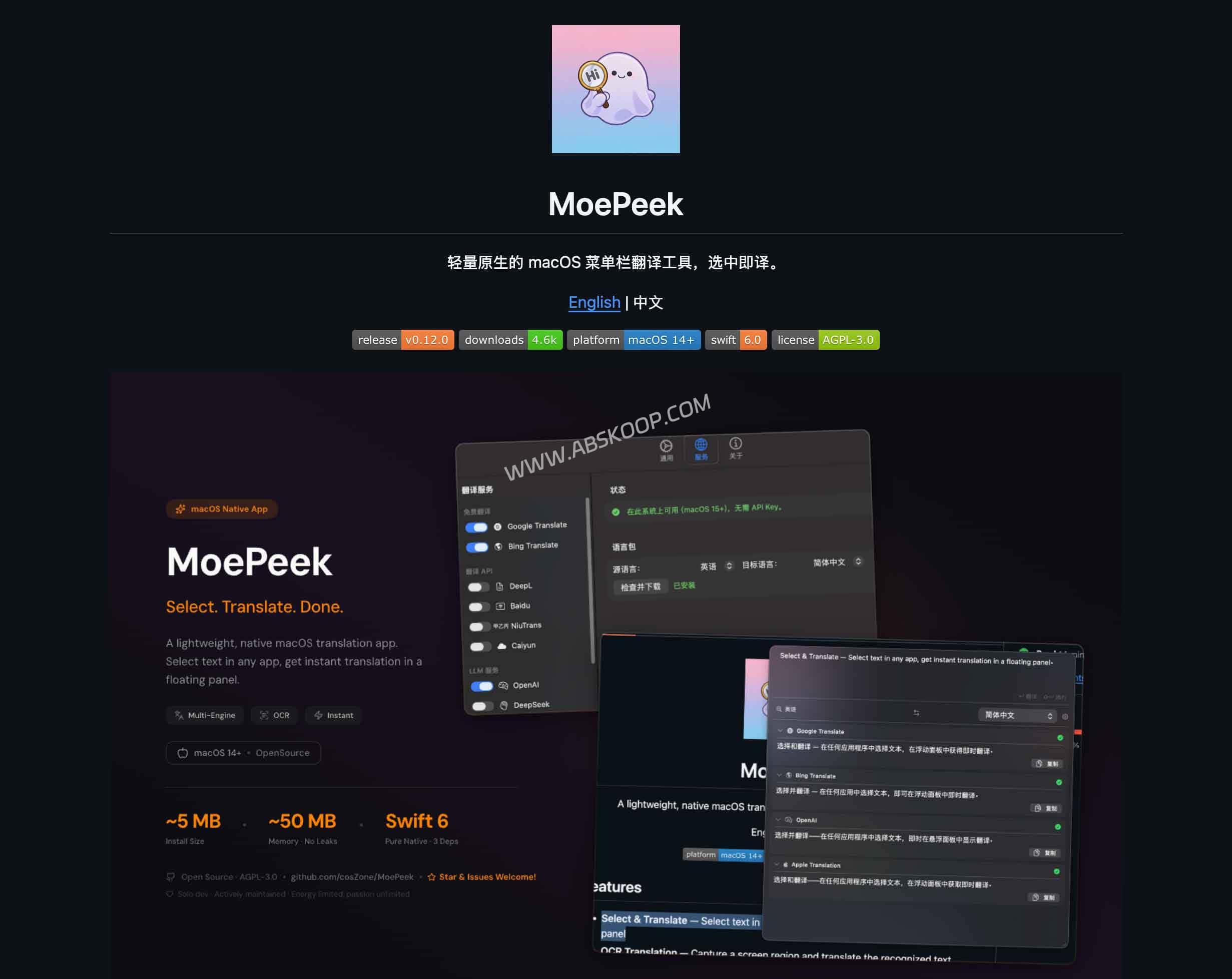
Efficient translation triggering and text scraping
MoePeek has made the translation function a permanent feature in the menu bar and designed four independent trigger paths, covering the vast majority of reading scenarios:
- Word-by-word translation (⌥D): The most frequently used shortcut operations.
- OCR screenshot translation (⌥S): To handle images or PDF text that cannot be selected.
- Clipboard translation (⌥V): Quickly process copied content.
- Manually enter (⌥A): Precise search for specific terms.
To ensure stable text capture in various complex software applications (such as editors with selection restrictions), MoePeek developed a set of... Three-tier rollback mechanismThe system prioritizes using the Accessibility API (`$rightarrow$`), calls the AppleScript API (`$rightarrow$`) if that fails, and finally uses the clipboard as a fallback. Furthermore, its translation pop-up is designed to be inactive, meaning that your current software focus will not be interrupted while you are looking up words, resulting in a smoother reading experience.
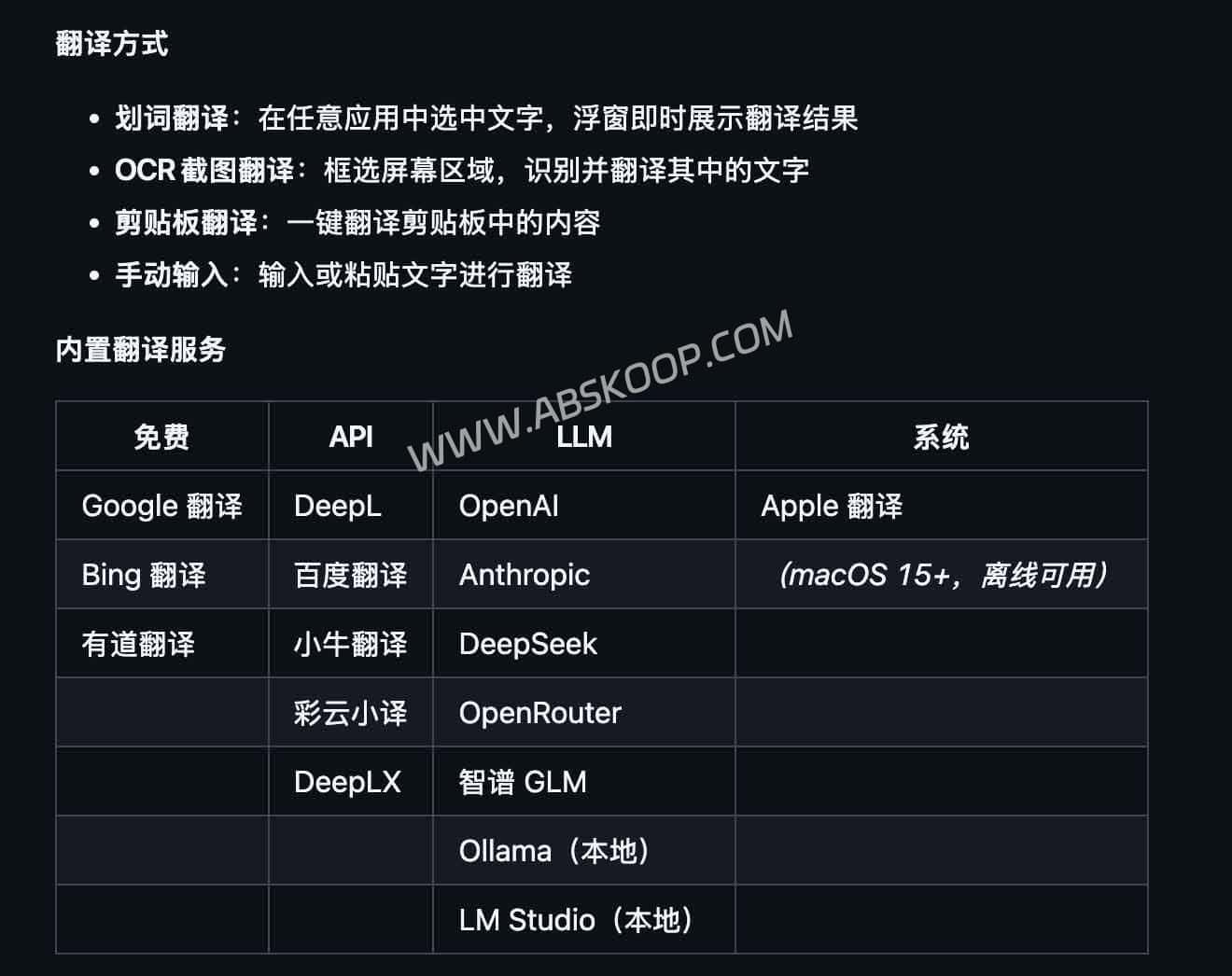
Thanks to its abandonment of heavy cross-platform web frameworks, MoePeek's installation package is only about 5MB, and its background memory usage is maintained at around 50MB, making it one of the most lightweight translation solutions on the market.
Flexible service access: from cloud APIs to large-scale on-premises models
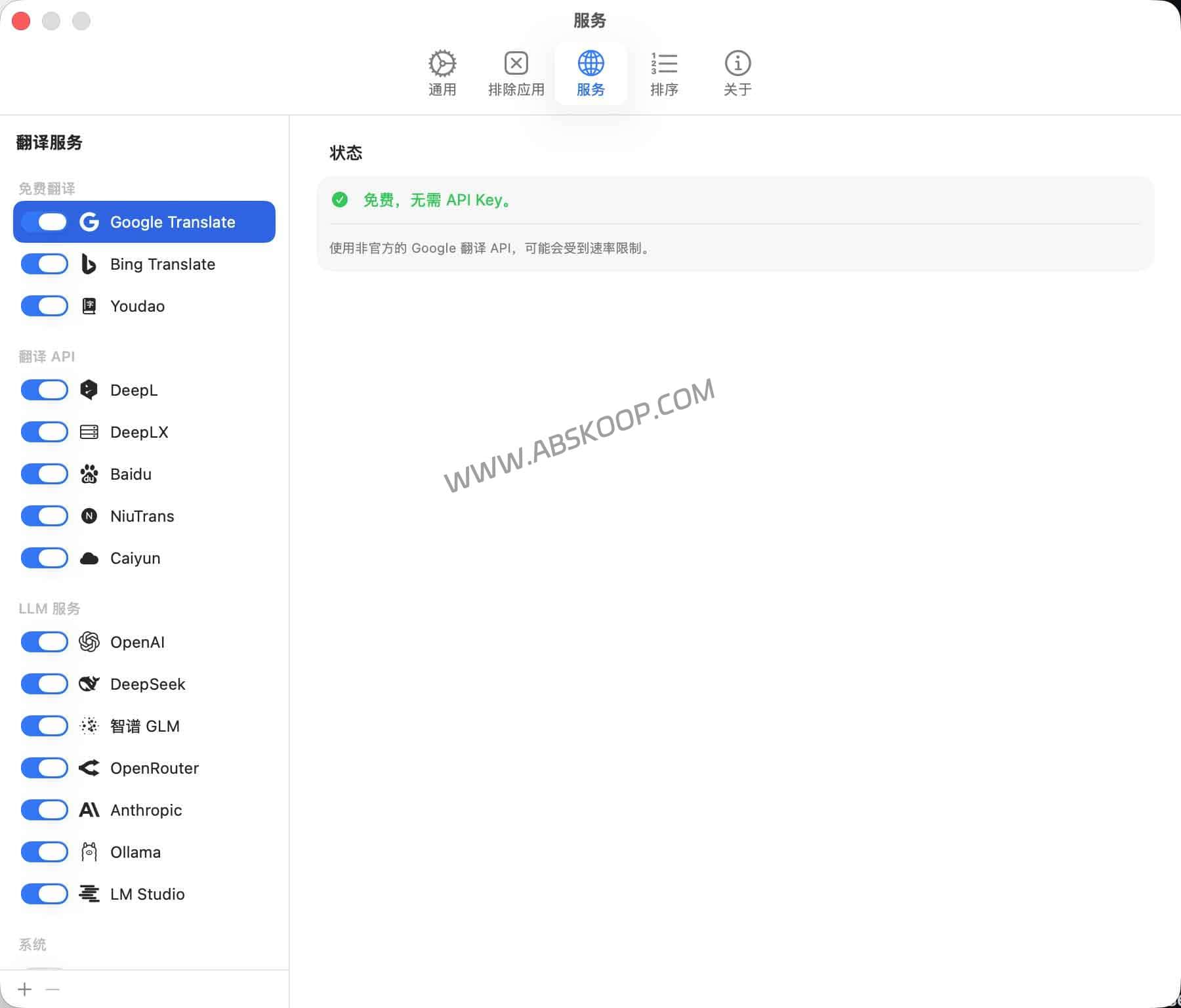
MoePeek's core competitiveness lies in its open API configuration. It not only includes built-in basic free engines like Google, Bing, and Youdao, but also allows users to access professional APIs based on cost and preference, such as... DeepL, DeepSeek, GLM wait.
For privacy-sensitive or tech-savvy users, it offers robust localization support:
- Local model: Native support for Ollam and LM Studio allows for a closed-loop translation process locally.
- System translation: Supports translation on Apple systems running macOS 15 and later (offline capability depends on system version).
Deployment Considerations and Permission Configuration
Because MoePeek is an open-source project not officially certified by Apple, it will trigger a system security check upon initial installation. This is normal for users accustomed to tinkering with Mac software, but new users should be aware of the following:
🛠️ Quick Guide to Avoiding Pitfalls
- Resolving "File is corrupted": If Gatekeeper intercepts, please execute the following command in the terminal:
sudo xattr -r -d com.apple.quarantine /Applications/MoePeek.app - Required permissions: The word highlighting function requires authorization.Accessibility featuresOCR functionality requires authorization.Screen Recording。
- Boot failure handling: If the permission guide does not pop up normally, you can try executing...
defaults delete com.nahida.MoePeekReset the configuration to trigger again.
Solution Comparison: How to Choose the Right Tool for You?
Within the macOS word highlighting ecosystem, MoePeek differs in its positioning from other mainstream tools as follows:
- PopClip: The word highlighting action is like a Swiss Army knife, with a very strong plugin ecosystem, suitable for users who need to integrate multiple actions such as translation, search, and formatting (MoePeek also provides the PopClip extension for linkage).
- Clicknow: Commercially mature products emphasize out-of-the-box usability and an extremely smooth experience, making them suitable for users who don't want to go through the hassle of tweaking things.
- MoePeek: It features a minimalist native build, emphasizing low resource consumption and API flexibility, making it suitable for developers or geeks who prioritize lightweight design and want to integrate with a local LLM.
Summary: Is it right for you?
Recommended audience: For users who prioritize lightweight design, don't want translation software to consume excessive memory, and are willing to spend 5 minutes configuring permissions and API keys, MoePeek is the best entry point if you're already running Ollam or DeepSeek.
Not recommended for: Users who strongly dislike terminal commands, demand 100% out-of-the-box functionality, or require commercial software-level after-sales support.
If you would like to further compare different options, you can check the website. Recommended word-highlighting translation tools。
🚀 Project access and official channels
🌐 MoePeek GitHub Official Homepage
View the Swift source code, the list of supported models, and deployment documentation.
🐙 Official Releases Download
Get the latest DMG image and PopClip plugin.
Disclaimer:This article is based on publicly available information from MoePeek. For any secondary development or commercial use, please verify the AGPL-3.0 license agreement and ensure that the use of third-party APIs complies with the relevant terms of service.
