Inkeys (a smart drawing platform)
Inkeys (Smart Drawing Education)(Formerly known as Intelligent-Drawing-Teaching, or IDT for short) is a high-performance screen annotation tool designed specifically for the Windows platform. It allows users to freely write and draw anywhere on the screen, displaying their ideas and annotations on the current interface in real time.
Written in C++20, this software offers powerful drawing capabilities while maintaining a lightweight design. It boasts excellent compatibility, supporting at least Windows 7 (RTM, sp0) and natively adapting to various system architectures including 32-bit, 64-bit, and Arm64, ensuring smooth operation on both older devices and the latest terminals.
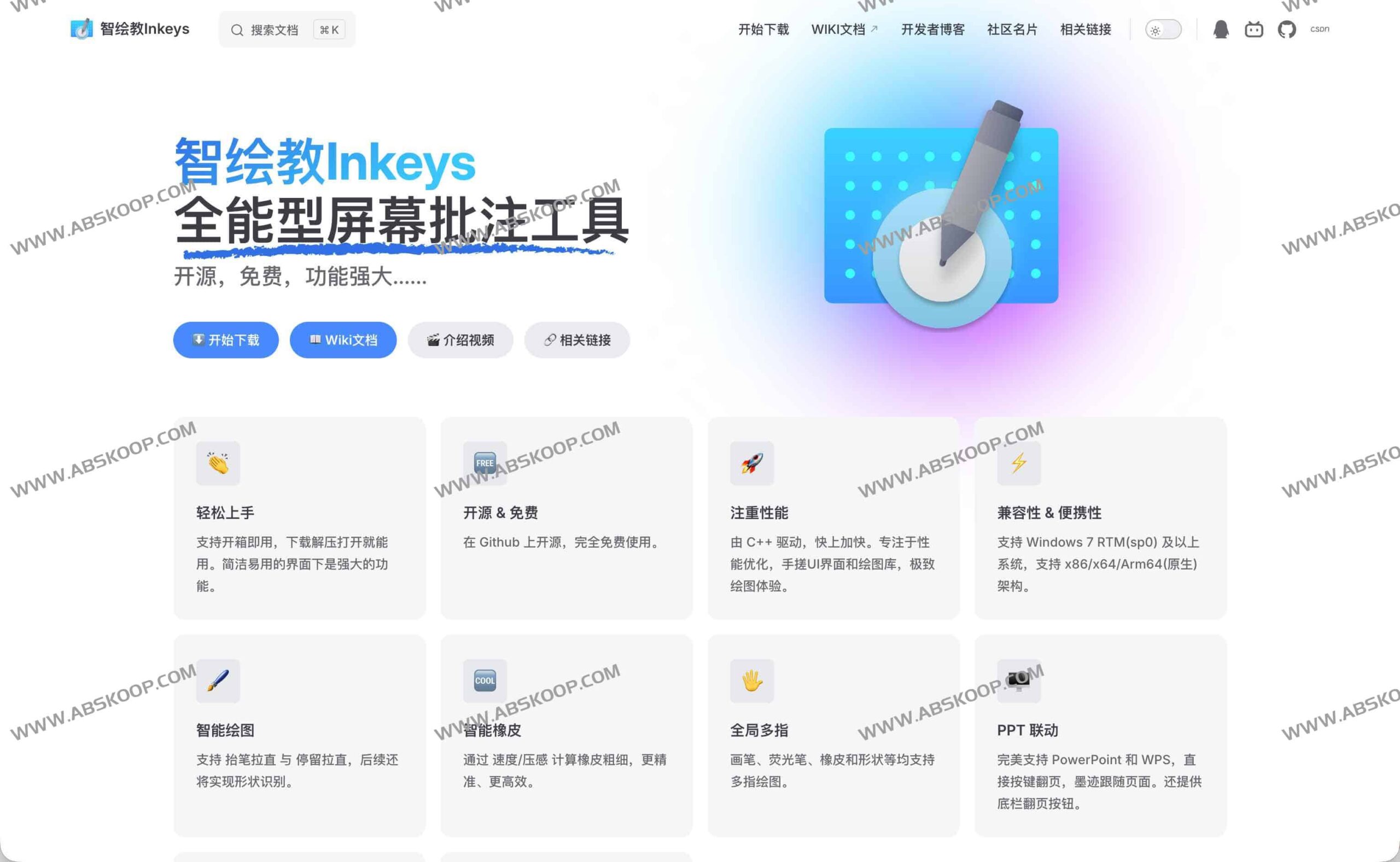
Core Functions and Technical Highlights
1. Ultimate performance and responsiveness
Thanks to its C++ driver and self-developed UI and drawing library, Inkeys achieves extremely low input latency. Whether it's fine-grained local annotation or large-area rapid commenting, the writing experience is very smooth, effectively eliminating any lag.
2. Intelligent drawing assistance
To improve drawing efficiency, Inkeys has introduced several intelligent features:
- Line optimization: It supports "lift the pen to straighten" and "pause to straighten" to make hand-drawn straight lines more accurate.
- Smart Eraser: The eraser thickness can be dynamically adjusted according to pressure sensitivity or writing speed to simulate real writing feedback.
- Future plans: The plan is to add shape recognition functionality to further simplify the graphic annotation process.
3. Deep compatibility and super-pinned status
Using UiAccess technology, Inkeys can break through the conventional window hierarchy and maintain [interface/function] in the following special interfaces. "Super Pinned"Ensure that the annotation content is not obscured:
- Task Manager (top view), taskbar and Start Menu
- On-screen keyboard, system lock screen
4. Multi-device touch control and demonstration linkage
The software fully supports multi-finger touch and is perfectly compatible with handwriting screens, e-readers, and various touch devices. For teaching and presentation scenarios, Inkeys achieves deep integration with PowerPoint and WPS.
- It supports quick page turning via buttons, and the ink effect can switch synchronously with the page.
- The built-in bottom bar page-turning button allows presenters to quickly control the progress.
Version selection and update channel
To balance stability and future-proofing, Inkeys offers two update channels that users can switch freely within the application as needed:
- LTS Official Version: Extensive testing has shown that it offers the highest stability and is recommended for serious scenarios such as formal teaching and business office work.
- Insider Preview: Pushed directly by developer AlanCRL, it includes the latest features and is suitable for users who crave new experiences and can tolerate a few bugs.
Notice: Although it supports automatic updates for third-party customized versions, users can restore to the official version at any time through the software's built-in repair function.
Quick Start Guide
- Obtain the software: Download the compressed file via the link below.
- Deployment and operation: Extract the files to a local folder (or USB drive), and you can run it directly without installation.
- Select channel: Choose either the LTS or Insider update channel in the settings, depending on your use case.
- Start annotating: Create directly on the screen using a paintbrush, highlighter, or eraser.
Resource Acquisition
Official website address: www.inkeys.top
GitHub open-source address: https://github.com/Alan-CRL/Inkeys
Quick Download: Download from cloud drive
