ClashMac:为 macOS 打造的轻量级网络管理工具
ClashMac 是一款基于 mihomo 内核开发的 macOS 菜单栏客户端。该应用采用 SwiftUI 原生技术构建,在界面风格与交互逻辑上与 macOS 系统高度统一。其设计核心在于“轻量与高效”,通过将系统代理接管、增强模式及实时流量监控集成于菜单栏,为用户提供极简的操作体验。
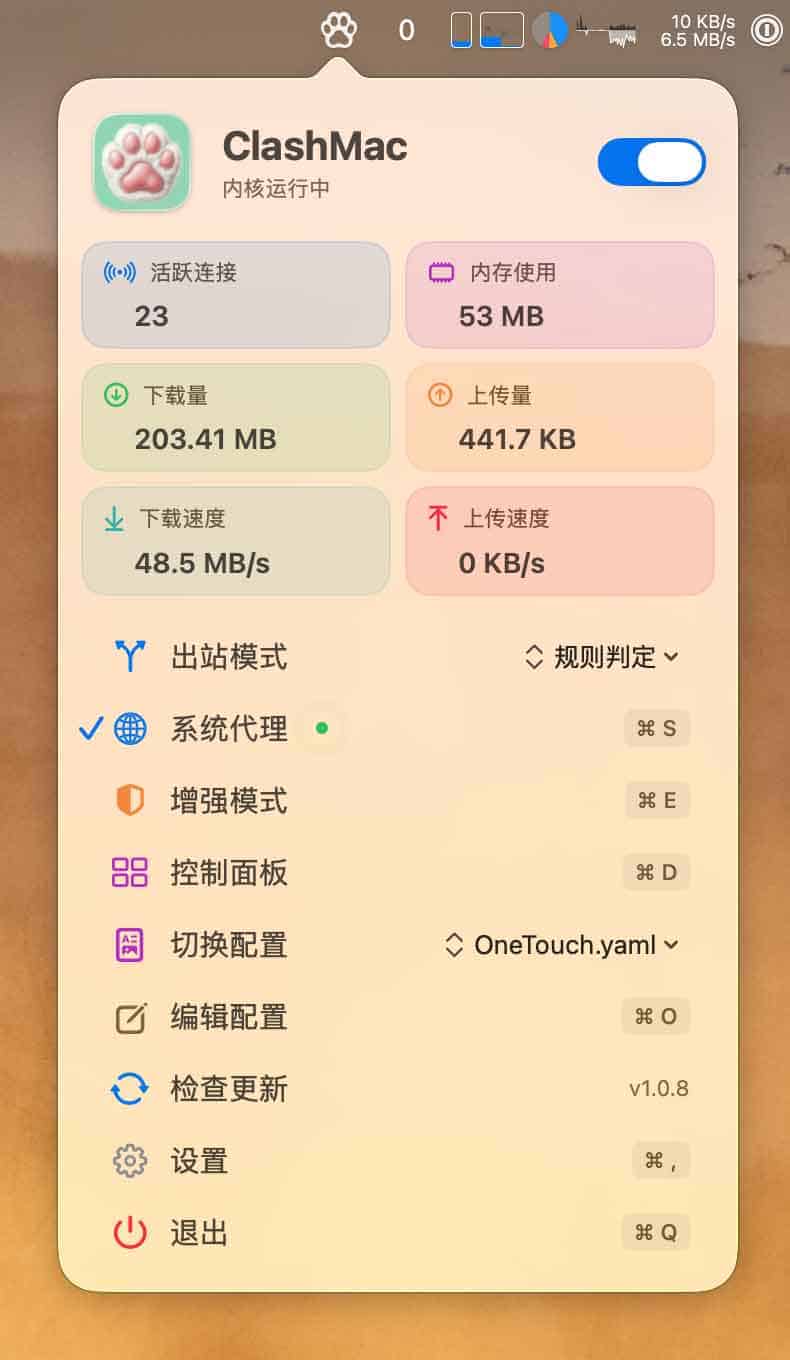
核心功能特性
- 原生交互体验:基于 SwiftUI 开发,视觉效果与系统原生应用无异,运行流畅。
- 低资源占用:常驻菜单栏设计,确保在提供高效网络管理的同时,尽可能减少对系统资源的消耗。
- 便捷的网络接管:支持一键快速开关系统代理与增强模式。
- 特权助手支持:通过特权助手管理内核与系统代理,有效减少重复的权限授权弹窗。
- 毫秒级实时监控 :利用 SSE 推送 技术,实现上 / 下行速率的即时刷新。
- 多维度可视化:内置面板可直观查看当前连接数、内存占用及流量统计。
- 集成 Web Dashboard:提供快速入口跳转至在线控制面板,方便用户精细化管理规则与连接状态。
安装指南
1. 下载对应版本
请根据您的 Mac 芯片类型选择相应的安装包(下载渠道:GitHub Releases or 国内网盘):
- Apple Silicon (M1/M2/M3/M4):选择
ClashMac-v*-macos-arm64.zip - Intel 处理器:选择
ClashMac-v*-macos-x86_64.zip
提示:可通过「 菜单 → 关于本机」确认您的芯片类型。
2. 安装步骤
- 解压下载的 ZIP 压缩包。
- 将
ClashMac.app拖拽至「应用程序 (Applications)」文件夹中。 - 首次启动若提示安全警告,请在 App 图标上点击右键,选择「打开」。
解决 Gatekeeper 拦截问题
由于应用未经过 Apple 官方公证,macOS 可能会拦截运行。您可以尝试以下三种方案:
方案 A:通过系统设置手动允许
在尝试打开应用并触发警告后,前往「系统设置 → 隐私与安全性」,找到提示 “ClashMac 已被阻止打开” 的选项,点击「仍要打开」并确认。
方案 B:使用终端清除扩展属性
打开终端,输入以下命令并回车:
xattr -cr /Applications/ClashMac.app方案 C:移除隔离属性
若方案 B 无效,可尝试执行:
xattr -d com.apple.quarantine /Applications/ClashMac.app使用建议与合规说明
Applicable Scenarios
- 开发者与进阶用户:需要对 macOS 网络流量进行实时观察与调试。
- 极简主义者:偏好菜单栏常驻、低占用且具备原生交互体验的用户。
- 团队协作:需要通过可视化面板与 Dashboard 快速同步配置的成员。
Precautions
配置加载:用户可先使用项目提供的测试配置进行功能验证,实际使用时请加载符合自身需求且合规的配置文件。
合规声明 :ClashMac 仅为通用网络调试与流量管理工具, 不内置任何节点与规则。请务必在合法合规的场景下使用,遵守当地法律法规。所有第三方服务相关的费用与内容由用户自行承担。
相关资源
- GitHub 开源仓库:
https://github.com/666OS/ClashMac - 快速下载通道 : 国内网盘下载
End of text
