What should you do if you need to quickly edit a video but don't want to install bulky professional software like Premiere or DaVinci, and are also worried about uploading your private materials to a third-party cloud platform?
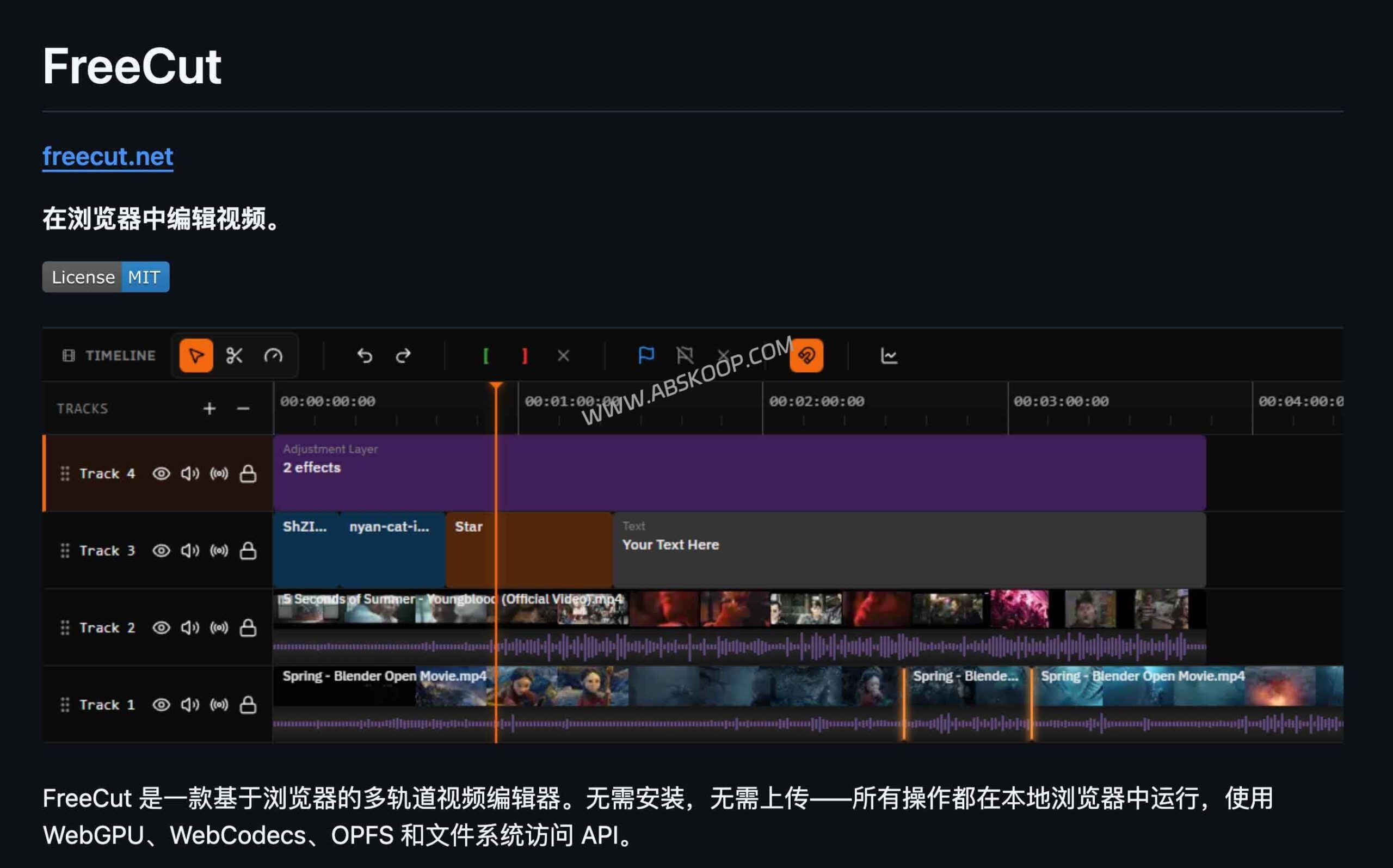
This dual demand for "lightweight" and "privacy" is precisely... freecut The problem it attempts to solve. It's a browser-based open-source video editor, its biggest feature being that it requires no installation and the vast majority of processing occurs locally. By deeply utilizing modern browser capabilities such as WebGPU, WebCodecs, and OPFS, FreeCut enables multi-track editing and local export on the web page, allowing users to start working the moment they open the page.
Who is best suited to use FreeCut?
FreeCut is not simply an "online cropping tool," but a fully functional multitrack editor. It is particularly suitable for the following types of users:
- Light office users: I often switch between different devices and get tired of installing and configuring heavy clients.
- Privacy-sensitive creators: We have strict requirements regarding the flow of materials and do not want videos to be stored in the cloud.
- For those who need quick film output: Create short videos, course clips, product demonstrations, or organize meeting segments.
- Minimalists: Hoping to escape the SaaS subscription trap and pursue purely localized tools.
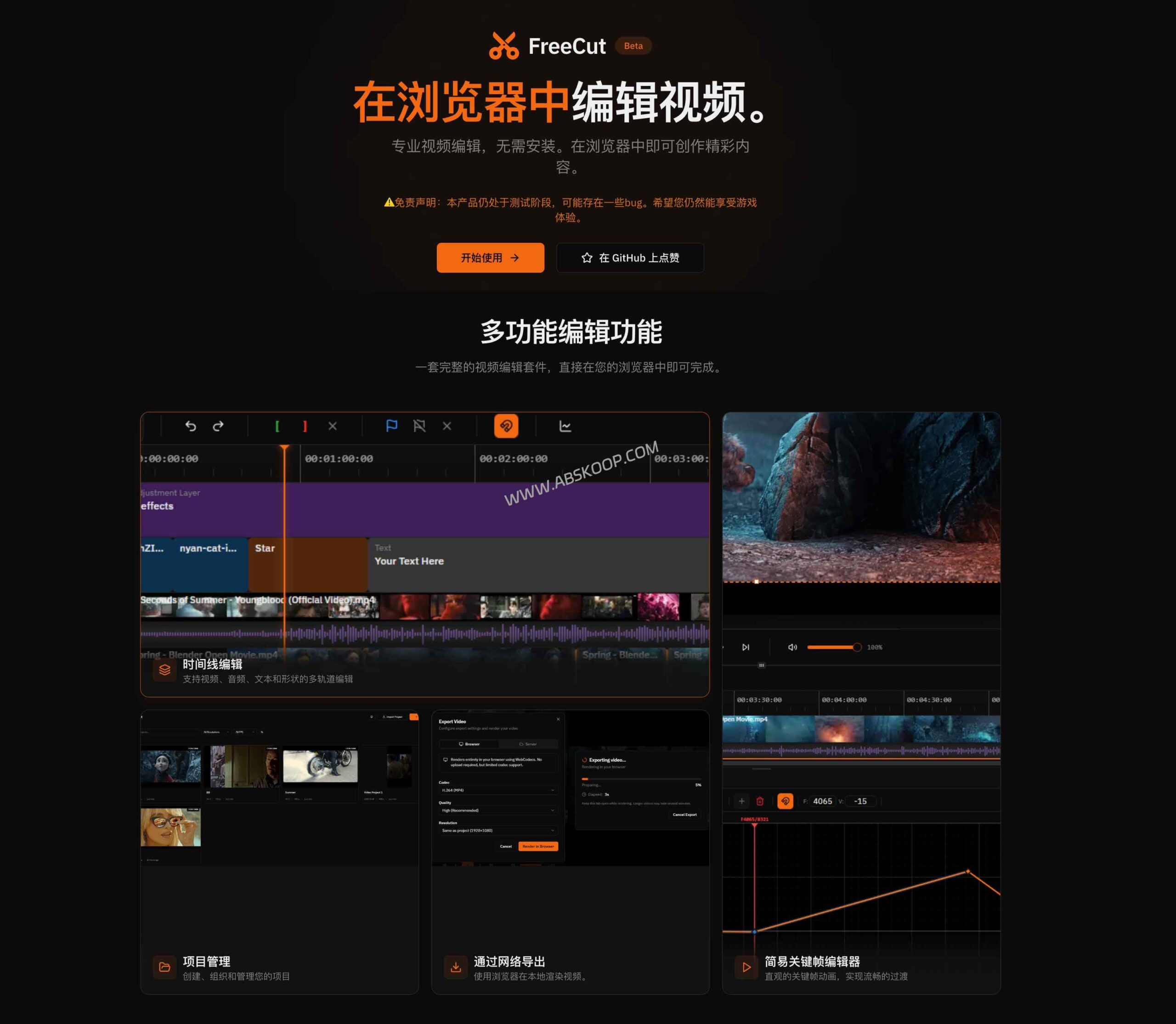
However, it also has clear boundaries. If your workflow involves film-quality color grading, large-scale multi-camera projects, or relies on a mature third-party plugin ecosystem, FreeCut cannot currently replace professional software. Furthermore, due to limitations of its underlying API, it is currently only available in… Chrome 113+It runs stably in Chromium-based browsers, but Safari and Firefox users are not advised to use it as their primary solution at this time.
Core capabilities: How deep of editing can be achieved on the browser side?
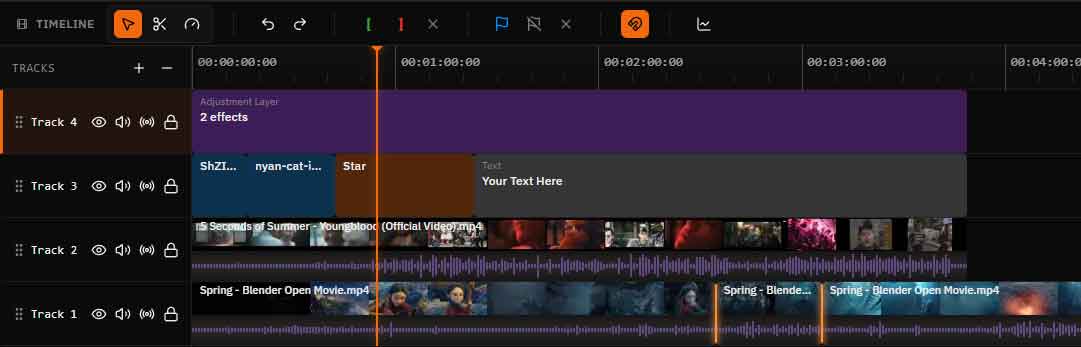
FreeCut's timeline functionality far exceeded expectations, bringing a standard non-linear editing system (NLE) into the browser.
1. A professional set of precision cutting tools
它支持视频、音频、文字、图片及图形的多轨混剪,并提供轨道分组、静音、锁定等联动操作。在剪辑工具方面,涵盖了 Trim(修剪)、Split(分割)、Ripple Delete(波纹删除)、Rate Stretch(速率拉伸)等专业功能。配合 Source Monitor(源监视器)和 Mark In/Out(入点 / 出点)操作,处理高信息密度的视频也游刃有余。
2. WebGPU-driven visual effects
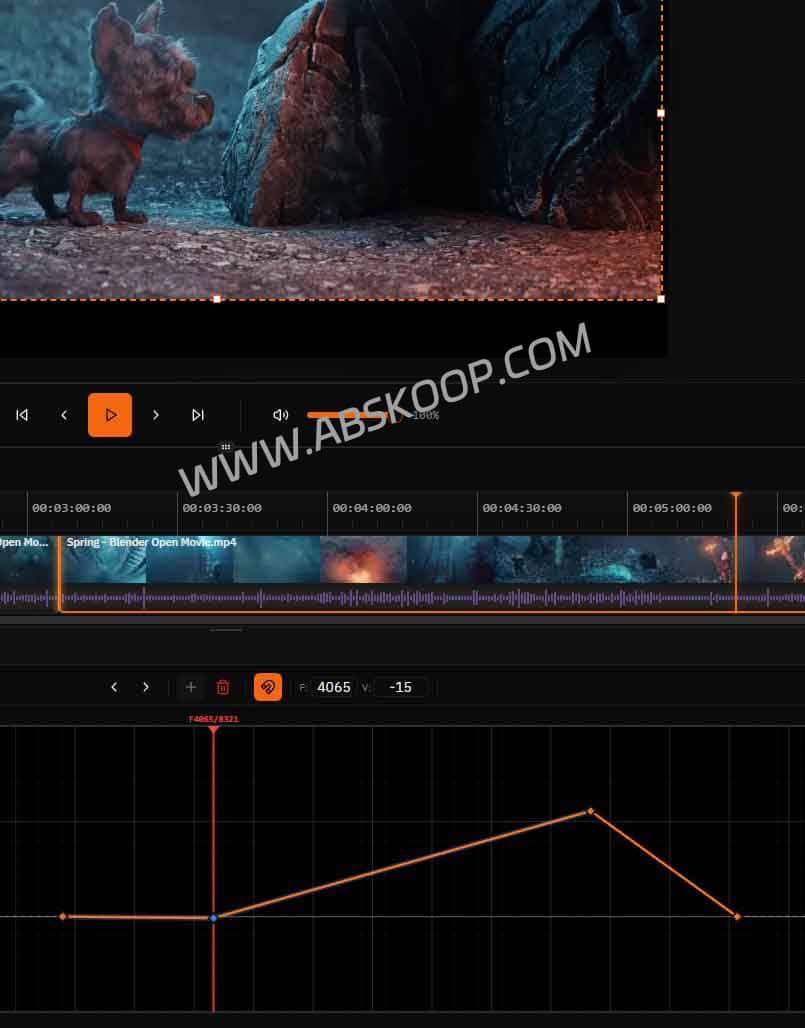
Visual enhancements are powerfully driven by WebGPU, featuring built-in effects such as blur, color correction, distortion, and keying, and offering 25 GPU-accelerated blending modes. For dynamic control, it supports Bézier curves, spring easing, and a graph editor, meaning it can handle a significant portion of short video packaging needs, rather than simply splicing together footage.
3. Localization of Whisper subtitle transcription
This is a highly competitive feature: FreeCut runs the Whisper model directly within the browser's Web Worker. This means the speech-to-text process is completed on your local device, without uploading audio to an external server, thus protecting privacy and reducing costs.
Technical Logic: Where did the source material go?
Most online editors use a "upload to cloud render to download" model, while FreeCut follows a different approach. "Local reference to $rightarrow$ Local processing of $rightarrow$ Local export" The path.
🛠️ Breakdown of Core Data Flow
- Importing materials: Use the File System Access API to directly reference local files without uploading the entire file.
- Preview optimization: Generate a preview proxy in OPFS (source file system) to improve playback smoothness.
- Subtitle generation: The Whisper model runs locally offline, without going through a server.
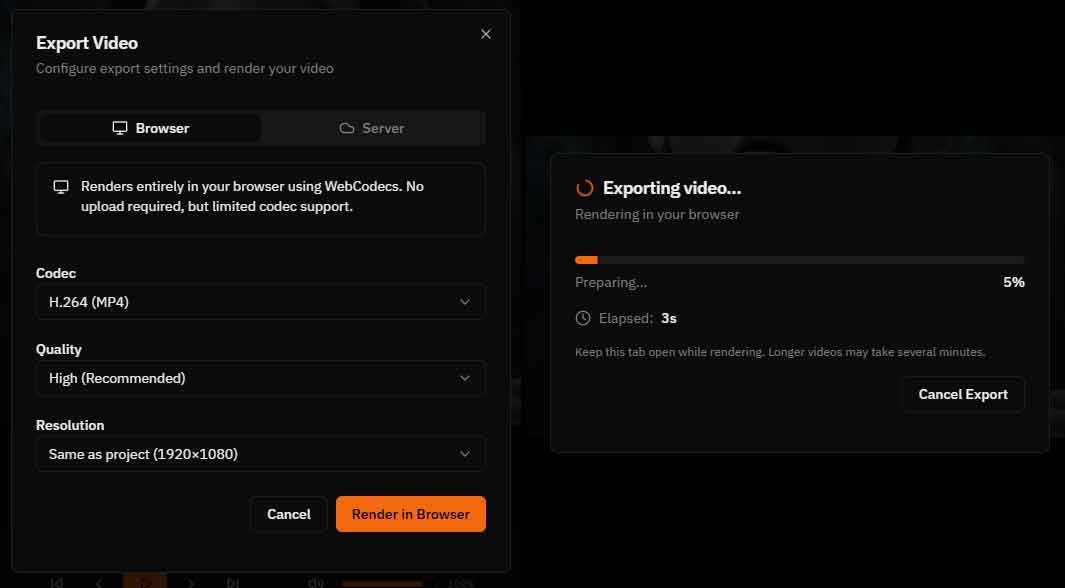
- Final export: Rendering is completed on the browser side using WebCodecs, eliminating the need to wait in line for cloud export.
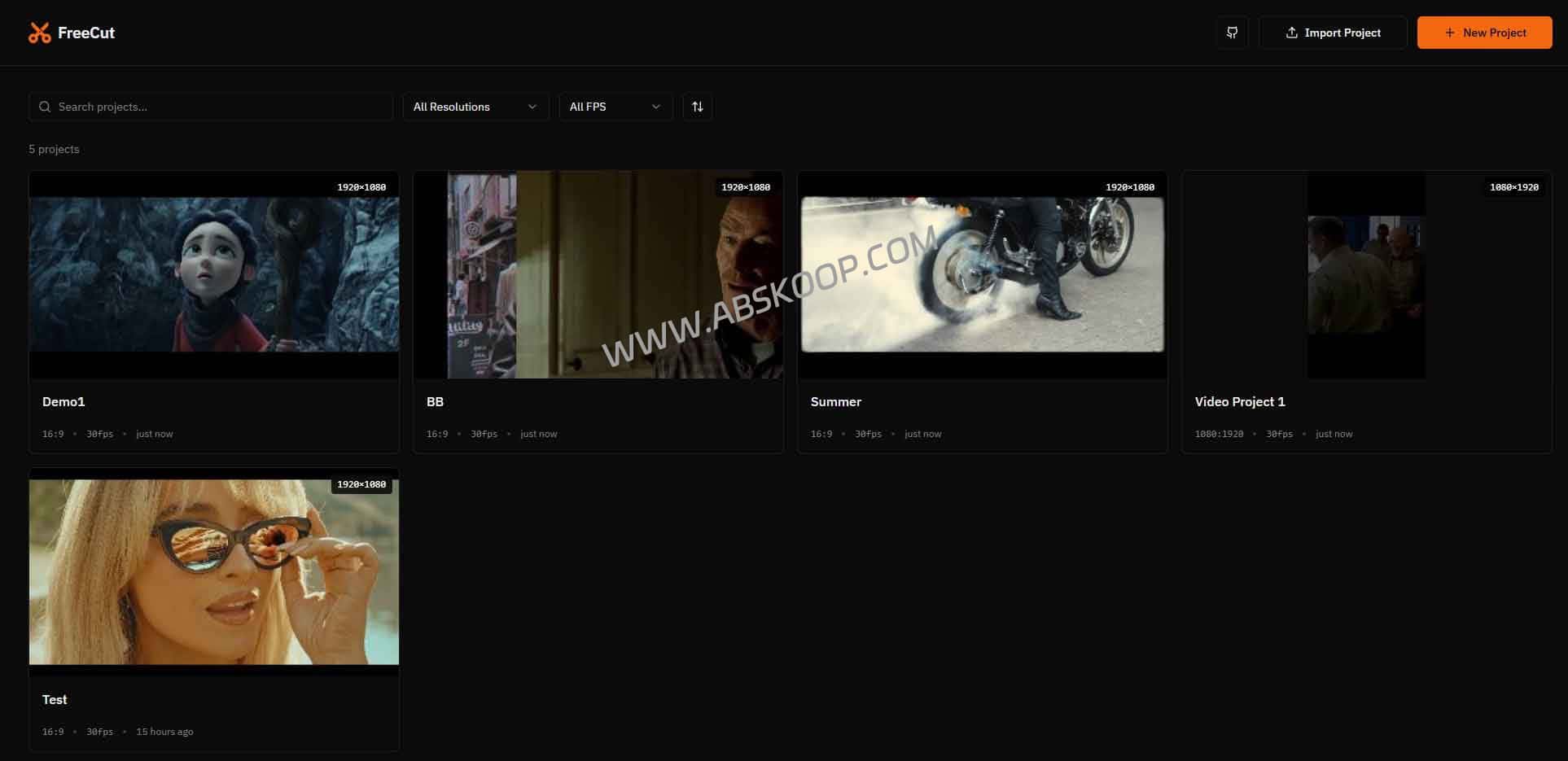
- Project storage: Persistence is achieved through IndexedDB, and the project can be exported as a ZIP package.
Compatibility and performance boundaries
In terms of format support, FreeCut covers the vast majority of mainstream needs. It supports containers such as MP4, WebM, MOV, and MKV, and encodings including H.264, H.265, and AV1. Audio formats supported include AAC, MP3, and FLAC. Quality presets range from 2 Mbps to 20 Mbps.
📌 Key Parameter Overview
- Maximum file size: Supports up to 5 GB
- Core dependencies: Chrome 113+ (Chromium)
- Open source license: MIT License
- Key capabilities: Local Whisper transcription, WebGPU effects, WebCodecs export
Deployment and Usage Notes
For developers or users who prefer private deployment, FreeCut's startup process is very simple. As long as you have a Node.js 18+ environment, you can run it using the following command:
git clone https://github.com/walterlow/freecut.git cd freecut npm install npm run dev⚠️ Must read before you start
- Brave browser users: Manual access required
brave://flags/#file-system-access-apiEnable permissions and restart. - Performance dependency: All rendering, transcription, and effects rely on local hardware. Even with a low-spec, thin and light laptop, performance bottlenecks will still occur when processing 4K multitrack video.
- Nesting restrictions: The current version of Pre-compositions only supports one layer.
In summary: Can it become your primary tool?
FreeCut's core competitiveness lies not in piling up features, but in redefining the path of "online editing"—Use the browser as the runtime environment, rather than as the upload portal.
If you need a temporary and private lightweight workstation for handling screen recordings, meeting clips, or simple social media videos, FreeCut is an excellent choice. However, if you rely on cloud-based collaborative review or extremely complex projects, it's better suited as a "quick auxiliary tool" rather than your sole primary tool.
Frequently Asked Questions
Is FreeCut completely free?
Yes, it is open source under the MIT license, and can be used for free directly from the official website.
Will the footage really not be uploaded to the server?
Yes. It references local files through the File System Access API, and rendering and exporting are all done locally in the browser, without relying on cloud processing.
Can it be used in Firefox or Safari?
Not recommended at this time. Due to compatibility issues with key APIs, it is recommended to use Chrome 113+ or a Chromium-based browser.
Does it support self-hosted deployment?
Yes, you can clone the source code to run it locally, or build it as a static page and deploy it on your own server.
Project acquisition and official channels
🐙 GitHub repository View source code, MIT license, and deployment guidelines
Disclaimer:This article is based on publicly available information from FreeCut's official website. Since browser APIs and security policies may change with version updates, if used in enterprise-level confidential environments or commercial development, please be sure to review the latest official release notes and browser compatibility documentation.
