Detailed step-by-step guide to installing Twitter X v11.49.1-release.0 APK

65Second reading
no comments

Twitter X Beta Version Update Overview

Twitter 品牌向 X 的迁移已基本完成。目前网页版已全面更新品牌标识,安卓端也推出了 Beta 测试版本。在该版本中,从 App 图标到内部界面元素均已替换为全新的 X Logo,用户可以抢先体验这一视觉更新。

Twitter X Beta 安装指南

Because Twitter X Beta uses .apkm 格式的安装包,无法通过常规方式直接安装,需要借助第三方安装工具。

  1. Install the SAI installer: 首先在设备上安装 SAI (Split APKs Installer),该工具专门用于解析和安装 apkm 类型的分片安装包。
  2. 导入安装包: 打开 SAI 软件,选择对应的 Twitter X Beta apkm 文件进行安装。
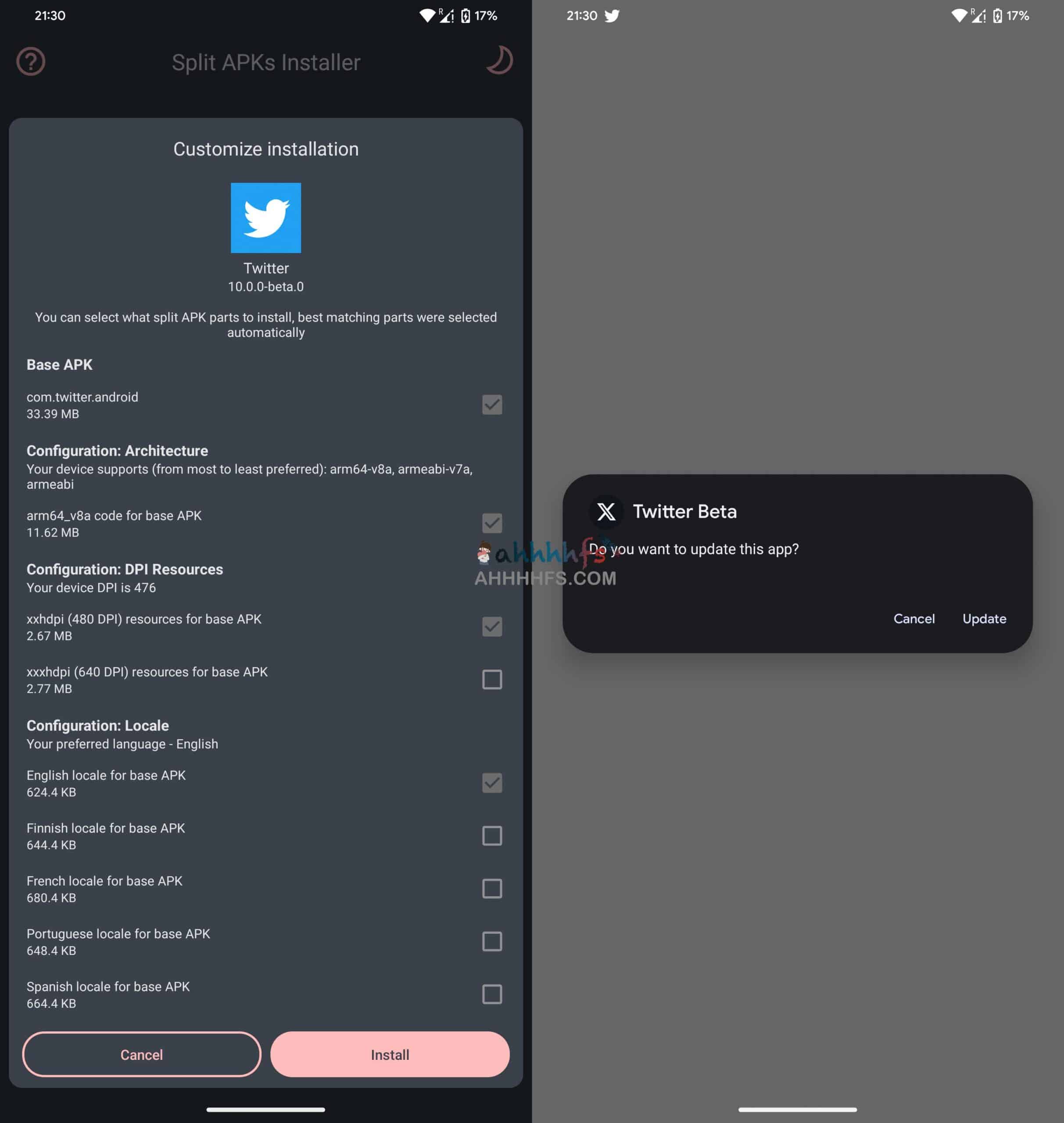
安装 Twitter X v11.49.1-release.0 APK 的详细步骤指南

界面预览

安装 Twitter X v11.49.1-release.0 APK 的详细步骤指南

下载地址

Android 用户: 点击通过夸克网盘下载

iOS 用户: Please search and download directly from the App Store. Twitter (X)

End of text
0
Administrator
Copyright Notice:This article is original content from this website. Administrator 于2025-12-24发表,共计357字。
Reprinting Notice:Unless otherwise stated, all original content on this site is published under the Creative Commons Attribution 4.0 (CC BY 4.0) license. Please indicate the source and retain the original link when reprinting. Some content on this site is compiled from publicly available information and may have been generated or optimized with the assistance of AI technology. It is for reference only and does not constitute any professional advice. Readers should make their own judgments and verifications. This site assumes no responsibility for the availability, security, or legality of third-party resources.
Comments (No comments)
验证码