xianyu-chat-exporter:闲鱼聊天记录一键备份工具
For users who need to archive transaction receipts or organize communication records.xianyu-chat-exporter 提供了一种高效的导出方案。该插件专门针对闲鱼网页版开发,能够将聊天对话快速转换为 HTML 或 Markdown 格式,完整还原对话气泡、多媒体文件及引用关系。
核心功能
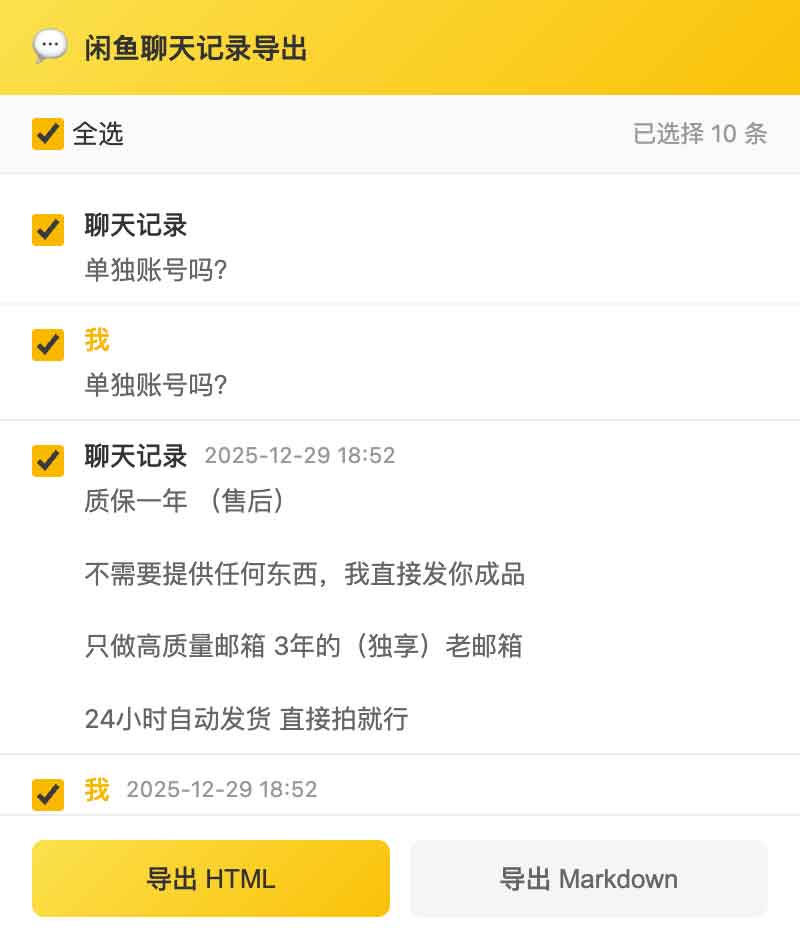
- 可视化筛选: It supports previewing and selecting specific messages before exporting, allowing for precise control over backup content.
- 双格式导出:
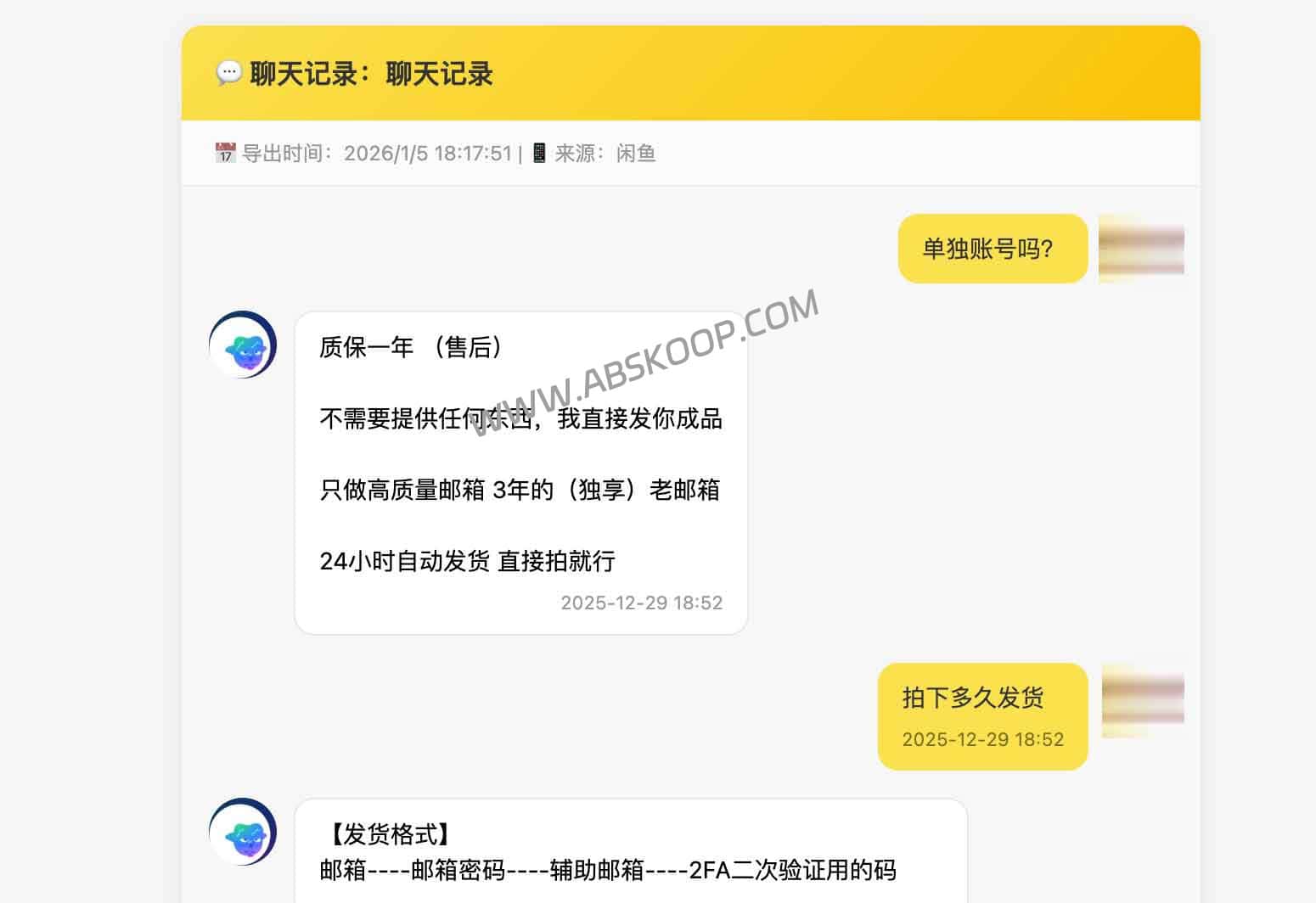
- HTML: The interface is highly faithful to the original, retaining the avatar and speech bubble styles, and images and videos can be played directly.
- Markdown: 纯文本呈现,图片以链接形式存储,方便导入 Notion、Obsidian 等笔记软件。
- 本地化处理: 基于 Manifest V3 与 Chrome Scripting API 构建,所有数据处理均在本地完成,无需上传服务器,确保隐私安全。
Installation and Operation Guide
Installation steps
Since this plugin is an open-source project, it can be installed in the following two ways:
- Developer mode (quick install): 进入 Chrome 浏览器
chrome://extensions/$rightarrow$ 开启右上角 Developer Mode $rightarrow$ Click 「加载已解压的扩展程序」 $rightarrow$ 选择插件文件夹。 - CRX 包安装: 在扩展页面点击「打包扩展程序」生成
.crx文件后,将其拖入浏览器安装。
Usage process
- 登录闲鱼网页版(goofish.com / xianyu.com),进入目标对话窗口。
- 关键步骤: 向上滚动聊天记录,确保所有需要备份的历史消息已加载完毕。
- 点击浏览器右上角的插件图标,在弹出界面中勾选所需内容。
- 点击「导出 HTML」或「导出 Markdown」即可完成备份。
Precautions
- 适用环境: 仅支持 PC 端浏览器访问的闲鱼网页版。
- 加载要求: The plugin cannot capture records that have not been loaded. Please be sure to manually scroll to the top before exporting.
- 链接时效: 导出的图片链接指向阿里云 CDN,具有一定的时效性,建议重要图片及时手动保存。
Resource Acquisition
项目地址: GitHub repository
Quick Download: Quark Drive
This tool is completely open source, and developers are encouraged to submit pull requests or modify and optimize it themselves.
End of text
