Port Guard: macOS's native smart port management expert
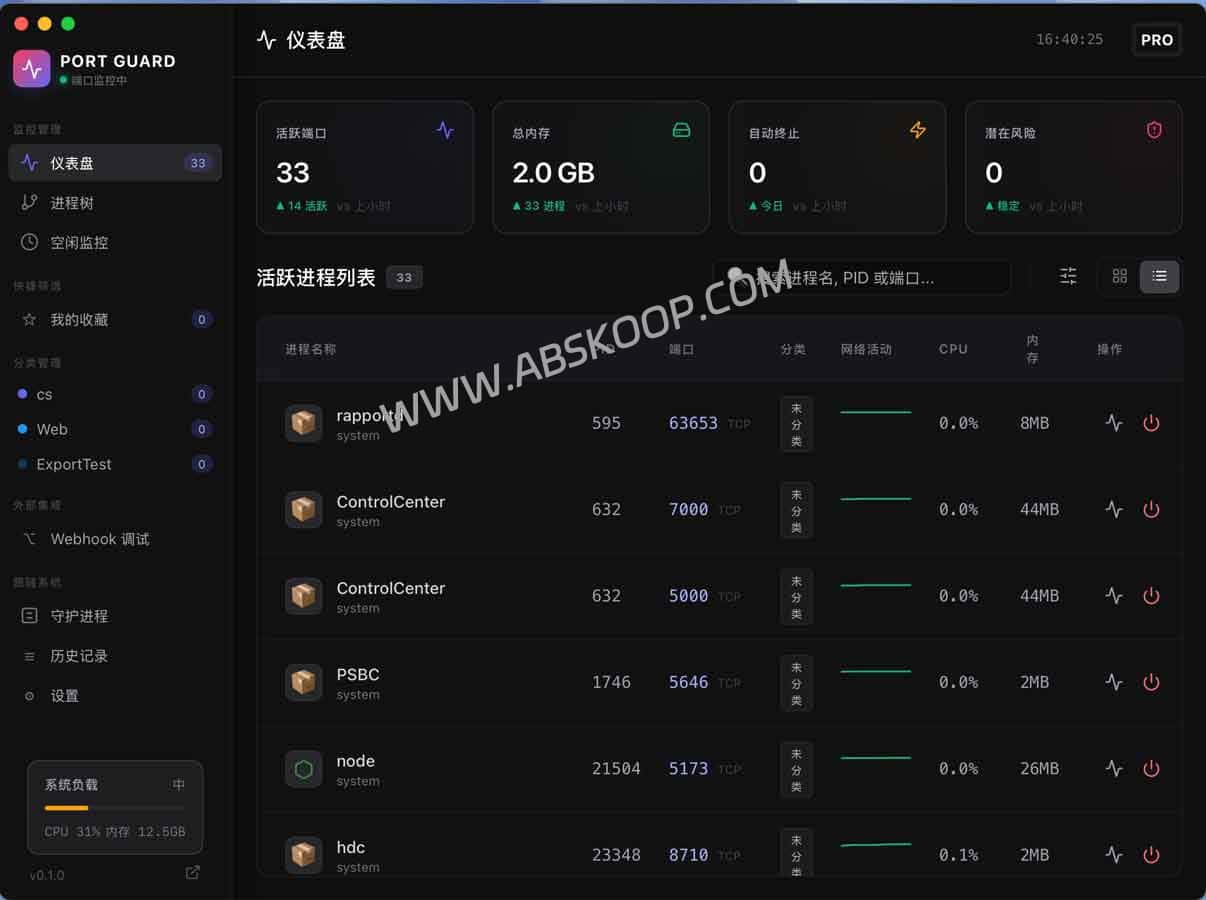
For developers, port conflicts are often a pain point during the debugging process. Port Guard is a native application built specifically for macOS that addresses this issue. Real-time monitoring, process management and security protection Deep integration. It provides millisecond-level response times and intuitive data views, helping developers quickly grasp the status of each port when developing local services, debugging interfaces, or troubleshooting conflicts.

🔧 Core Function Analysis
- Real-time status tracking: It dynamically monitors changes in system ports, supports custom notification rules, and provides real-time alerts when a port is occupied or released, ensuring uninterrupted development processes.
- Intelligent process location: It uses an intuitive process tree structure, which allows you to quickly locate processes occupying specific ports without having to enter complex commands in the terminal.
- High-efficiency batch processing: It supports one-click cleanup of multiple occupied ports, greatly simplifying the operation steps for frequent switching of local services or resetting of the development environment.
- System security protection: Automatically identify and block suspicious processes to prevent unknown programs from illegally occupying critical ports and enhance system security.
- Native ecosystem adaptation: Following the macOS design language, it smoothly adapts to both Apple Silicon and Intel architectures and is compatible with macOS 12 and above.
🖥️ Actual user experience
While striving for comprehensive functionality, Port Guard prioritizes "simplicity" and "efficiency" in its design. Developers can complete all operations through a WYSIWYG interface without needing a complex learning curve.
- Ultimate Response: Interface data is refreshed in milliseconds, and status synchronization is delayed.
- Flexible configuration: It supports dynamic notifications and personalized rule settings.
- Zero-barrier to get started: Minimalist interface design with extremely short operation path.
🚀 Get started quickly
- Environmental confirmation: Make sure your Mac system version is macOS 12 or later (supports Intel and Apple Silicon chips).
- Obtain the software: Download the installation package via the official website or cloud drive link below.
- Startup configuration: Open Port Guard, configure port monitoring rules as needed, and enable security protection.
Download channels:
🔗 Official Website:https://devs.you/prot
📦 Backup Download:Quark Drive
Note: The Windows version is under development. Please stay tuned.
📌 Why choose Port Guard?
- Native experience: Customized for macOS developers, with extremely low performance overhead.
- Efficiency improvement: Quickly resolve port conflicts and ensure system security.
- Pure and undisturbed: The software is provided free of charge and without any advertising interference.
- Stable and reliable: Closed-source development is adopted to ensure the stability and consistency of product iteration.
