Quick assessment: Is this tool right for you?
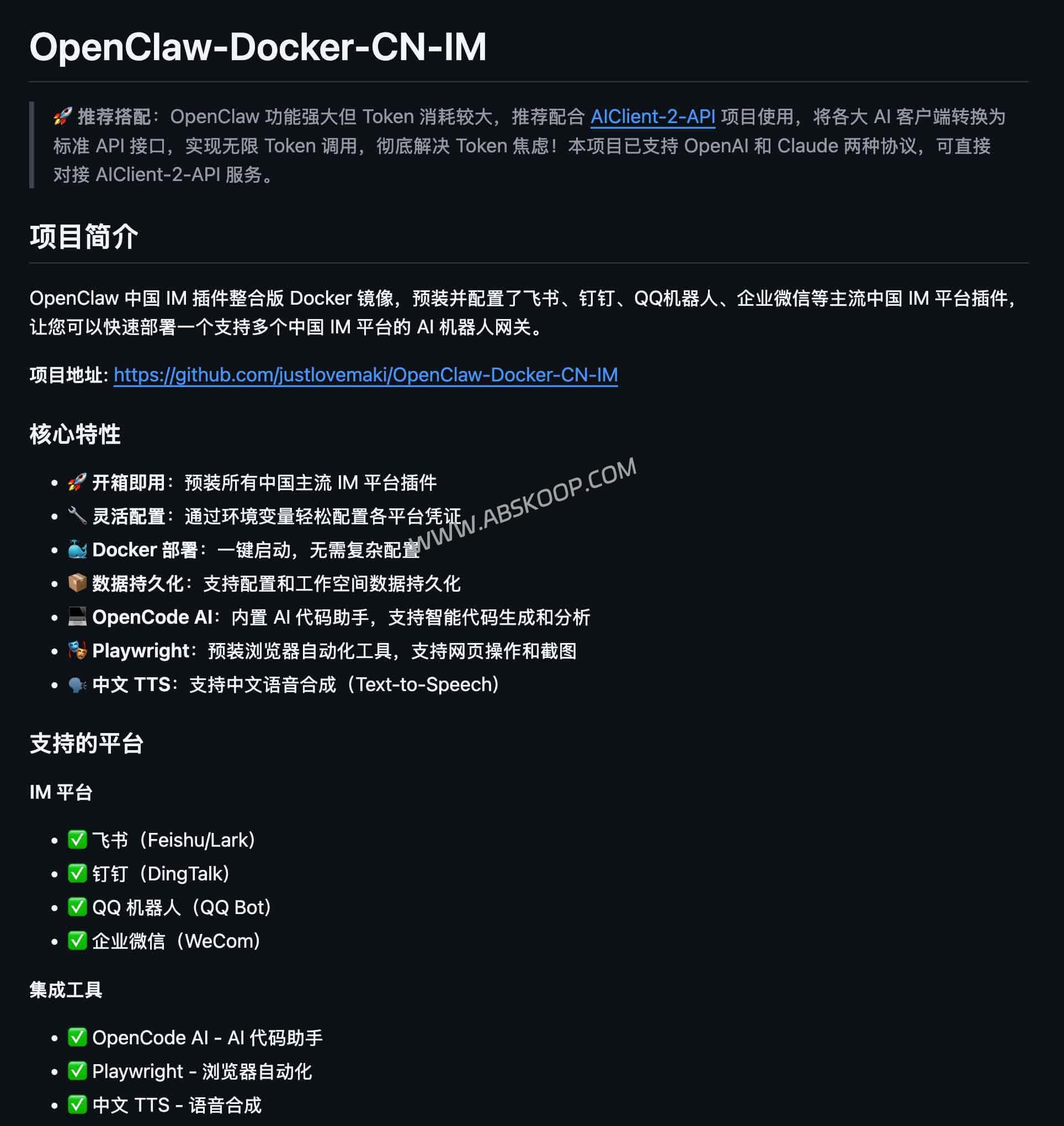
If you need to quickly deploy AI robots in Lark, DingTalk, and WeChat Work, but don't want to waste time on environment setup, then... OpenClaw-Docker-CN-IM It is an excellent choice.
- Pain point solutions: It eliminates the protocol differences between different IM platforms and solves the installation problems of complex systems such as Playwright.
- Applicable scenarios: This model is suitable for projects that prioritize rapid delivery and implementation ("pre-made meal" model); it is not recommended for R&D that requires deep customization of the underlying source code.
In the process of implementing enterprise-level AI, the most tedious part is often the "last mile": how to seamlessly integrate AI capabilities into the office software that employees use frequently.OpenClaw-Docker-CN-IM Essentially, it's an out-of-the-box AI robot gateway that standardizes complex underlying communication protocols, allowing you to manage multi-platform robots just like calling a regular API.
Core Functions and Architectural Logic
This tool plays the role of a "Protocol Conversion Intermediary" The role's workflow is as follows:
- Input (upstream): Receive messages from Lark, DingTalk, WeChat Work, and QQ through Webhook or WebSocket.
- Processing end (core): The OpenClaw gateway is responsible for message routing and distribution, authorization and authentication, and logging.
- Output (downstream): The processed requests are forwarded to large model APIs (such as OpenAI and Claude) or custom business backends.
📦 Highlights of Mirror Integration
- Full platform compatibility: built-in
Feishu、DingTalk、WeComAdapters eliminate the need to consult developer documentation for each platform individually. - Zero environment dependency: Deploying using Docker Compose completely avoids the problem of missing system libraries (such as Node/Python or Playwright) in Linux environments.
libGBMThe crash issue. - Persistent storage: pass
/dataMounting directories ensures that configuration information and session records are not lost after the container restarts. - Built-in enhancement tools: It comes pre-installed with Playwright (which supports webpage screenshots and automated operations) and Chinese TTS speech synthesis service.
Why choose Docker instead of manual development?
Developing multi-platform integration systems in-house typically leads to the following three pitfalls:
- Callback configuration is complex: Lark's Challenge verification, DingTalk's public IP requirements, and Enterprise WeChat's trusted domain configuration—these cumbersome processes have been standardized in the mirror.
- Dependency Hell: In particular, configuring the browser runtime environment in Docker is extremely painful when implementing the "AI browsing webpage" function, but this image has already packaged it.
- Operational and maintenance pressure: Running multiple platforms in parallel can easily lead to deployment chaos, while a unified image solution solves the infrastructure work all at once, allowing developers to focus only on business logic.
Deployment pitfall avoidance guide
⚠️ Important Notes:
- Port usage: Please ensure the host machine's
18789and18790The port must not be occupied; otherwise, the container cannot start normally. - Configuration update: Revise
.envIf the changes do not take effect after the file is written, it is because some configurations are only written on the first startup.Solution: Delete the mounted config directory and restart the container. - Permission check: If Lark is unable to send messages, please check if the "Receive Messages" permission is enabled in the backend and confirm that the Verification Token is configured correctly.
- Credential security: Environment variables containing sensitive keys must not be used.
.envThe file was uploaded to a public code repository.
Safety and Compliance Recommendations
Since this gateway is the centralized connection point between the enterprise IM and external APIs, the following security measures are recommended:
- Follow the principle of least privilege: Enable only "Receive Text" and "Send Message" permissions in the IM platform backend to avoid over-authorization.
- Network isolation: It is recommended to deploy on an internal network environment or a VPS with a strict firewall, and to prohibit the management port from being directly exposed to the public network.
Obtain resources
This project provides an engineered deployment solution designed to improve internal collaboration efficiency within enterprises.
- Docker Hub: justlikemaki/OpenClaw-Docker-CN-IM
- GitHub repository: OpenClaw-Docker-CN-IM
⚠️ Disclaimer: This article is for technical exchange only. Please strictly abide by the developer service terms of Lark, DingTalk, WeChat Work, and other platforms, and it is strictly prohibited to use it for spam or illegal marketing.
