You take notes diligently, but always get stuck when drawing flowcharts?
In team document collaboration or project review, creating charts is often the most time-consuming and physically demanding task.Obsidian Visual Skills It's not a traditional plugin, but a suite tailored for AI (Claude Code)."Drawing Skills Kit"It automates the drawing process, allowing you to generate high-quality visualizations with a single click simply by describing them in natural language.
一、技术原理:AI 如何“学会”画图?
The essence of Obsidian Visual Skills is Claude Code Skills are an extension of AI's prompts. It doesn't rely on complex SaaS server-side configuration; instead, it empowers AI by embedding Skill files into Claude's configuration directory. Directly manipulate the local file system The ability.
Under this mechanism, you don't need to learn complex drawing syntax; you can simply issue commands in plain language, and Claude will directly generate drawings conforming to the Obsidian standard. .md or .Canvas Source file.
| Excalidraw | Mermaid | Canvas |
|---|---|---|
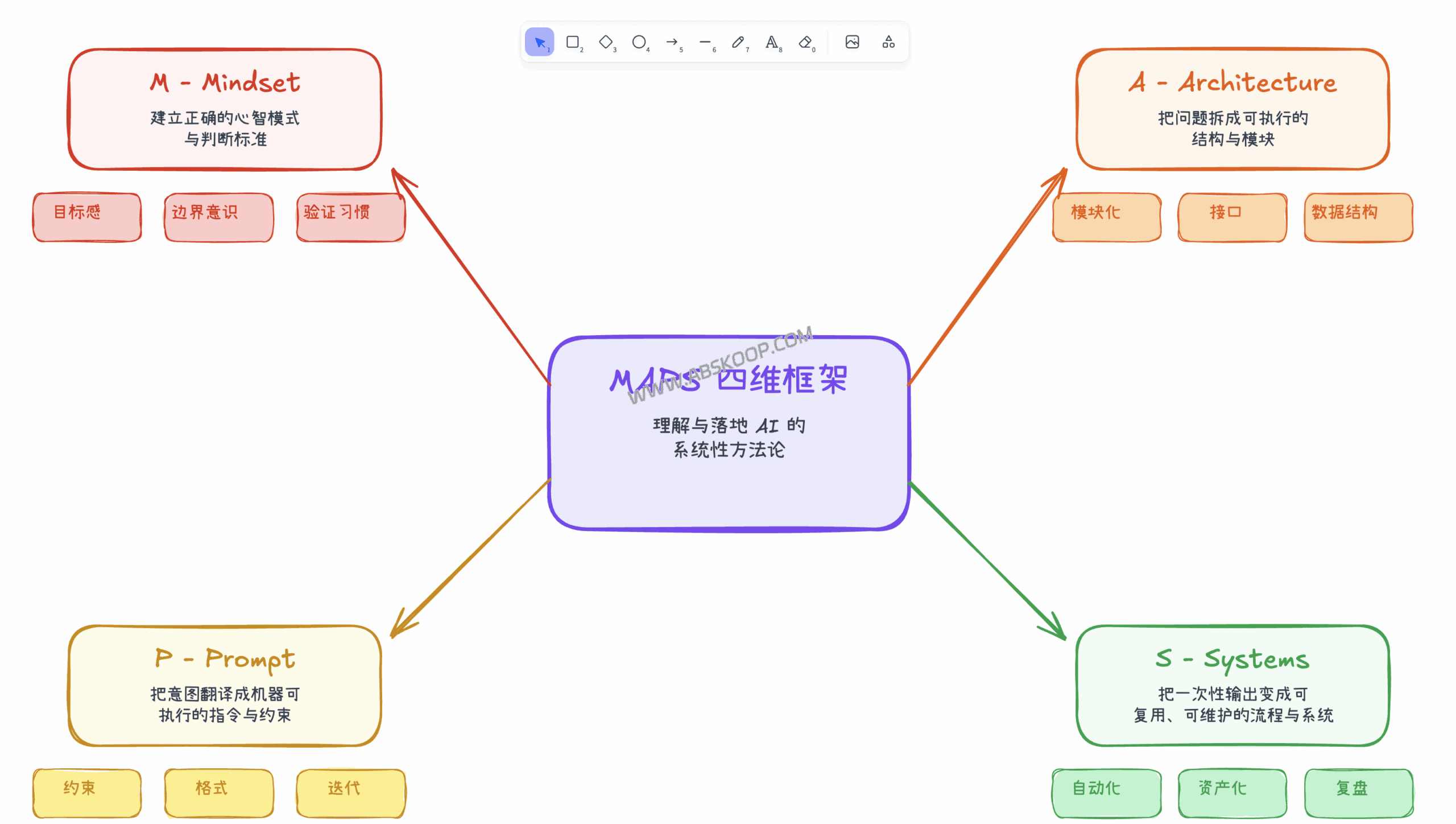 | 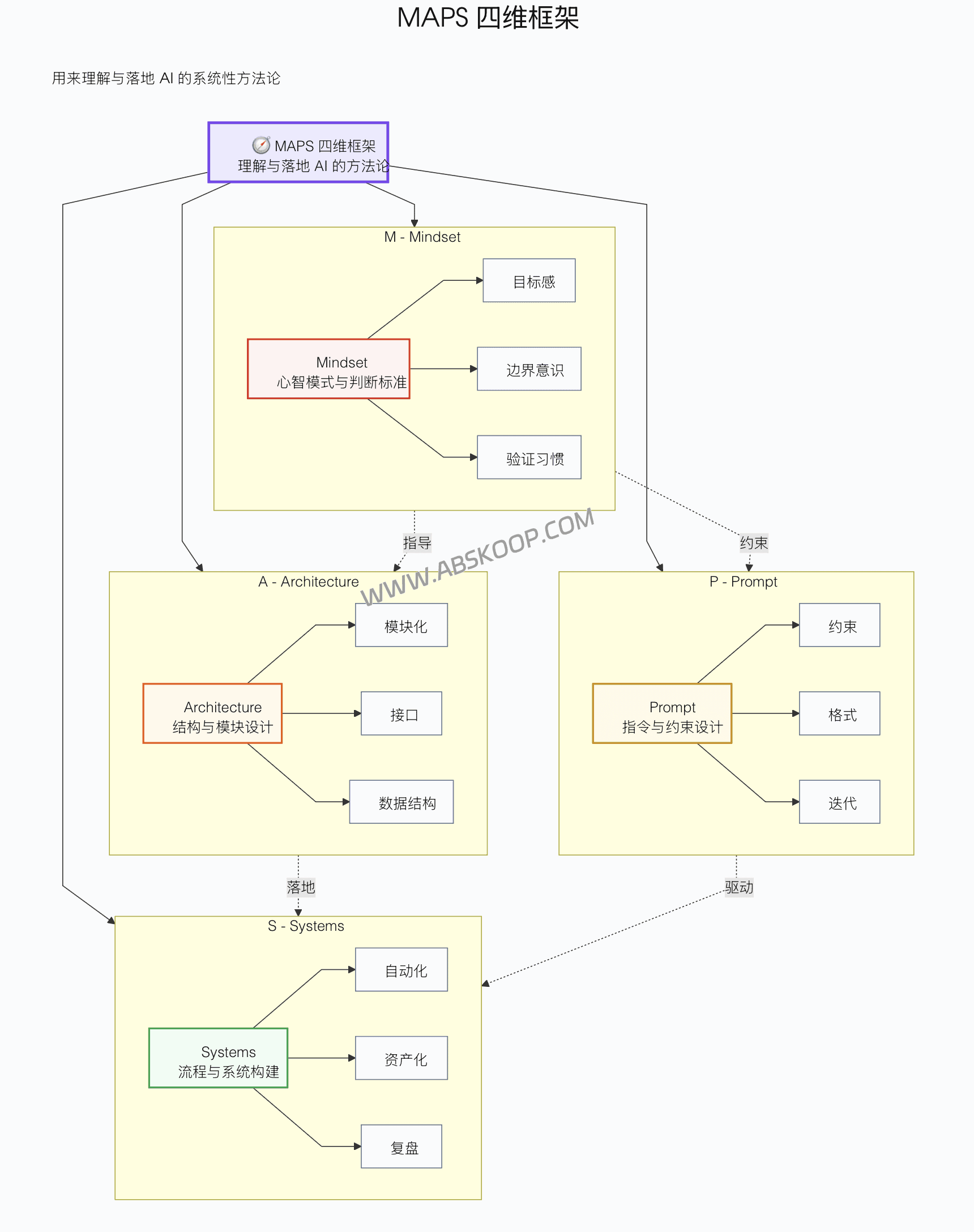 | 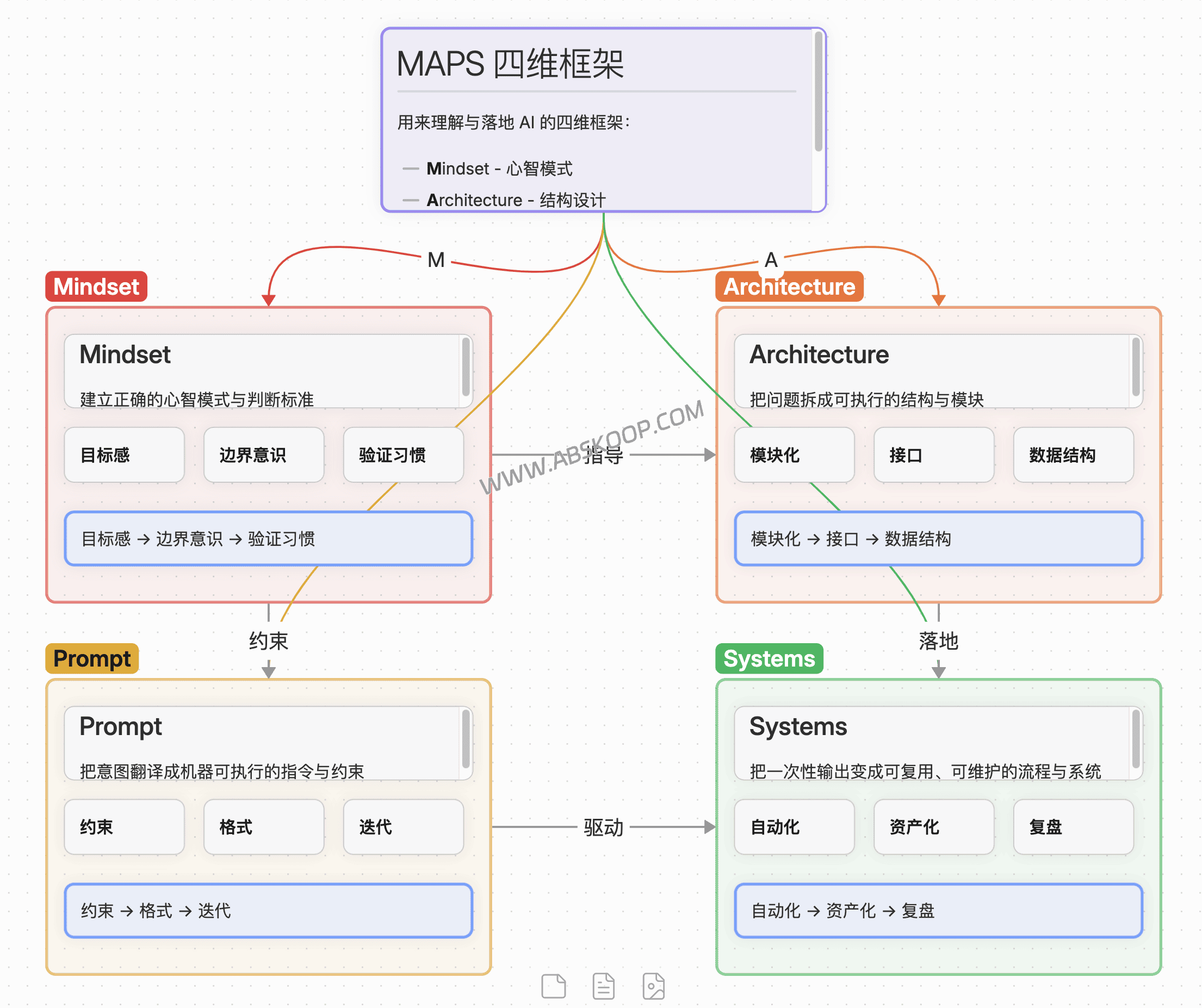 |
| Hand-drawn style | Hierarchical Flowchart | Color card layout |
二、可视化三件套:场景选型指南
This suite contains three core modules, and you can choose the corresponding Skill based on different communication scenarios:
🎨 Excalidraw Generator
Applicable scenarios: Proposals, reports to superiors, and informal documents that require "hand-drawn warmth" are all examples of this.
- Generate data containing JSON
.mddocument. - Automatically applies the Excalifont font to create a hand-drawn aesthetic.
- Perfectly supports Chinese character rendering.
🚀 Example of a command: "Please draw a CI/CD flowchart for me."
⚙️ Mermaid Visualizer
Applicable scenarios: Technical architecture diagram, API sequence diagram, state machine, and internal technical communication within R&D.
- Based on code generation, it makes version control via Git extremely convenient.
- Built-in syntax correction logic reduces rendering failure rate.
- It supports semantic color matching and automatically distinguishes functional modules.
🚀 Example of a command: "Generate a sequence diagram for login authentication"
🧩 Obsidian Canvas Creator
Applicable scenarios: In-depth brainstorming, sorting out complex knowledge systems, and breaking down long articles into a card wall.
- Intelligent layout: Automatically calculate node spacing to avoid content overlap.
- Visual grading: It offers 6 preset colors and automatically distinguishes content levels.
🚀 Example of a command: Organize this article into a Canvas mind map.
三、快速部署 SOP
Prerequisites: Ensure that it is installed in your environment Claude Code CLI and Obsidian。
The deployment process is very simple; just move the Skills folder to Claude's configuration directory to activate it.
# 1. Clone the Skills repository: `git clone https://github.com/axtonliu/axton-obsidian-visual-skills.git` # 2. Install Skills (macOS/Linux) # Windows users, please manually copy the folder to `%USERPROFILE%.claudeskills`: `cp -r axton-obsidian-visual-skills/excalidraw-diagram ~/.claude/skills/` `cp -r axton-obsidian-visual-skills/mermaid-visualizer ~/.claude/skills/` `cp -r axton-obsidian-visual-skills/obsidian-canvas-creator ~/.claude/skills/`四、避坑指南:如何提升输出稳定性?
Because the kit is currently in Experimental To achieve the best drawing results during this stage, the following strategies are recommended:
- Step-by-step guidance: Avoid inputting a 5000-word text at once. It is recommended that Claude first summarize "6-10 key nodes and their relationships", and only send the "Please draw a diagram" command after confirming that it is correct.
- Text cleaning: Mermaid may fail to render when dealing with Chinese characters mixed with complex symbols (such as LaTeX). It is recommended to ask AI to simplify the text before drawing.
📥 Resource Acquisition
Obsidian Visual Skills are designed to build AI Logic and Visual Notes A bridge between them. By entrusting the tedious drawing work to AI, you can focus more on the thinking itself.
GitHub open-source repositories: Axton Obsidian Visual Skills Pack
* 本项目开源免费,欢迎 Star 收藏。
