AI Captcha Solver: A Chrome extension for automatic CAPTCHA recognition based on a large model.
For developers and data collectors, image CAPTCHAs are often a pain point in automated processes.AI Captcha Solver This is a browser plugin that utilizes the visual capabilities of Large Language Models (LLM) to automatically recognize and populate webpage CAPTCHAs. It supports mainstream AI interfaces such as OpenAI, Claude, and Google Gemini, and ensures data privacy and security through localized operation.
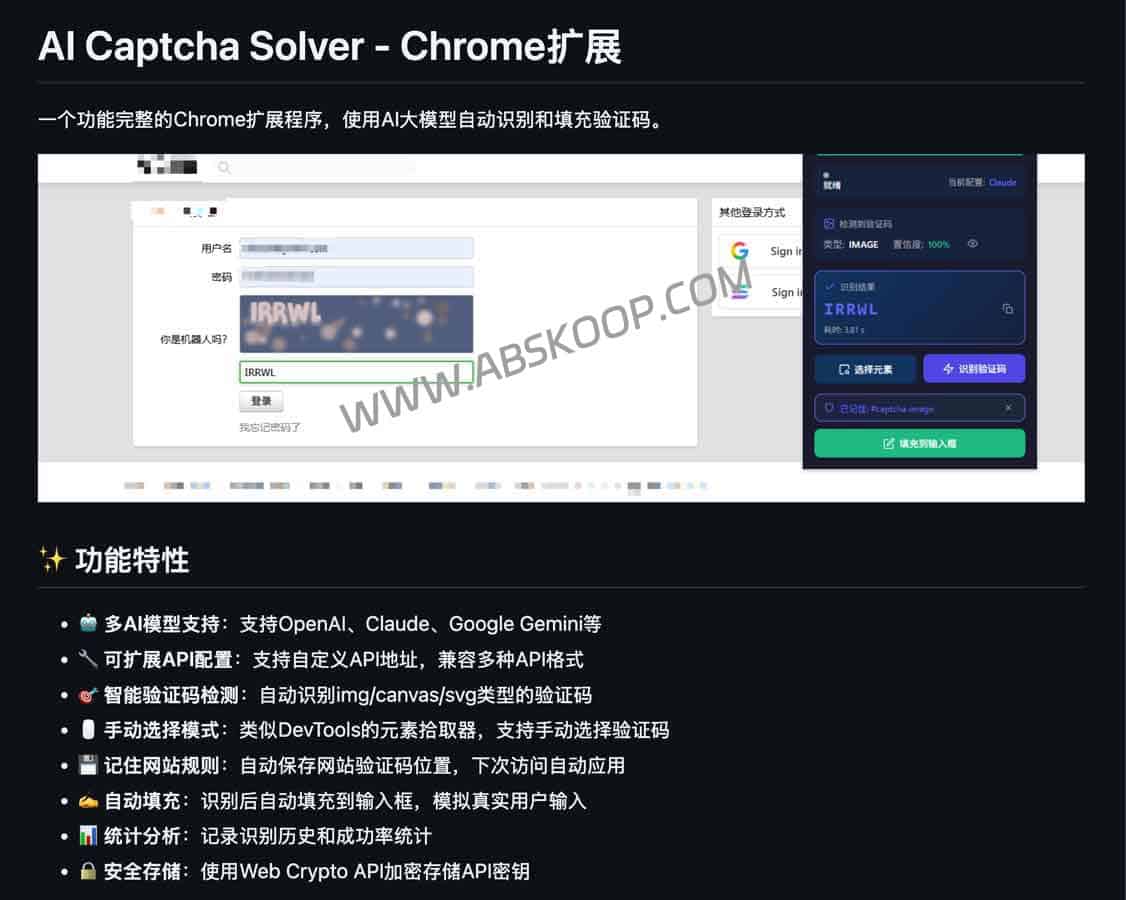
Core features
This plugin transforms tedious manual input into an automated process through flexible API configuration and intelligent recognition mechanisms.
- Multi-model compatibility: Native support
gpt-4o、claude-3-5-sonnetandgemini-1.5-flashIt also allows users to configure custom API interfaces to adapt to more models. - Precise element location: support
img、canvasandsvgSupports various image types. It includes a built-in DevTools-like picker, allowing manual selection of CAPTCHA elements and saving their location for automatic application on subsequent visits. - Automated closed loop: Once the recognition is complete, the data can be filled into the input box with one click, and simulate real user behavior to reduce the risk of being blocked by anti-scraping mechanisms.
- Privacy-encrypted storage: The API key is encrypted and stored using the AES-GCM algorithm of the Web Crypto API. All requests are initiated locally, and the plugin only runs when triggered by the user.
Installation and configuration steps
Since this plugin is currently provided as source code, please follow these steps to install it via Chrome developer mode:
- Obtain the source code: via
git cloneOr from cloud storage Download the project files. - Access extension management: Enter the following in the Chrome address bar:
chrome://extensions/Press Enter. - Enable permissions: Open the top right corner of the page Developer Mode switch.
- Load plugin: ClickLoad the unpacked extension.,choose
auto_captchaThe installation can be completed simply by opening the folder.
Quick Start Guide
After installation, you can quickly recognize the verification code by following these steps:
- position: Activate the "Select Element" mode and click on the target CAPTCHA image on the page.
- Identification: The "recognize verification code" operation is performed, and the AI model analyzes the image content.
- filling: Click the "Fill" button, and the recognition results will be automatically entered into the corresponding text box.
Precautions
- Cross-domain restrictions: If the target website does not enable CORS (Cross-Origin Resource Sharing), images may not be able to be read.
- Supported types: Currently, only text-based image CAPTCHAs are supported; CAPTCHAs with sliders or click sequences are not yet supported.
Related Resources
Open source project address:GitHub – auto_captcha
Alternative download link:Quark Drive
