Looking for a clean IPTV player? Try the open-source Open TV.
When trying various IPTV playback software, do you often encounter these pain points: slow startup, excessive memory usage, or an interface filled with annoying ads and donation pop-ups? If you need a playback environment that is responsive, fully controlled, and free from any commercial interference,Open TV It provides a simple yet high-performance solution.
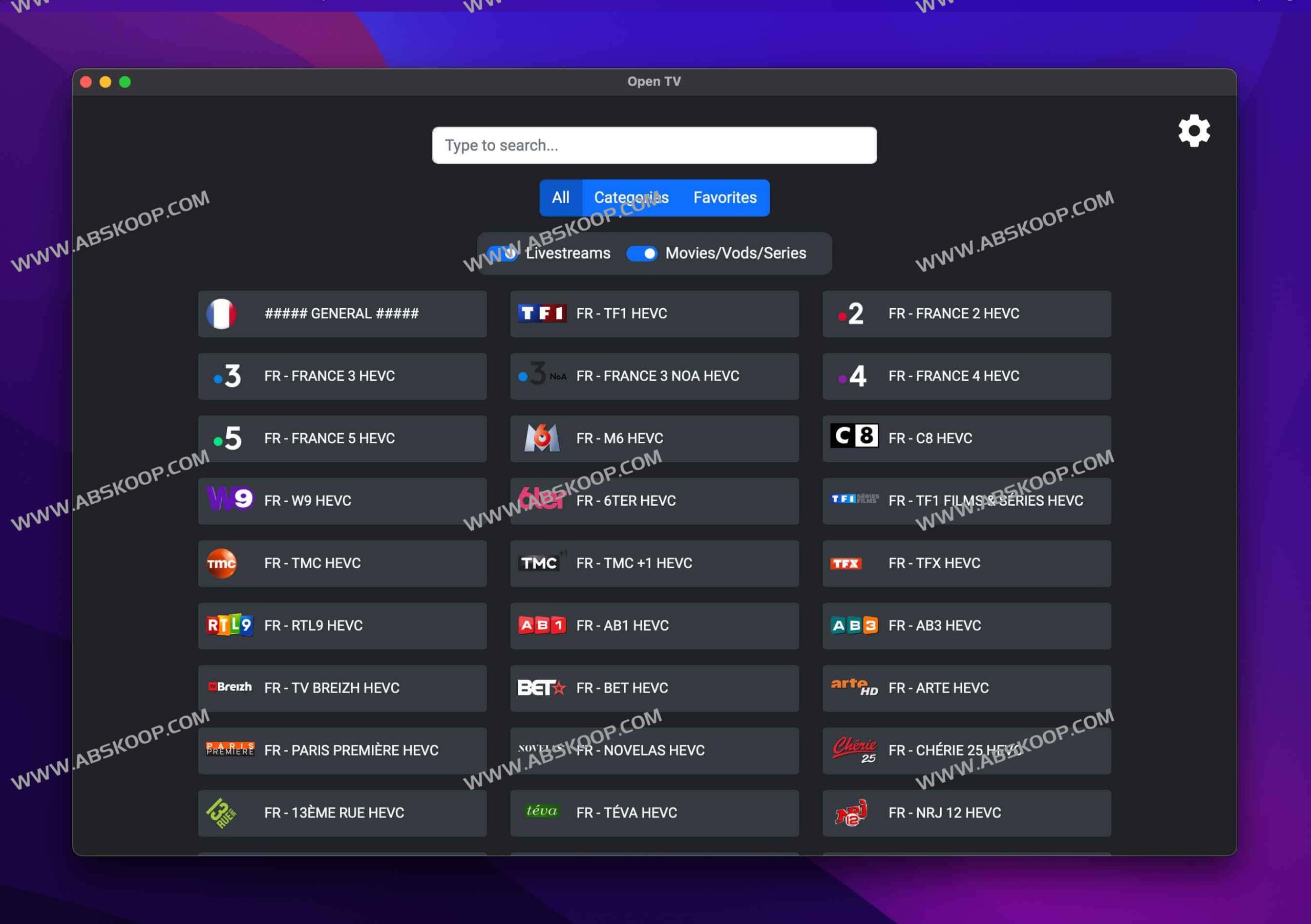
Underlying reconstruction, pursuing ultimate responsiveness
Open TV is not simply a collection of features; the developers completely rewrote the underlying architecture, solving the slow startup and lag issues of traditional media players. It boasts extremely low memory usage, enabling fast channel loading and instant search. To adapt to home entertainment scenarios, the software also supports direct operation via TV remote control, allowing PCs to enjoy the smooth experience of a TV box.
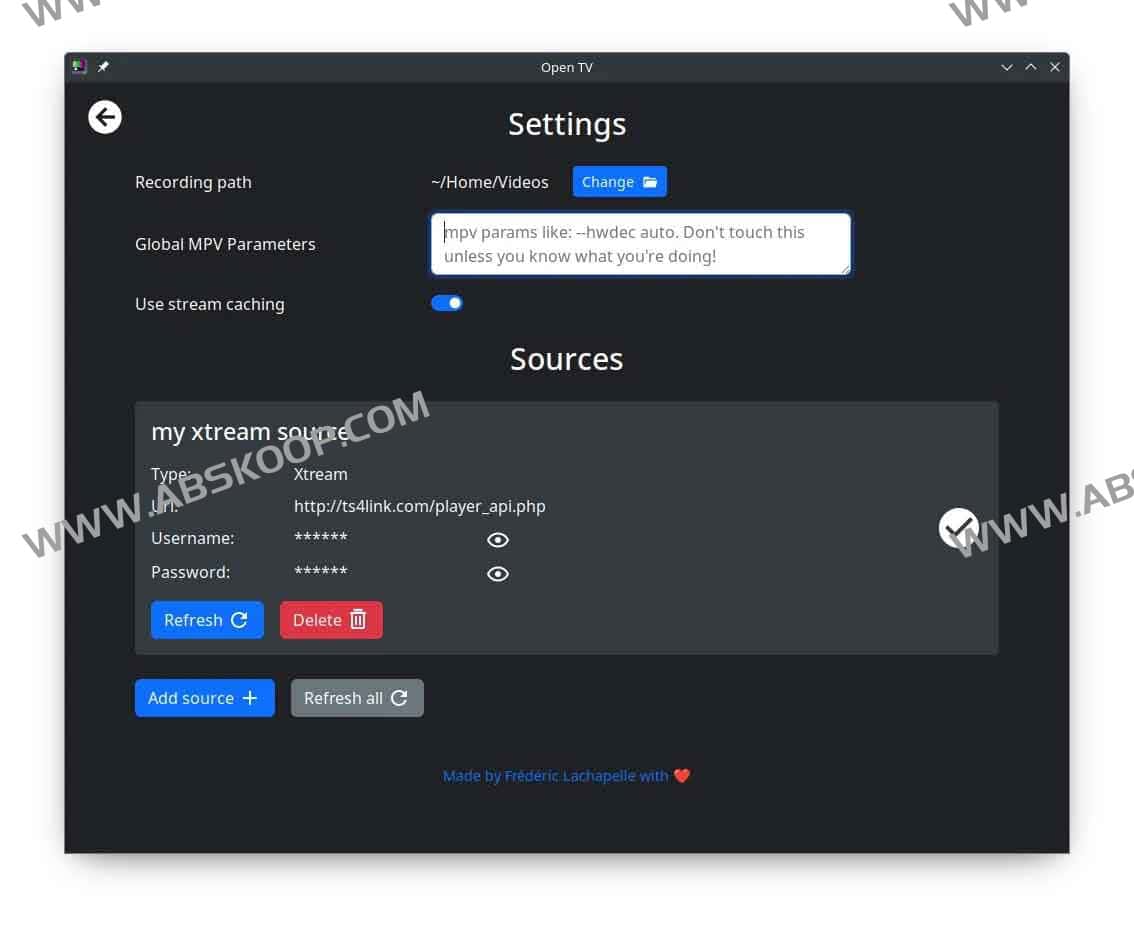
Core Features Overview
- Flexible import sources: Fully supports M3U files, M3U links, and Xtream login.
- Content control: It supports recording while watching, allowing you to save your favorite shows to your local device.
- Personalized management: It supports creating custom channel libraries, saving frequently used channels, and refreshing the source with one click to ensure that the content is updated in real time.
- Re-stream capability: You can push channel content to mobile phones, TVs, or other friends' devices.
Installation and Environment Configuration
Open TV's efficient operation depends on mpv、ffmpeg and yt-dlp These are the three core components. The installation method may vary slightly depending on your operating system.
- Windows: The simplest way is to download and use the mpv file, which comes pre-installed.
- macOS: Recommended
BreworMacPortsInstall dependencies. - Linux (Debian/Ubuntu): We recommend using backport to install the latest version of yt-dlp.
- Linux (Fedora): It needs to be enabled first.
rpmfusionstorehouse.
Quick installation command reference:
brew install mpv ffmpeg yt-dlp # macOS sudo apt install mpv ffmpeg yt-dlp # Debian/Ubuntu On open source and purity
This project has been independently maintained by the developers for two years, adhering to the open-source spirit throughout. This means you don't need to worry about being forced to watch ads or being bombarded with pop-up requests for donations. The developers have pledged to keep the project free in the long term and continuously optimize its performance through community collaboration.
Resource Acquisition:
Download link: Download from cloud drive
GitHub repository:https://github.com/Fredolx/open-tv
Precautions
Copyright Notice:Open TV is merely a playback tool and does not provide any channel content itself. Users are required to import legal sources themselves. The project team assumes no responsibility for copyright issues arising from third-party channel sources. Furthermore, this software is not affiliated with any brand or organization of the same name.
