SheerID Doc Generator: An efficient academic authentication simulation tool
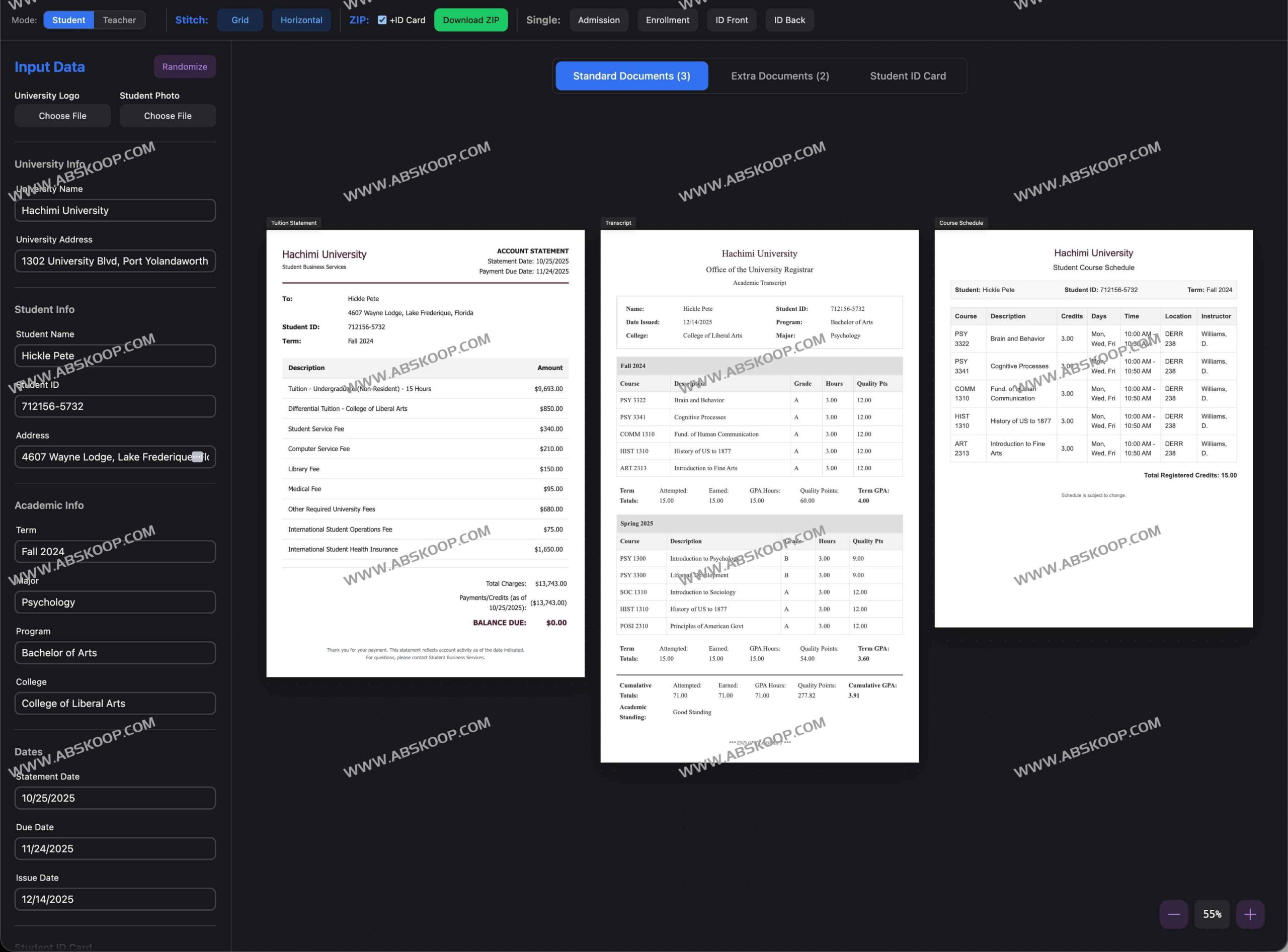
SheerID Doc Generator is an academic document simulation tool designed for developers and educational institutions. It allows users to quickly generate various student and teacher authentication documents without needing to access real data or worrying about privacy leaks, greatly optimizing the efficiency of UI testing, upload verification process development, and classroom presentations.
🛠️ Core Functions and Features
Highly customizable simulation content
- Dynamic data generation: Integrating Faker.js allows for one-click randomization of name, address, GPA, and course information, quickly building simulated profiles.
- Visual personalization: It supports uploading custom school logos, and the document content is updated in real time to accurately adapt to different business scenarios.
Flexible export options
- Multiple splicing modes: It supports merging tuition receipts, transcripts, course schedules, etc. into a single long image (horizontal stitching), or exporting it using grid stitching.
- Diverse download options: It offers single-document independent export and ZIP batch archiving and download, and has a built-in background optimization algorithm to ensure clean output images.
Modern interactive experience
- Infinite Canvas: Built on HeroUI and Framer Motion, it supports smooth zooming and dragging operations.
- Multi-mode adaptation: It offers standard and extended dual-view switching and natively supports dark mode, achieving a WYSIWYG preview effect.
🎓 Supported document templates
The system has a rich set of built-in academic and workplace document presets, covering the vast majority of verification scenarios:
- Student Category: Student ID (front and back), proof of enrollment, admission notice, course schedule, transcript, tuition fee receipt.
- Teacher/Staff Category: Teacher's qualification certificate, teacher's certificate (front and back), employment letter, pay slip.
🚀 Quick Deployment Guide
We recommend using Cloudflare Pages for free hosting. The specific steps are as follows:
- Fork the project repository to your personal GitHub account.
- Connect to the GitHub repository in the Cloudflare Dashboard.
- Configure build parameters:
- Framework:
Vite - Build command:
npm run build - Output directory:
dist
- Framework:
- Set environment variables: Add to
NPM_FLAGS = --legacy-peer-deps。 - Simply submit the deployment request to complete the go-live process.
💻 Technology Stack Overview
- Front-end framework:React + Vite
- Style and UI:Tailwind CSS + HeroUI (NextUI)
- Core libraries:Faker.js (data simulation), html2canvas (screenshot export)
⚠️ Important Notes and Disclaimers
Compliant use: This project is for technical testing and educational demonstration purposes only. All generated documents are fictitious templates and have no legal or official validity.
Prohibited behaviors: The documents generated by this tool must not be used for any form of fraud, impersonation, or attempt to bypass legitimate verification systems such as SheerID and Unidays. Users are solely responsible for any consequences arising from the use of this tool.
🔗 Related Resources
Online experience:https://acagen.suck-dick.tech/
GitHub repository:https://github.com/022122/academic-doc-generator
