Want to use professional development tools, but have a limited budget?
For many college students, access to industrial-grade IDEs, cloud servers, or high-end design software often comes with expensive subscription fees. In reality, most leading technology vendors offer high-level benefit programs for students, aiming to lower the learning curve and allow developers to build projects and gain practical experience at zero cost while still in school.
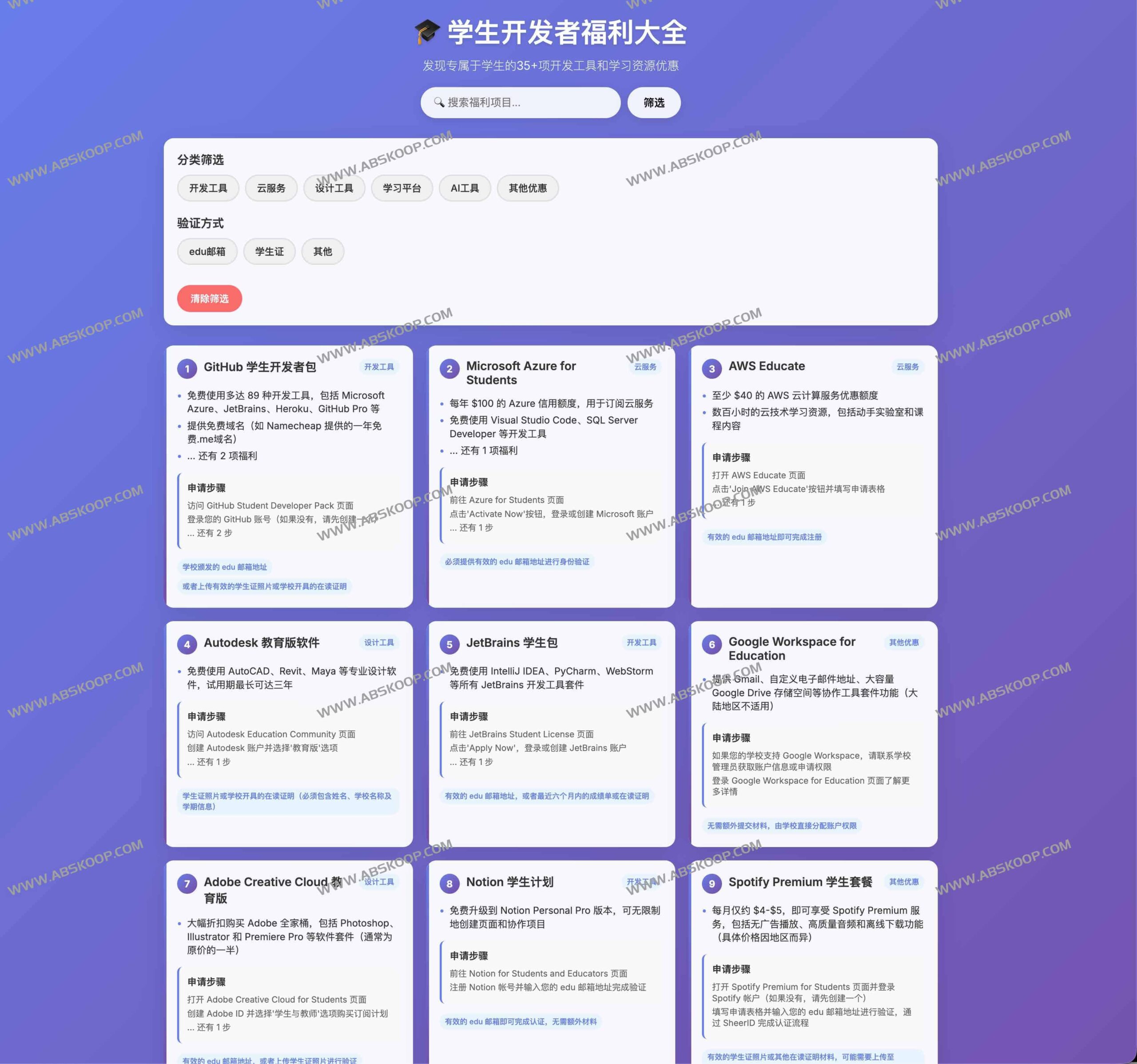
Unlock 35+ exclusive developer resources
There is now a comprehensive benefits platform that aggregates over 35 exclusive offers for students worldwide. These resources cover multiple core areas such as programming, cloud computing, AI research and development, version control, and UI design, providing end-to-end support from project development to portfolio presentation.
Core manufacturer support:This includes well-known brands such as GitHub, JetBrains, Microsoft Azure, Google Cloud, Notion, Figma, and Canva. Some resources offer completely free professional access, while others offer lifelong learning programs or limited-time learning rewards.
Key resource analysis: What benefits can it bring you?
1. Development Environment and Cloud Computing Power
- GitHub Student Developer Pack: This "god-tier package" that gets developers hooked integrates deep discounts or free quotas for code hosting, domain registration, cloud servers, and various monitoring tools.
- Azure for Students: Provide students with a 0 cloud service credit, and No credit card requiredIt is ideal for deploying AI models, data analytics, or cloud-native applications.
2. Design and Productivity Tools
- Professional design kit: Many top prototyping and visualization tools offer free educational versions for students, enabling them to complete UI/UX designs to professional standards.
- Collaboration and Notes: Tools like Notion offer educational upgrades to help students efficiently manage their knowledge base and project progress.
How can I quickly claim these benefits?
Target audience: Anyone who is a current student at a university worldwide or holds a valid educational email address can apply, whether they are a programming novice or an advanced developer.
Verification method: The vast majority of benefits were approved .edu email address For verification, some projects may require uploading a scanned copy of the student ID or proof of enrollment.
General application process:
- Prepare your .edu educational email address or valid student identification document.
- Visit the benefits summary page, select the project you are interested in, and you will be redirected to the official application window.
- Submit verification materials and wait for official approval.
- Read the relevant terms of service and validity period, and start using the professional tools.
Resource download address
Visit the official website for Student Developer Benefits:https://edu.869hr.uk/
