Blazwitcher: Bringing browser tab and bookmark retrieval into the "keyboard flow" era
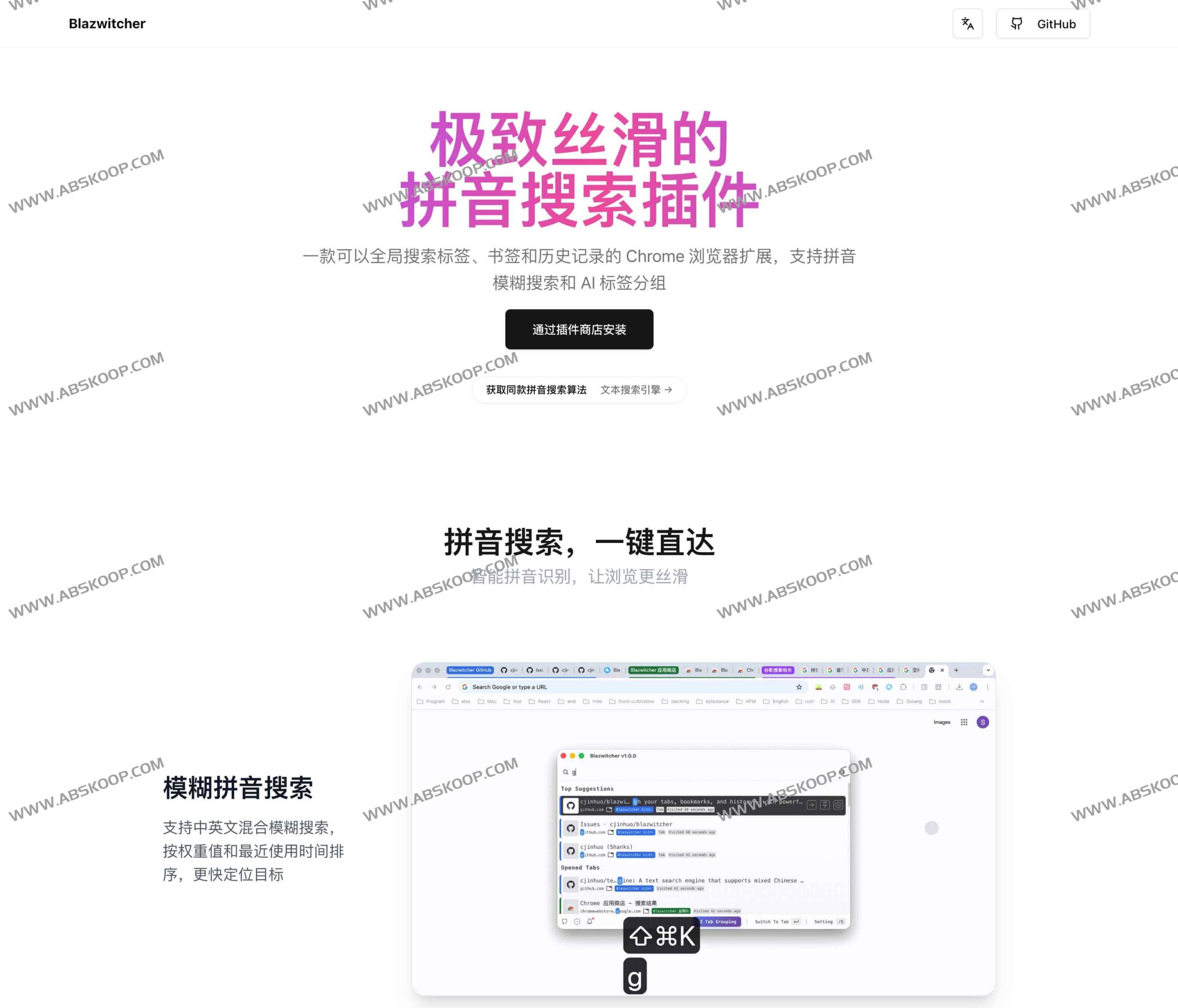
Blazwitcher is an open-source efficiency extension designed specifically for Chrome, aiming to solve the navigation challenges in multi-tab scenarios. It achieves this through efficient... Pinyin fuzzy search 、AI Intelligent Grouping as well as Full keyboard interactionIt transforms the originally cumbersome tab switching, bookmark searching, and history retrieval into extremely fast command-based operations.
Core Functions Explained
1. Deeply optimized Pinyin search
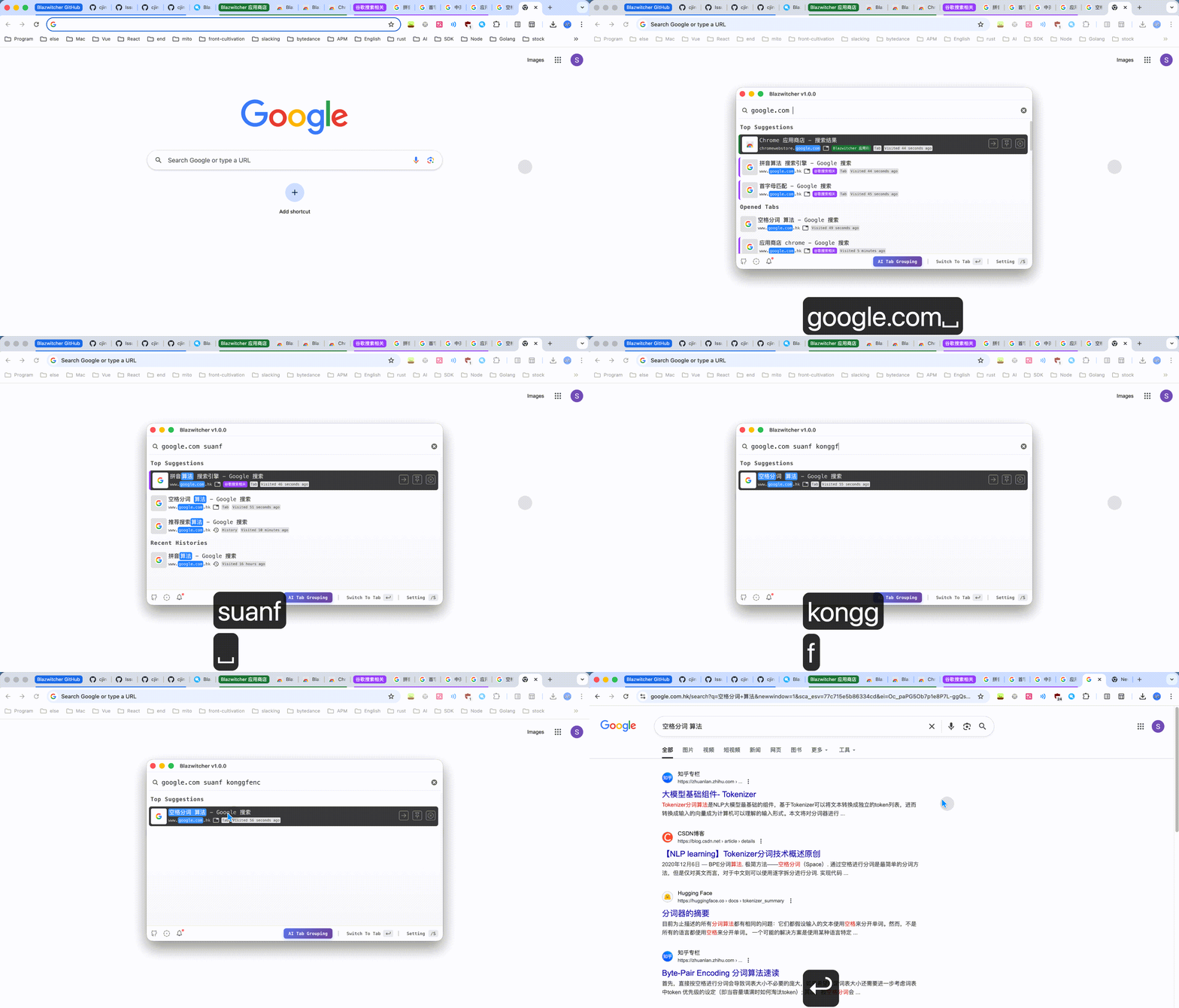
Blazwitcher breaks through the traditional exact match and provides a search method that is more in line with the habits of Chinese users:
- Fuzzy matching and mixed Chinese and English Supports mixed Chinese and English input; the system will combine text weights with... Recent usage time The results are intelligently sorted.
- Quickly locate the first letterSimply enter the first letter of the pinyin to instantly target the desired tab or bookmark.
- Flexible word segmentation retrievalIt supports domain name search and space segmentation, without strictly adhering to the order matching, which greatly improves the retrieval tolerance.
2. AI-driven tag grouping
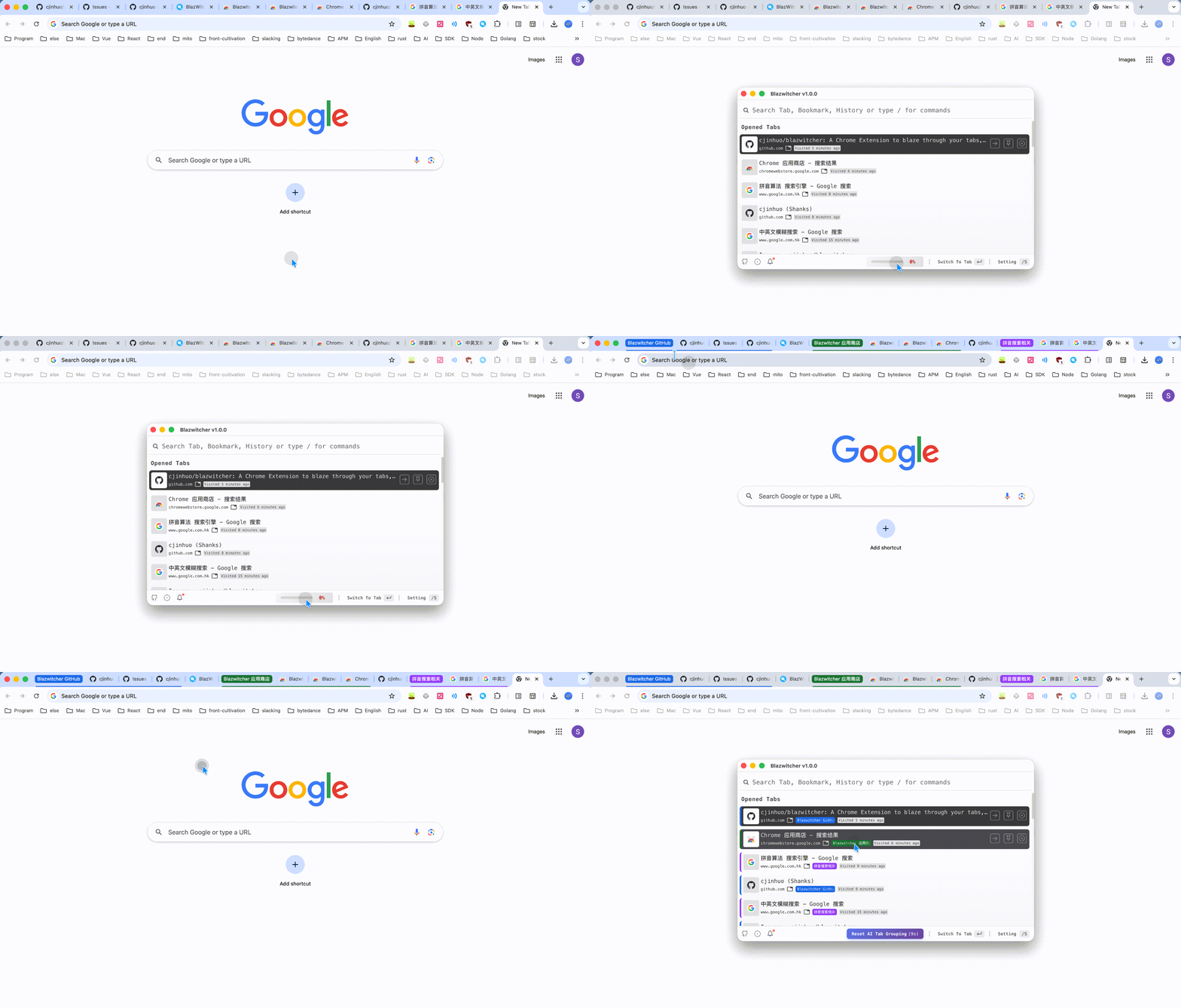
Faced with cluttered tabs, Blazwitcher uses AI to automate the process:
- Intelligent Incremental GroupingBased on domain name, title, and existing grouping logic, quickly categorize all tabs in the current window.
- Snapshot rollback mechanismAfter grouping, a snapshot can be restored within 16 seconds, ensuring that you can undo the grouping results with one click if you are not satisfied.
3. Global second-level search system
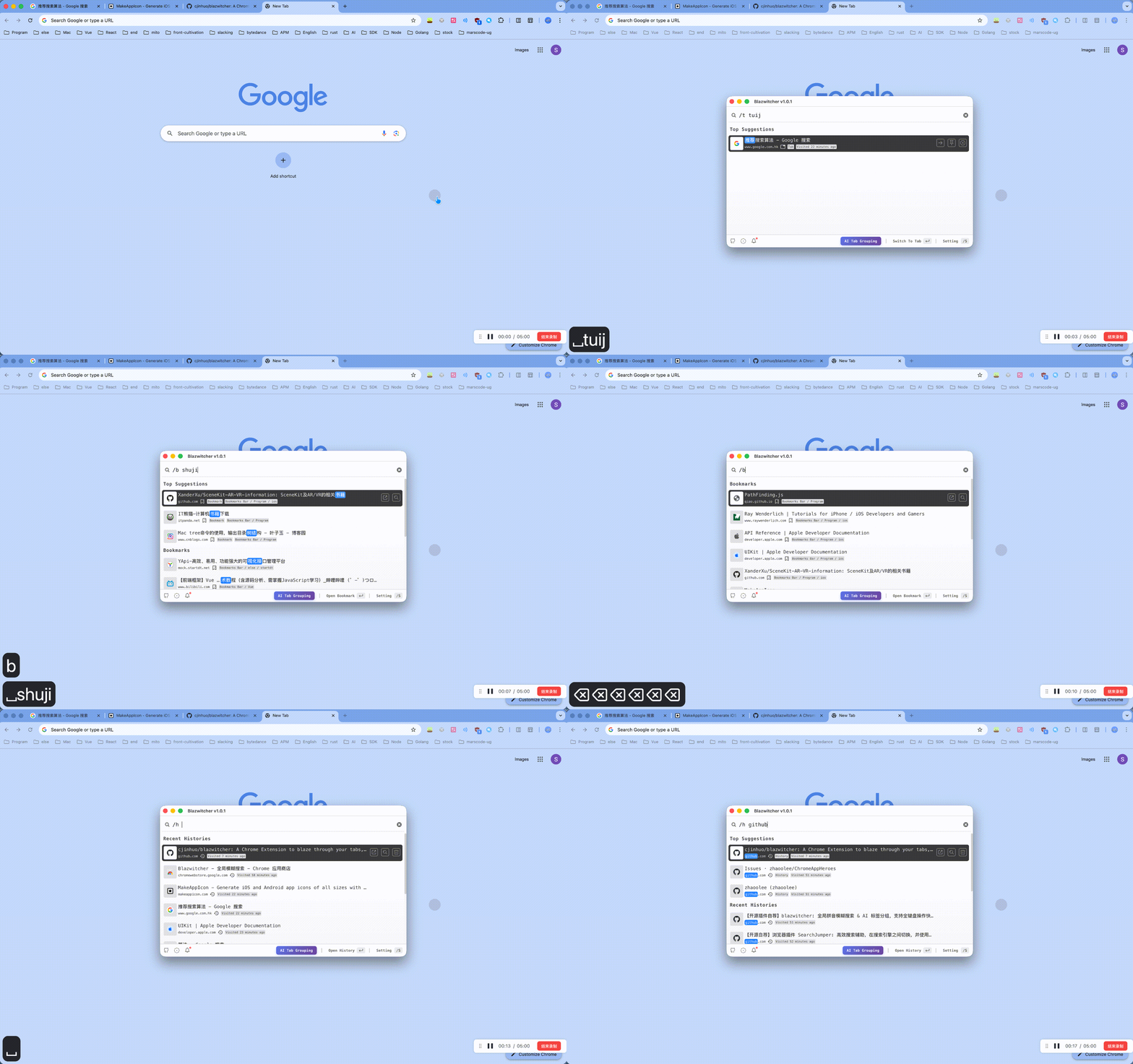
A search box covers three major dimensions:All open tabs 、 All bookmarks as well as History records from the past 14 days (maximum 1000 entries).Targeted filtering can be achieved by using specific prefixes:
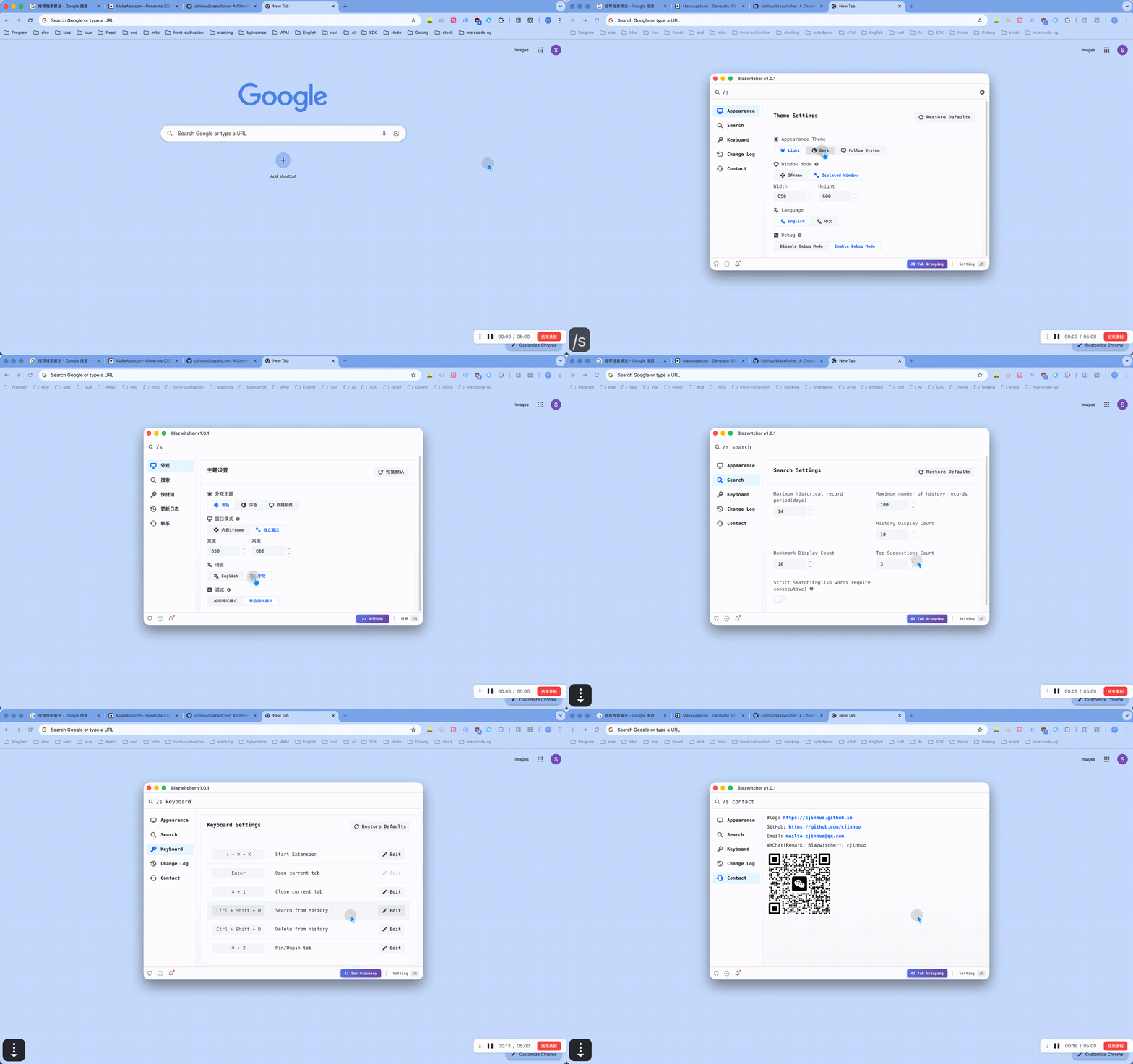
/tSearch only tabs./bSearch only for bookmarks./h: Only retrieve historical records (History)/s searchEnter the configuration interface and adjust parameters such as the historical search range.
4. Full Keyboard Operation Flow
Get rid of the mouse and perform all frequently used actions via keyboard shortcuts and commands:
- Quick wake-upWindows usage
Ctrl + Shift + KmacOS usesCommand + Shift + K。 - Command Operation:enter
/aiStart smart grouping; enter/s keyboardCustomize keyboard shortcuts and theme appearance. - High-efficiency interactionUse the arrow keys
↑/↓orTabSelect target,EnterConfirm opening. Advanced operations such as Pin/Unpin tags and locating bookmark paths are also supported.
Quick Start Guide
- Install pluginsGo to the Chrome Web Store, search for and add Blazwitcher.
- Configure shortcut keys: Wake up using the default key combination, or
chrome://extensions/shortcutsand within the plugin/s keyboardCustomize the settings within the command. - Establish habitsTry using
/t、/b、/h、/aiCommands such as these will enable the full keyboarding of frequently used browsing actions.
Applicable Scenarios
- Developers/ProgrammersIt requires frequent switching between a large number of documents, API pages, and local code.
- Content creators/researchersMulti-task parallel processing requires quick location of information from a vast amount of reference materials (bookmarks/history).
- Productivity enthusiastsUsers who prefer "keyboard-based" operation and minimize mouse movement distance.
Related Resources
Official website:blazwitcher.vercel.app/zh
GitHub:github.com/cjinhuo/blazwitcher
