Getting to know XMBOX
XMBOX is a product specifically designed for Android portrait mode A video aggregation player optimized for mobile devices. Developed based on TVBoxOS-Mobile (derived from q215613905/TVBoxOS), it retains core playback capabilities while eliminating redundant modules. Through a comprehensive upgrade of the interface and performance, it provides mobile users with a more modern visual experience and smoother playback.
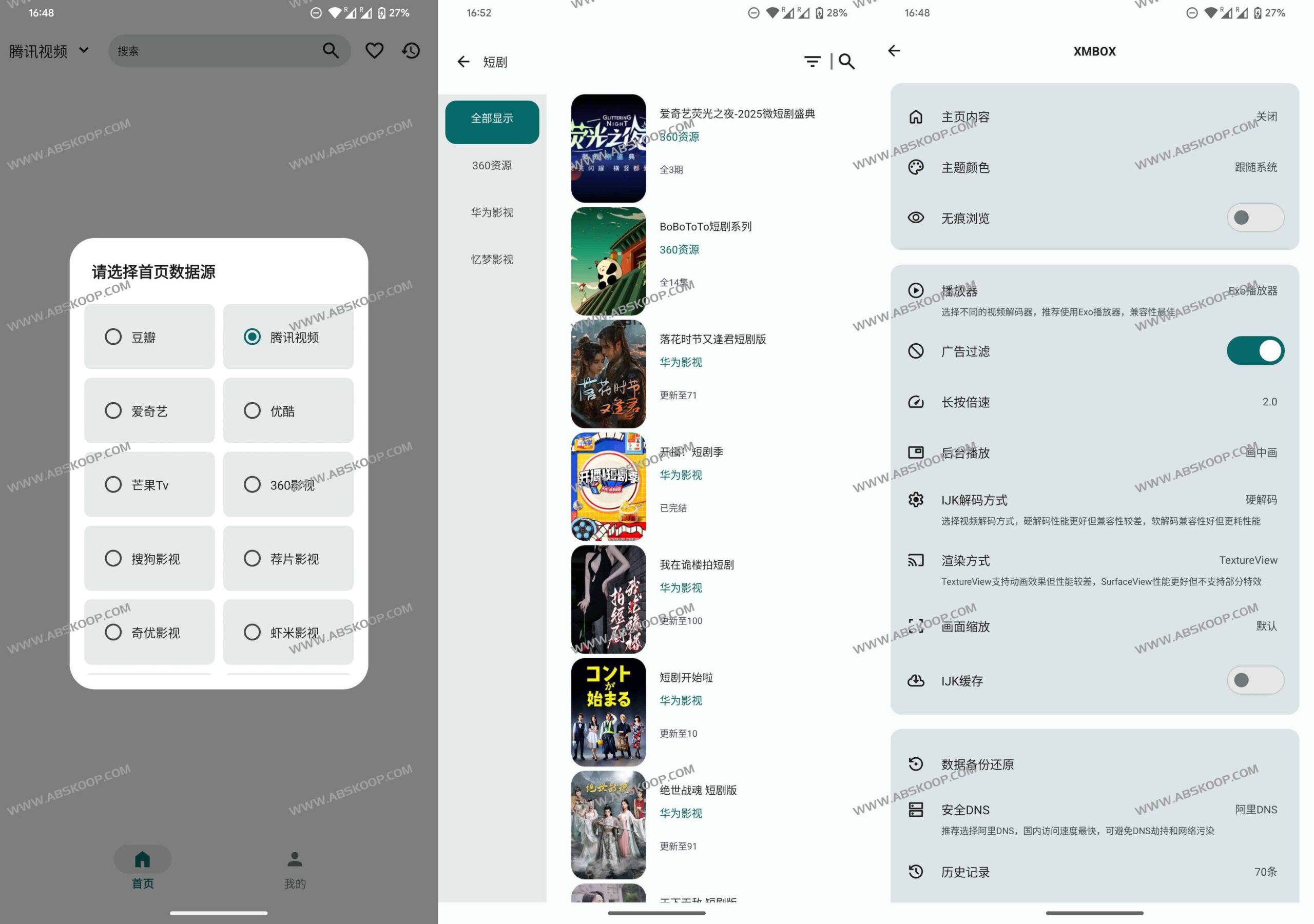
Core concept: What is a TVBox?
Simply put,TVBox It's a "resource aggregation shell" based on an open-source project. It doesn't have any built-in video content; instead, it relies on user-imported resources. API (Subscription Source)It can also connect to local files and various online video platforms and resource sites to achieve aggregated playback of massive amounts of film and television content.
Key optimization points for XMBOX
Performance tuning
- Search efficiency:The loading method of the left-side directory has been optimized and the search result processing logic has been improved, effectively reducing the pressure on the UI thread and making the search response faster.
- Memory management:Known memory leak issues have been fixed, and the thread pool scheduling and resource release mechanisms have been further improved, resulting in more stable operation.
- Loading mechanism:引入低优先级延迟加载与预缓存技术,避免图片加载导致的主线程阻塞。
视觉重构
- 设计规范:严格执行 Material Design 3 标准,确保按钮与对话框的视觉语言高度统一。
- 色彩模式:升级色彩系统,支持亮色与暗色模式的自动切换。
- 极简界面:精简播放器布局,移除了演员、收藏、下载等非核心按钮。视频标题现统一置于源信息模块上方,整体分布更均衡。
快速上手指南
- 安装:下载并安装 XMBOX APK 文件。
- 配置:进入设置界面,添加视频源(可自行搜索 TVBox 订阅源)。
- 观看:配置完成后启动应用,即可浏览并播放适配竖屏的影视内容。
资源下载
- 官方 GitHub:https://github.com/Tosencen/XMBOX
- 网盘下载:点击跳转
- 测试源(可用作配置参考):
https://notabug.org/1771245847/TVBox/raw/master/TVBox.json
