Copicseal: An open-source watermarking tool that adds "parametric aesthetics" to photographic works.
For photographers, labeling shooting parameters such as shutter speed, aperture, and ISO in their work not only enhances the professionalism of the photos but is also an excellent way to record events.Copicseal This is an open-source image watermarking tool specifically designed for this purpose. Its lightweight design allows users to quickly transform complex EXIF metadata into beautiful visual watermarks.
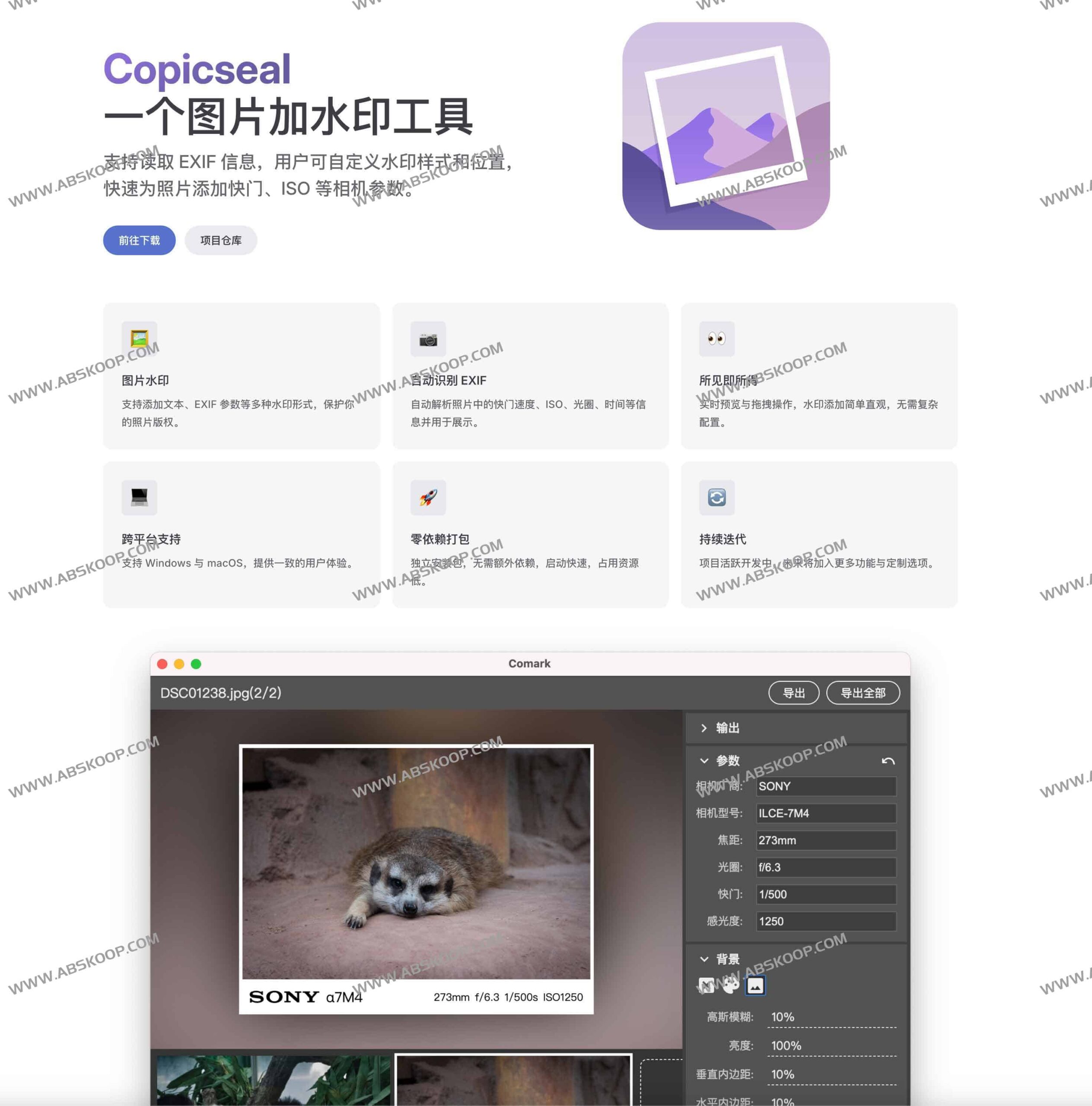
Core Function Analysis
智能解析 EXIF 元数据
Copicseal 能够深度读取照片内置的 EXIF 信息,自动提取焦距、光圈、快门速度及 ISO 感光度等关键参数。用户无需手动输入,即可将这些技术细节直接转化为水印内容,赋予照片更强的专业叙事感。
高度自由的视觉自定义
To adapt to different styles of photography, this tool offers flexible customization options. Users can freely adjust the watermark:
- Style attributes:字体、颜色、大小及透明度。
- 布局位置:The placement of the watermark within the image can be freely defined.
- 内容组合:支持纯文本与 EXIF 参数的混合叠加。
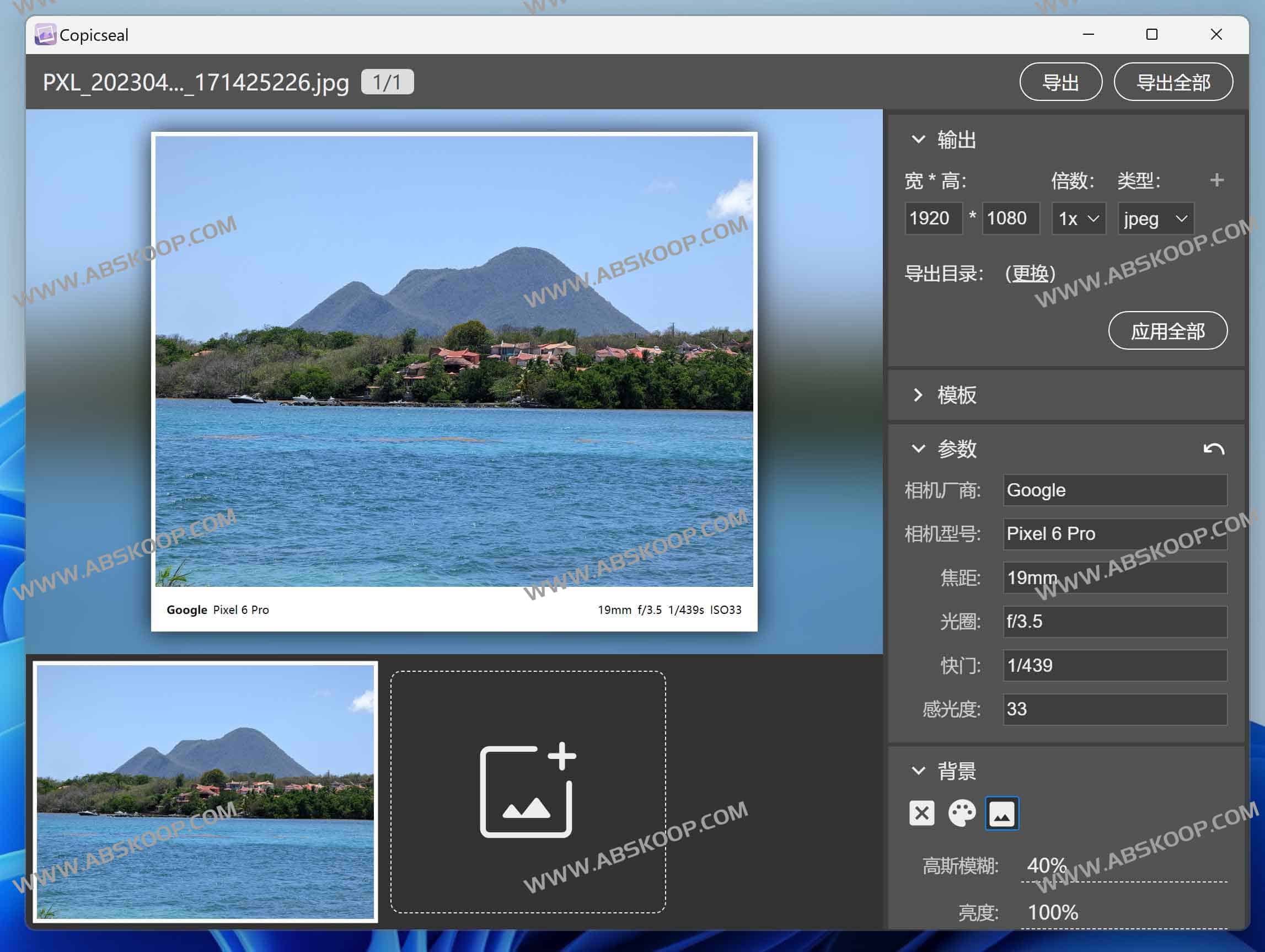
高效的工作流体验
To improve output efficiency, Copicseal introduced... 实时预览 机制,所有修改在保存前均能即时呈现,确保最终效果精准。同时,强大的 批量处理 能力让用户在面对大量照片时,无需重复操作即可快速完成统一的水印标注。
安装与平台兼容性
Copicseal 基于 Electron 框架构建,完美兼容 Windows 和 macOS。其安装过程极简,无需安装复杂的依赖环境,启动速度快且内存占用极低,不会影响主机的运行性能。
避坑指南:macOS 用户注意事项
由于 Copicseal 尚未通过 Apple 的官方公证,macOS 用户在首次启动时可能会遇到“应用已损坏”或“无法验证开发者”的拦截提示。这属于系统的安全机制,而非软件本身问题。
解决方法:打开终端(Terminal),输入以下命令并回车,即可跳过 Gatekeeper 校验:
sudo xattr -rd com.apple.quarantine /Applications/Copicseal.app资源获取
- 官方网站:https://Copicseal.kohai.top/
- 开源仓库:GitHub 项目主页
- 快速下载:网盘下载
