Many people are encountering this for the first time. Camera FTP image transmission tool At times, one might assume the difficulty lies on the camera side. But that's often not the case. Many mid-to-high-end mirrorless cameras now come with built-in FTP transfer functionality. What truly deters people is the configuration of the receiving device on the computer or phone side. You might simply want to quickly transfer photos, but having to deal with FTP services, accounts, ports, directory permissions, and firewalls at the last minute makes the entire shooting process inefficient.
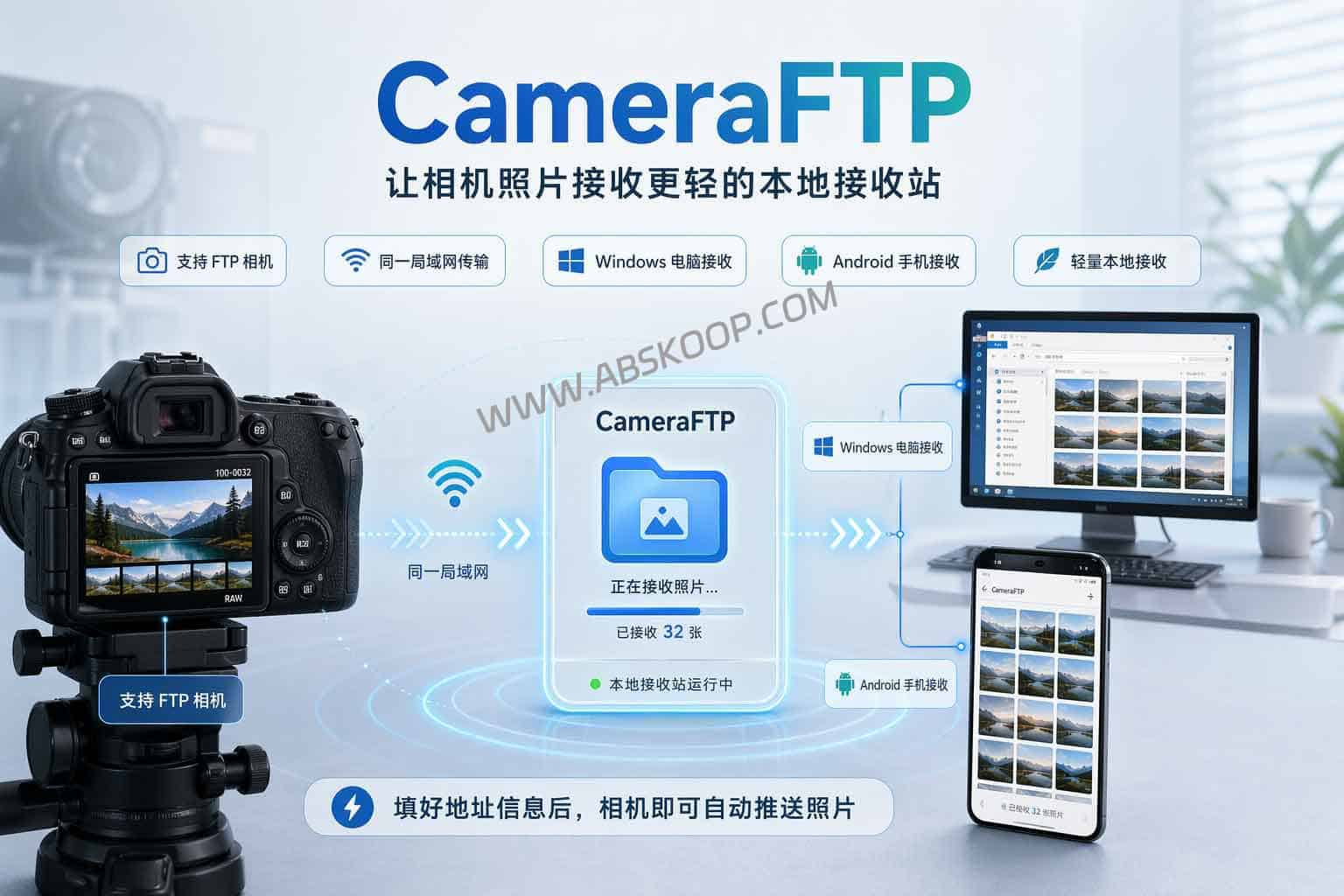
CameraFTP aims to solve this "last mile" problem. It doesn't replace all photography software, nor does it turn cameras into complete remote control systems; rather, it makes receiving photos much easier. For cameras that support FTP, you can think of it as a local receiving station more closely aligned with your photography needs: after launching it on a Windows computer or Android phone and filling in the corresponding address information, the camera can push photos over from the same local area network.
What problems did the camera FTP image transmission tool actually solve?
If you only want to transfer photos from your camera to your computer, the problem with traditional solutions isn't that they're unusable, but rather that they're too cumbersome. General-purpose FTP servers aren't designed for image transfer, so you'll encounter many settings that aren't directly related to "downloading photos." For people who primarily use cameras for work, this step is both time-consuming and error-prone.
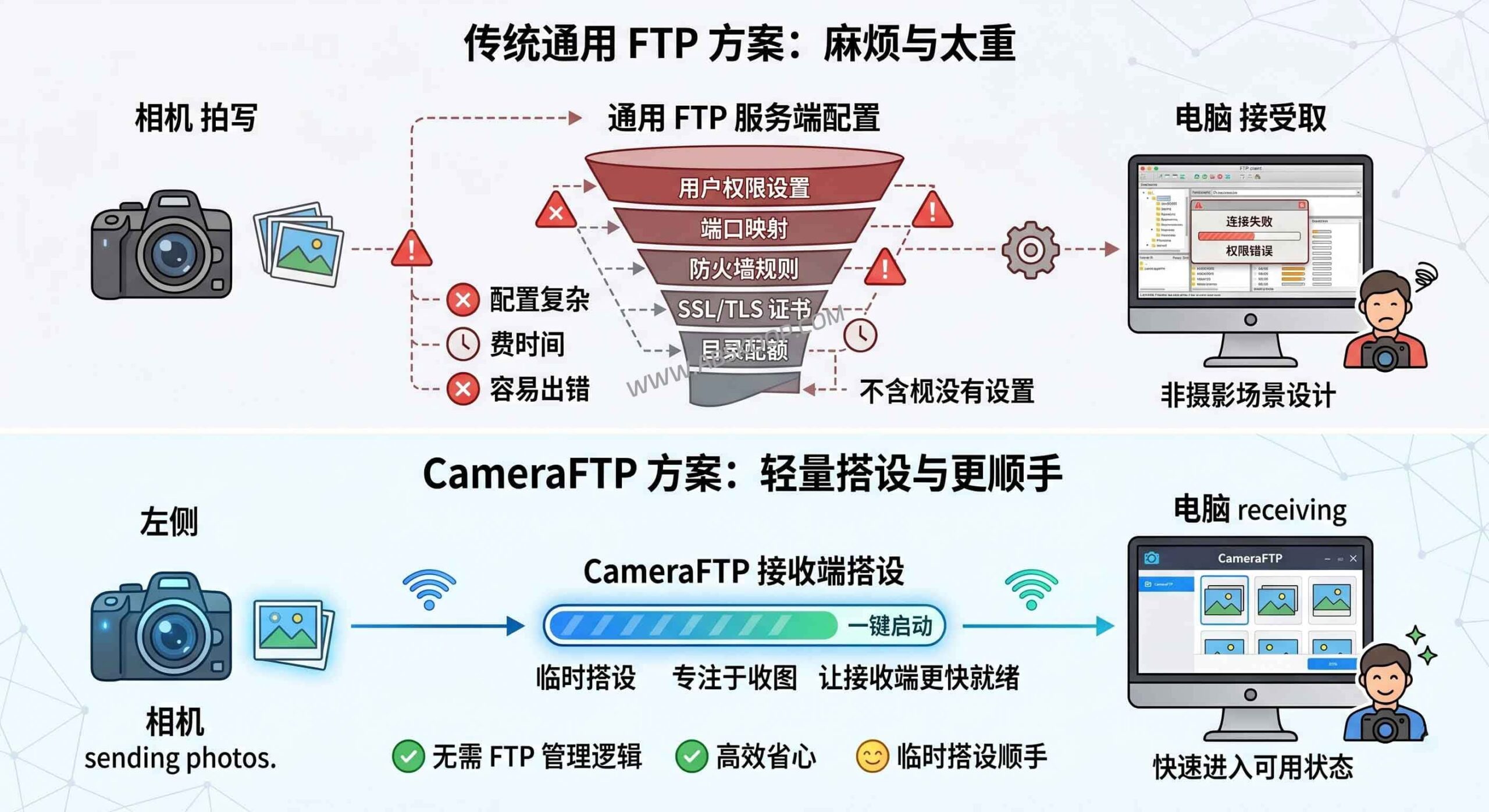
The value of CameraFTP lies in this: it focuses on making the receiving end available faster. You don't need to understand a whole set of FTP service management logic beforehand, nor do you need to treat it as a long-term network service to be maintained. For those who need to temporarily set up a local image receiving environment, this lighter approach is much more convenient.
What can this camera FTP image transfer tool do?
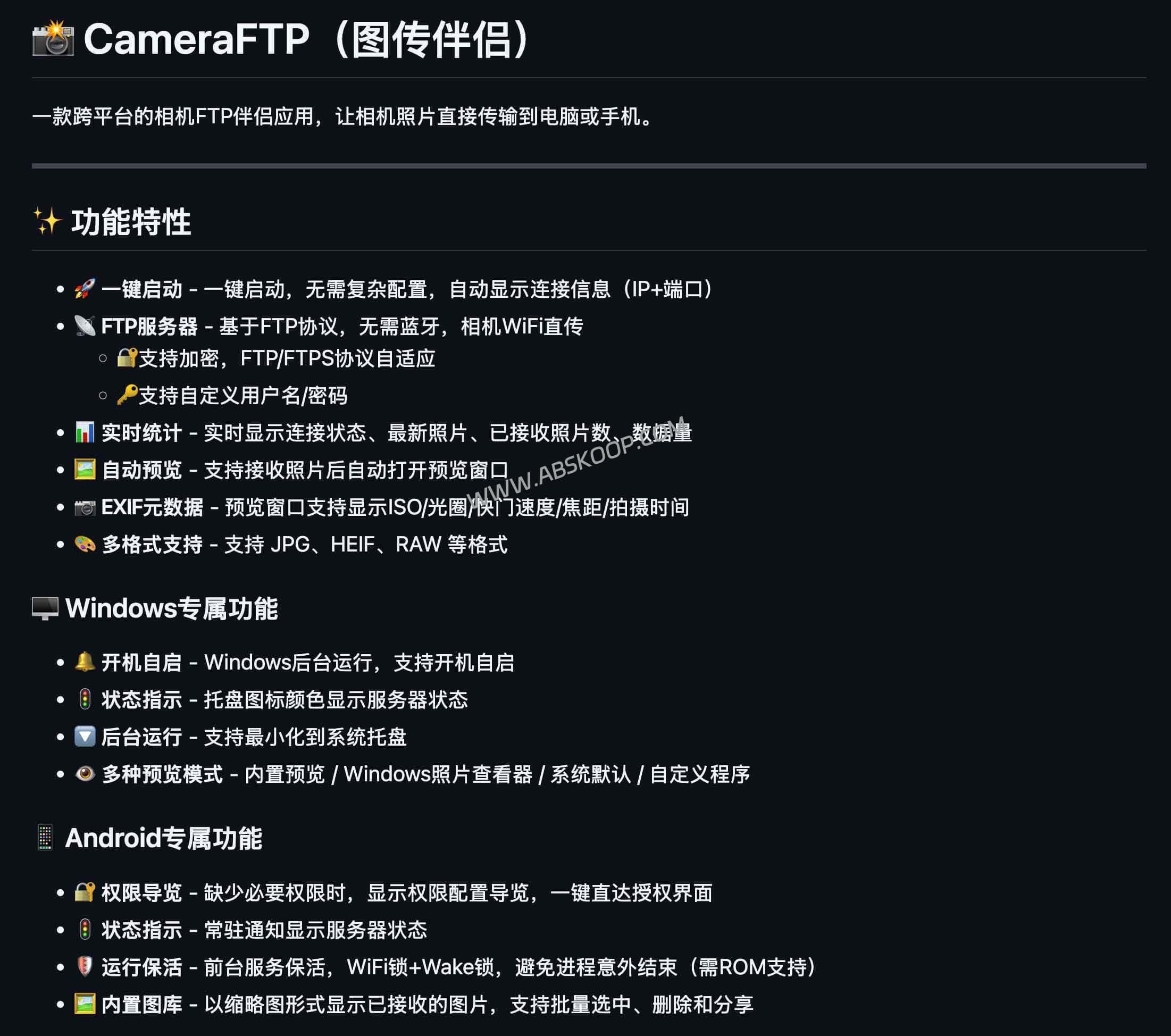
CameraFTP is more than just saving photos to folders. It supports Windows and Android, and once the cameras are connected to the same Wi-Fi network, you can enter the corresponding IP address and port to push photos one by one. After receiving the photos, the app can automatically open a preview window and display EXIF information such as ISO, aperture, shutter speed, and shooting time, making it easy to quickly review exposure parameters during outdoor shooting or events.
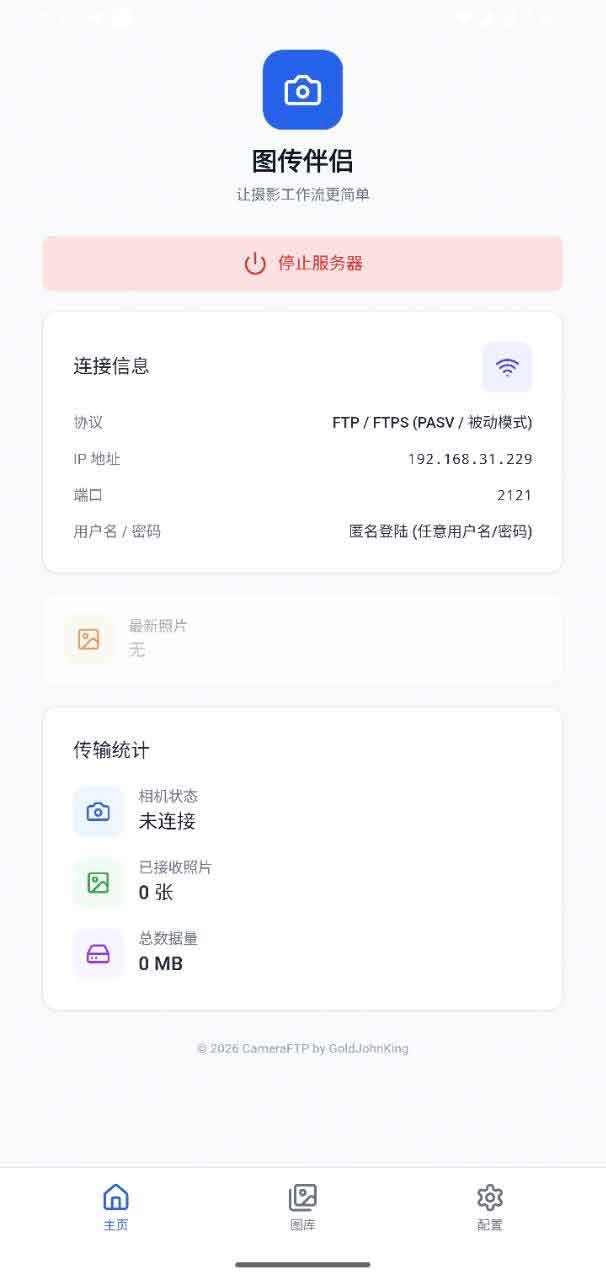
Furthermore, it supports common formats such as JPG, HEIF, and RAW, making it more practical than simply adding files to a directory for those who just want to quickly download, glance at, and perform initial screening of photos. The Windows version is better suited for on-site image acquisition with a laptop, while the Android version is more suitable for lightweight mobile receiving scenarios.
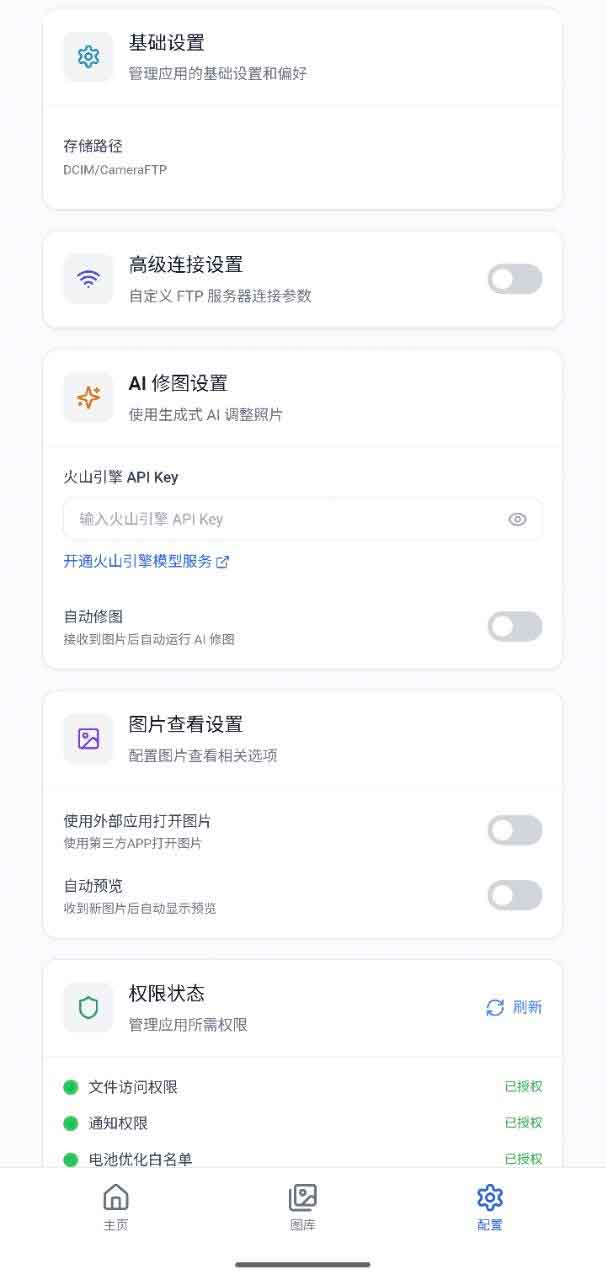
In addition, it supports custom usernames and passwords, FTP/FTPS reception, automatic port conflict switching, and other details. In other words, it doesn't completely hide FTP, but rather tries to compress the steps that can easily frustrate ordinary users to a minimum.
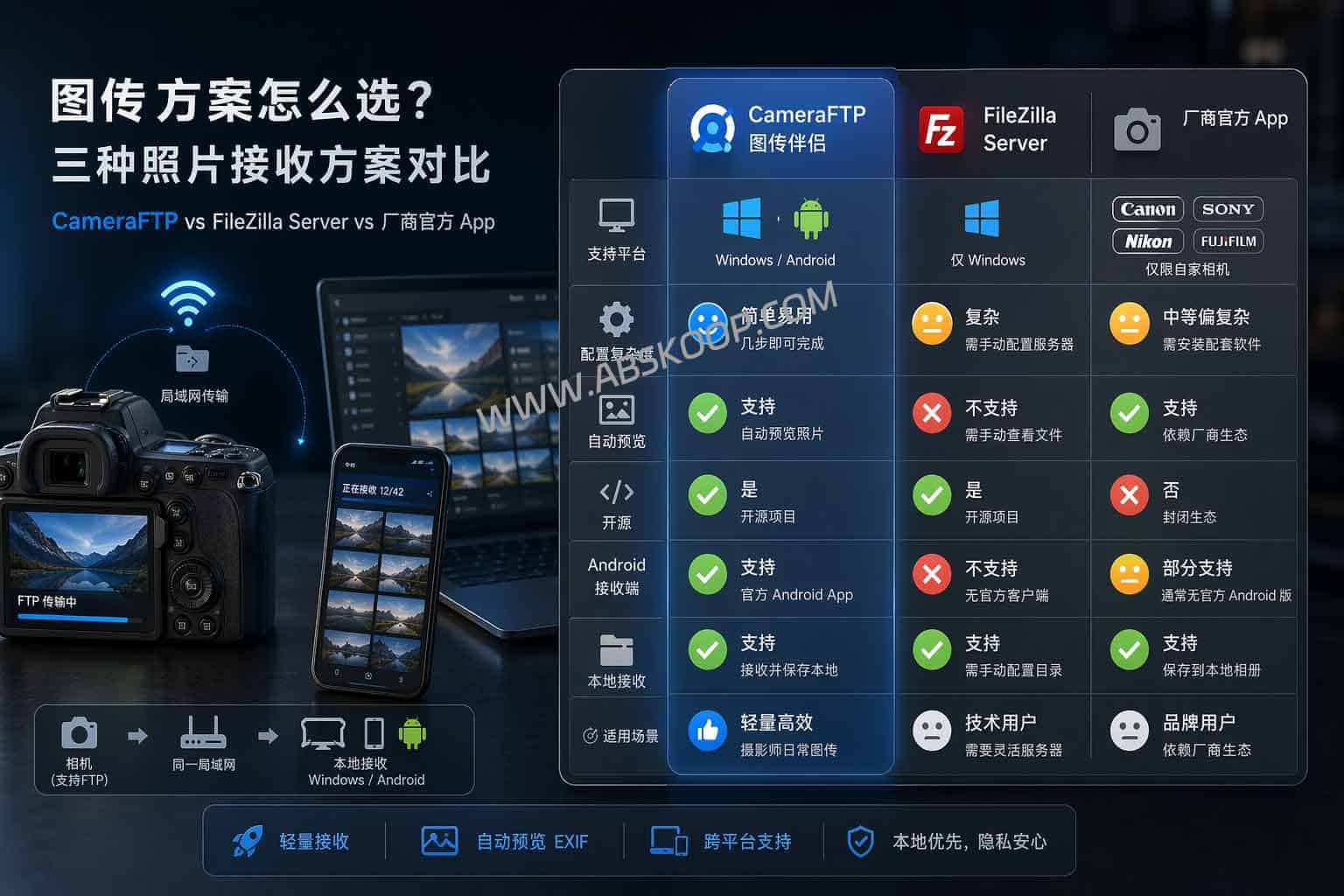
What are the differences between it and FileZilla Server and the official app?
These three solutions are actually positioned differently. Tools like FileZilla Server are more versatile and can do more, but they are also more resource-intensive; photo transmission is just one of their use cases. Official apps are closer to the brand's ecosystem and are suitable for lightweight image transfer and mobile phone integration, but the user experience can vary significantly between different manufacturers.
CameraFTP has a narrower and more specific focus: it simplifies the process of "camera pushes photos → device receives → preview and view". For those who already know their camera supports FTP but are too lazy to bother with the receiving end, its value lies not in more features, but in avoiding unnecessary steps.
Prerequisites and the actual learning curve
It's not a foolproof, zero-barrier solution. Whenever local area network (LAN) transmission is involved, several prerequisites remain: the camera itself must support FTP, the camera and receiving device must be on the same network, and the on-site wireless environment cannot be too poor. In crowded, interference-prone, or complex network environments, transmission speed and stability will still be affected.
It's better suited for Windows and Android receiving scenarios and not suitable for being directly written as a universal solution for macOS, iPhone, or all platforms. For Apple ecosystem users and mature business environments with extremely high stability requirements, it's still necessary to consider whether their existing workflows are compatible.
There are also some more subtle limitations you should be aware of: On Windows, if the connection fails, firewall blocking is often the first thing to check; while Android is convenient, path management and background persistence are still affected by system policies. In other words, it does save a lot of hassle, but it doesn't eliminate all network problems.
Who is it suitable for? Who is it not suitable for?
The right users for this product are quite clear: they have a mid-to-high-end camera that supports FTP transfer, their workflow mainly revolves around a Windows laptop or Android device, and they want to quickly receive, review, check EXIF data, and perform initial screening of images after shooting. These users will more easily appreciate its value.
The situations where it's not suitable are also clear: the camera itself doesn't support FTP; users have a long history of using the Apple ecosystem; extremely high requirements for on-site stability are needed, and any fluctuations in the local area network are unacceptable; or there is simply no need for real-time image acquisition. For these individuals, it may not be a better solution.
Project homepage and download portal
Disclaimer:This article is compiled based on information from the project's public page and is intended for tool selection and workflow reference only. Actual user experience may vary depending on different camera models, network environments, and system permission policies. Please conduct your own testing and verification before official deployment. Deployment must comply with the corresponding open-source software license agreement.
