😫 Want the silky smooth effect of Screen Studio, but the price of is too expensive?
For independent developers or product managers, creating high-quality demo videos is crucial. An ideal demo video needs to possess… Smooth mouse cursor movement, clear click highlighting, and flexible zoom/focus.。
While Screen Studio boasts top-notch effects, its high price tag puts it out of reach for many. So, is there a solution that can achieve the same results? "Screen recording + quick editing" A streamlined and budget-friendly alternative?
Here's a recommended open-source tool based on OpenScreen: CursorLensIt features integrated recording and editing, supporting the direct addition of cursor effects to the timeline, overlaying of picture-in-picture, and exporting of various aspect ratios (specific capabilities will be updated with each version).
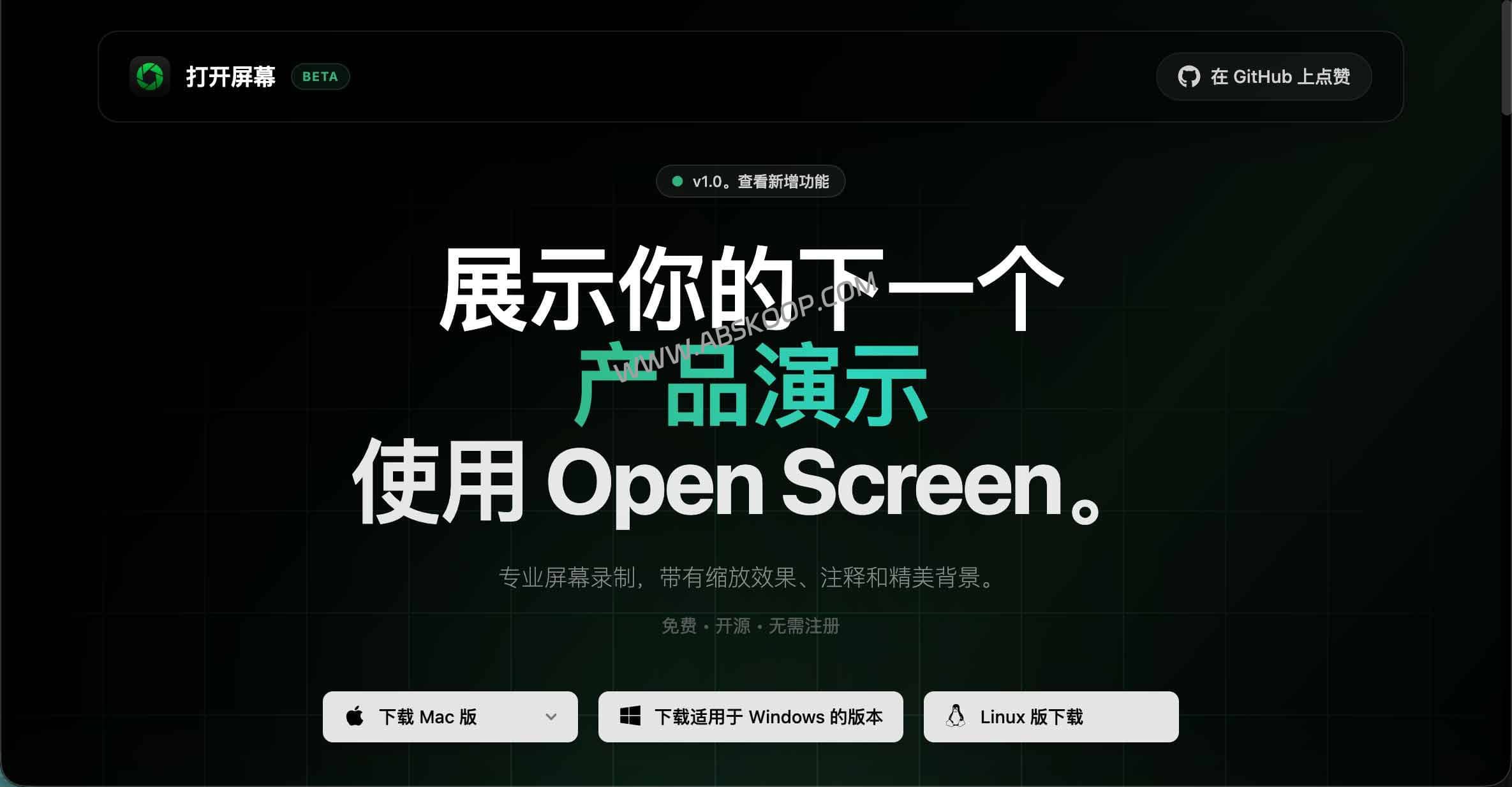
CursorLens: Deeply Integrating Screen Recording and Post-Editing
Traditional screen recording software (such as QuickTime) only provides basic recording, requiring tedious secondary processing by importing the files into Premiere Pro or CapCut. CursorLens' core advantage lies in..."Record and edit immediately, then output the final product."This greatly shortens the production chain.
1. Delicate native cursor effects
CursorLens doesn't simply use post-processed textures; instead, it captures cursor data through macOS's native Helper, resulting in a more natural visual effect.
- Click to highlight:Automatically capture and mark mouse clicks to ensure viewers accurately follow the operation path.
- Trajectory smoothing:Optimize mouse movement curves to create the signature silky smooth feel of Screen Studio.
- Flexible control:There's no need to hide the mouse during recording; you can switch the display status with a single click later.
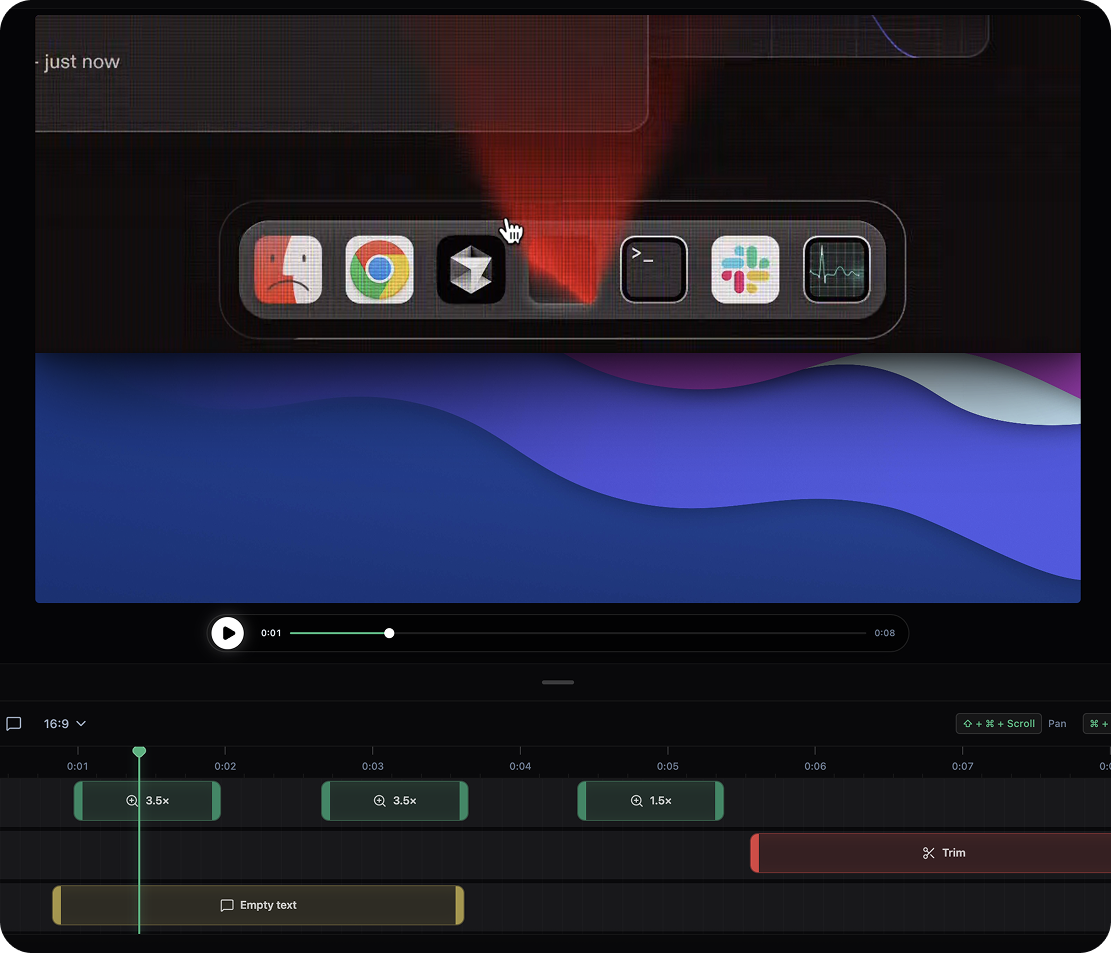
2. Lightweight Non-linear Editing (NLE)
The built-in lightweight editor allows users to quickly trim without switching to larger software:
- Timeline operations:It supports quickly removing redundant segments and adjusting the video pacing.
- Audio enhancement:It provides loudness uniformity and amplitude limiting processing to solve the problem of fluctuating sound volume.
- Picture-in-Picture (PiP):It supports overlaying camera footage, making it ideal for recording instructional demos with explanations.
- Subtitle assistance:Supports subtitle generation and audio track control (specific capabilities vary depending on the version).
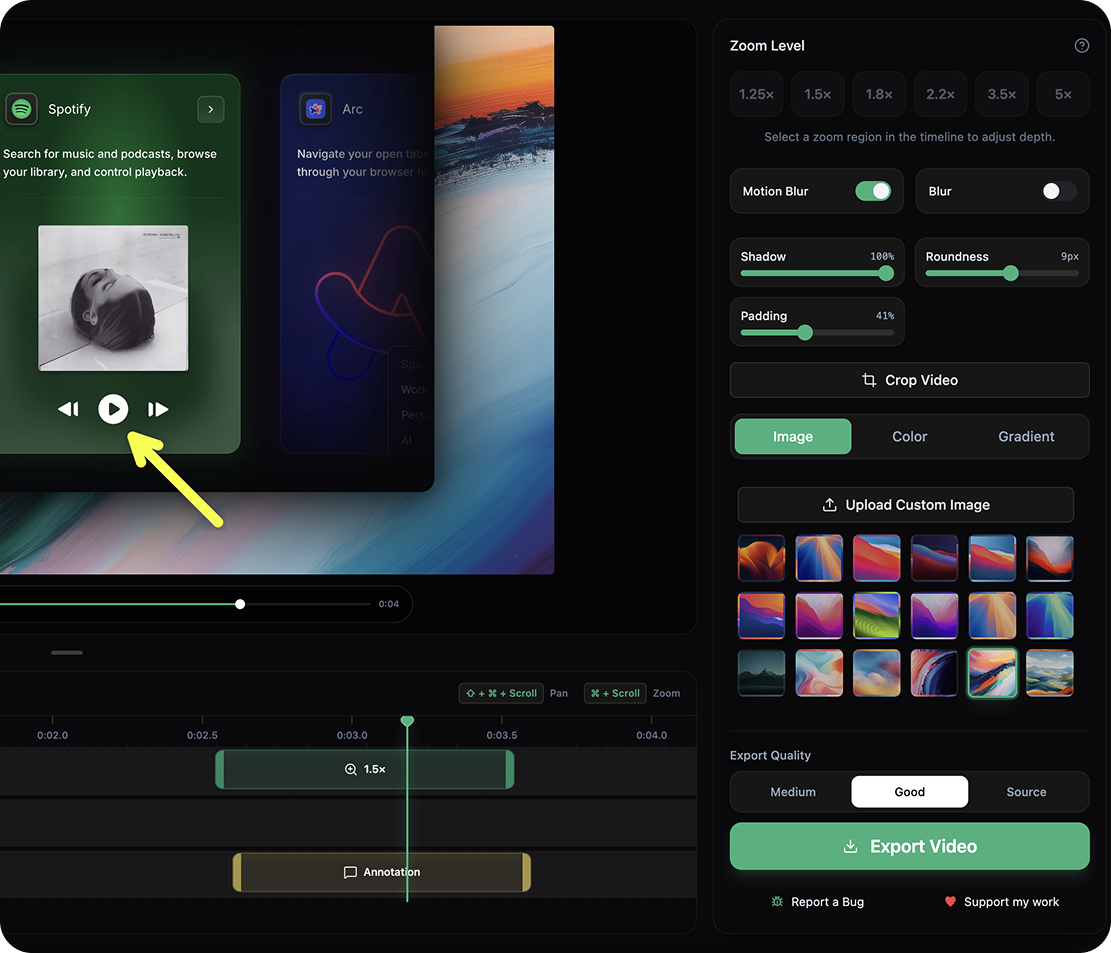
3. Multi-platform image format distribution
为了适配不同社交媒体, CursorLens 提供了多样化的导出选项(如 16:9 和 9:16)。这意味着同一套素材可以快速转化为 YouTube/ B 站的长视频,或 TikTok/Shorts 的短视频。
Comparative Analysis: CursorLens vs Screen Studio
| Dimension | CursorLens | Screen Studio |
|---|---|---|
| cost | Free and open source, no budget pressure | 付费订阅 / 买断,价格较高 |
| Workflow | Screen recording, timeline editing, and output. | Mature commercial recording and editing experience |
| Visual effects | Native data capture, supports click highlighting and smooth trajectory. | Top-notch visual experience, extremely high stability |
| stability | In the Beta phase, iterations are rapid, so testing is recommended first. | Commercial-grade stability |
⚠️ Beta version installation troubleshooting guide
- Bypassing permission blocking:Because it is not Apple-signed, the first boot may be blocked by Gatekeeper. You can remove the isolation flag by executing the following command in the terminal:
xattr -rd com.apple.quarantine /Applications/ CursorLens.app - Grant the necessary permissions:Please be sure to enable this in "System Settings". Screen recording, accessibility features and microphone Permissions are required; otherwise, a black screen or no sound may occur.
- Long video backup:Given its Beta status, it is recommended to use OBS for backup when recording videos longer than 30 minutes to prevent unexpected crashes.
Applicable scenario: Do you need to install it?
- Independent developers:We need to quickly create product demos, feature tutorials, or social media demonstration videos.
- 产品 / 运营人员:We need a set of materials that can be quickly adapted to both 16:9 and 9:16 aspect ratios.
- 技术支持 / 团队:Record bug reproduction, operation SOP, or deployment instructions, and use cursor highlighting to reduce communication costs.
Screen recording tool selection recommendations
- Basic recording $rightarrow$ QuickTime:No installation required, quick recording.
- 长时录制 / 直播 $rightarrow$ OBS:It boasts robust functionality and exceptional stability.
- Professional-grade post-production: $rightarrow$ Final Cut / PR:It offers full-featured editing capabilities, but has a steep learning curve.
- Seeking Screen Studio-quality results within a budget-sensitive environment: $rightarrow$ CursorLensIt integrates recording and editing, with a focus on cursor beautification.
Frequently Asked Questions (FAQ)
Q: Can CursorLens really replace Screen Studio?
A: It's an excellent open-source alternative. If you're looking for "editing immediately after recording" and don't want to pay exorbitant fees, it's perfect; but if you need ultimate commercial stability, Screen Studio is still the first choice.
Q: Why is the recording result a black screen?
A: This is usually a macOS permissions issue. Please check your system settings to ensure that the application has been granted "screen recording" permission and restart the software.
Q: Is it suitable for recording very long videos?
A: We recommend trying a 5-10 minute sample video first. Since it's in the Beta stage, we suggest using OBS for backups when recording longer videos.
📌 Resource Entry
📦 GitHub: CursorLens (Downloads and Source Code)
Get the latest macOS/Linux client installation package / Submit a bug
🌐 Official website: OpenScreen (original project demo)
Web-based basic version experience / View underlying technology implementation
⚠️ Disclaimer: This software is licensed under the MIT open-source license and is in a rapid iteration phase. Please back up your data before using it in a production environment. The actual functionality may vary depending on the version released.
