Let AI truly take over computer operation: Claude Code is known for its powerful code writing and file modification capabilities, but its original version only supports command-line (Terminal) operations and is tied to a high-barrier monthly subscription, making it not user-friendly for most users.
Open Claude Cowork This powerful engine provides Visual interfaceIt not only makes operation intuitive, but also allows users to customize the "brain"—for example, by connecting... DeepSeek V3 APIs like these transform fixed monthly fees into flexible pay-as-you-go billing, significantly reducing usage costs.
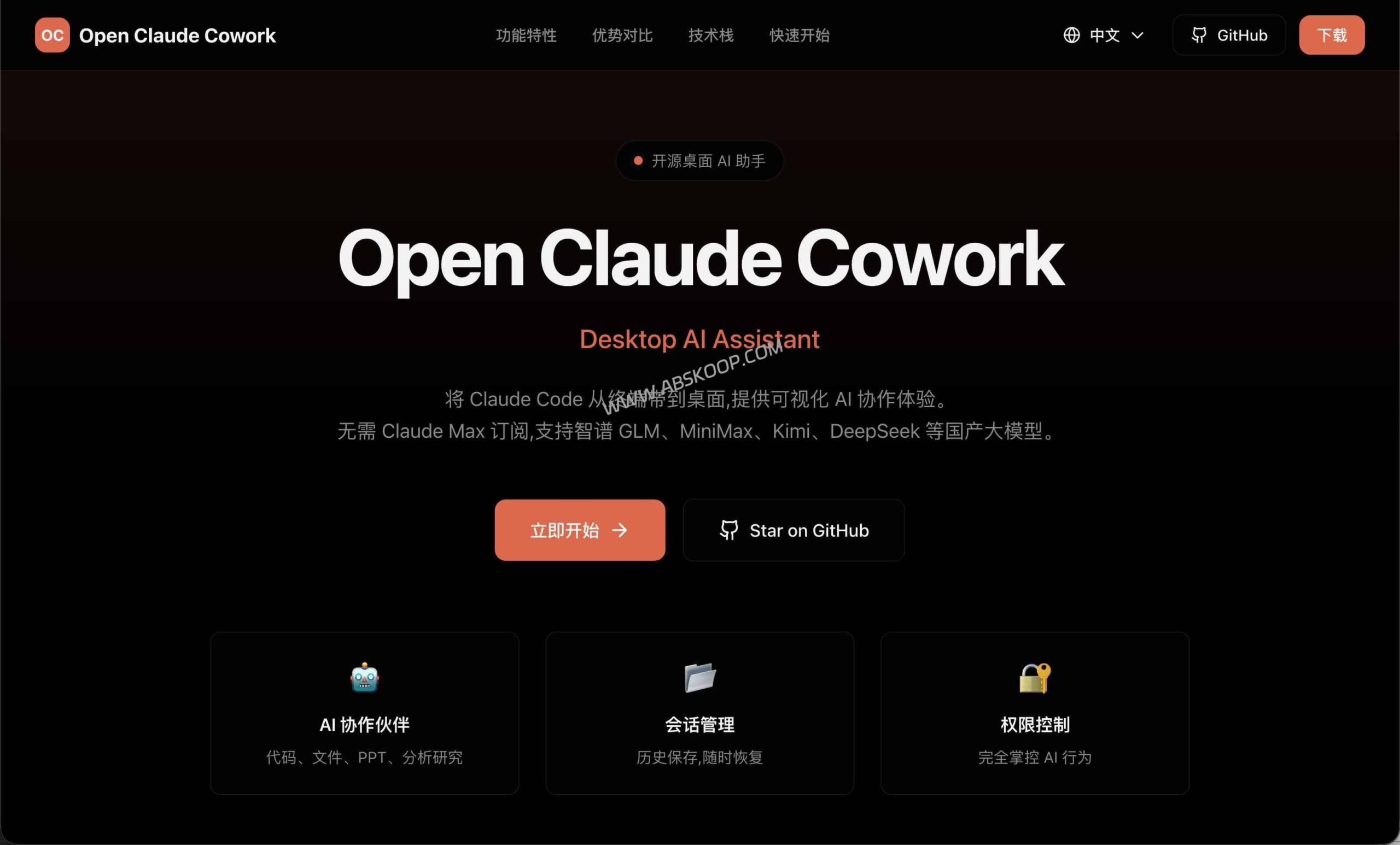
Why choose Open Claude Cowork?
This tool transforms a geek-oriented command-line tool into a desktop assistant that everyone can use. Its core advantages are reflected in the following three points:
- Fully transparent visual interaction: Say goodbye to black-box operation. Through a chat interface similar to social media, you can monitor in real time which file the AI is reading and what logic it is using, making the entire process crystal clear.
- Pay-as-you-go, cost-controllable: Unlike official periodic subscriptions, it supports direct integration with model service providers' APIs. Pay-As-You-Go This model allows individual developers to pay based on actual usage, resulting in higher resource utilization.
- Local priority, privacy protection: use Local-First The design ensures that all conversation records and operation logs are stored in a local SQLite database, eliminating the need to upload to the cloud and effectively protecting sensitive data.
How can an AI agent "automate work" on the desktop?
After integrating with DeepSeek or Claude's API, it will evolve into a system with... File operation capabilities An intelligent agent, not a simple chatbot:
- Automated file management: For example, with the command "Scan all PDF invoices on the desktop, rename them by date and move them to the 'Finance' folder", the AI will automatically call system commands to complete the tedious drag-and-drop work.
- Quickly generate local documents: After providing the materials, AI can directly generate Markdown technical documents or PPT structure outlines locally.
- Security confirmation mechanism: To prevent the AI from accidentally deleting or modifying files, the software has a built-in feature. "Human-machine verification" This is a process. Any operation involving modification or deletion must be manually approved by the user before it can be executed.
Deployment Guide: Build Your AI Assistant in Three Steps
The installation process for this open-source software is simple and can be completed in just a few minutes:
- Environmental preparation: Install Node.js (v22 and above)Please go to the Node.js official website to download and install it; this is the basic environment for the software to run.
- Software installation: access Software official website Or go to GitHub Releases pageDownload the installation package compatible with Windows or Mac, and install it following the standard software installation process.
- Configure the AI engine: Enter the API Key in the settings interface. This tool supports multi-model access; if you need to use it... DeepSeek V3Please
base_urlEnter the compatible API address (usually requires the use of middleware such as OneAPI for protocol conversion).
Summarize
Open Claude Cowork, with its visual interface and flexible API access, has successfully lowered the barrier to entry for AI agents, making it an excellent attempt to improve personal desktop productivity in 2025.
📥 Resource Links
- Official website: openclaudecowork.com
- GitHub open-source address: caiqinghua/open-claude-cowork
This software is an open-source third-party client and involves system file operation permissions. It is recommended to perform a full backup before processing important data and to comply with the relevant service provider's specifications when using the API.
