大龙 AI 设计职场硬实力提升课程
本课程由大龙设计讲师主讲,旨在将 AI 图像生成技术转化为实际的生产力。课程摒弃纯理论讲解,侧重于 “ AI 落地能力” 的培养,引导学习者从环境搭建开始,逐步掌握多风格、高精度的商业出图全流程。
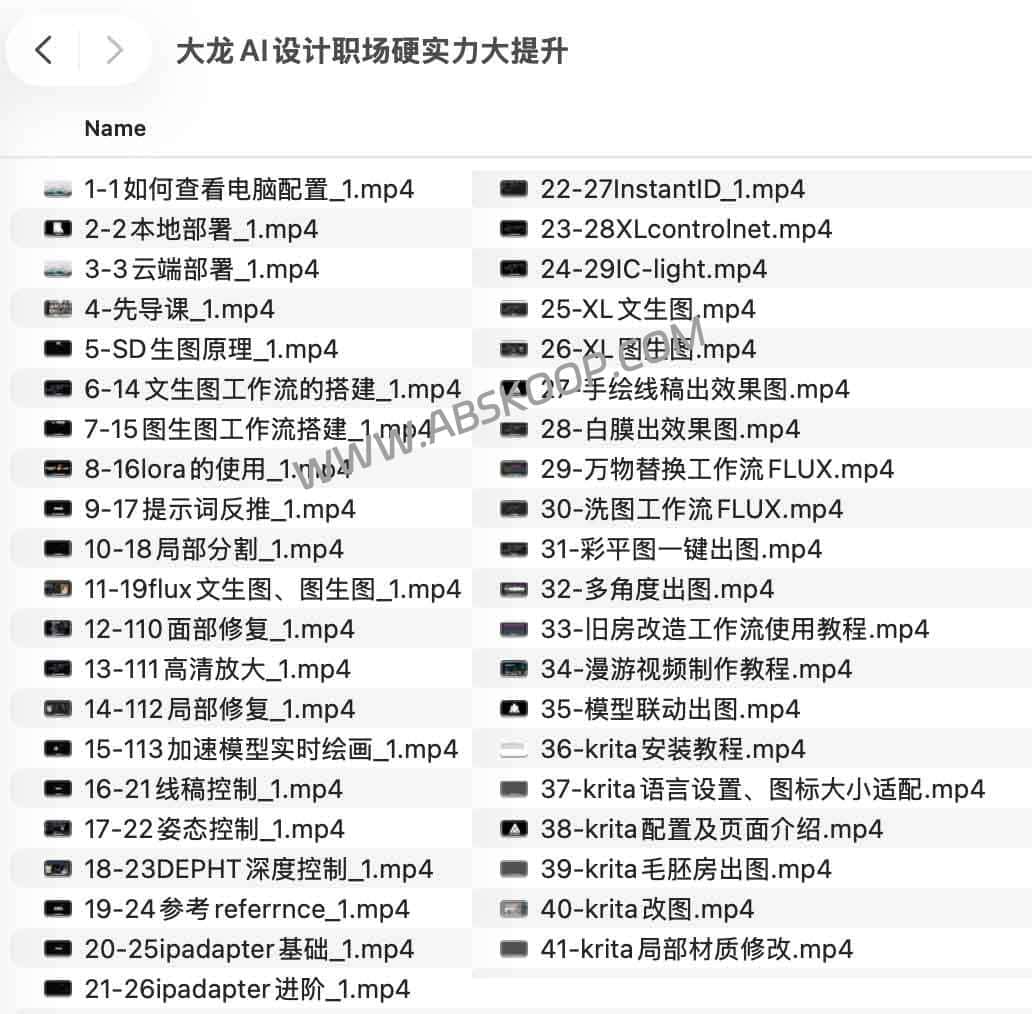
Applicable Scenarios
- Architecture and Interior Design:将手绘线稿、白模快速转化为高精度效果图或彩平图。
- 商业视觉创作:利用 AI 保持风格一致性,快速产出多角度方案。
- 人像与风格迁移:通过特定模型精准还原人物特征或特定艺术风格。
核心知识体系
1. 环境部署与底层逻辑
解决“怎么装”和“怎么跑”的问题,涵盖硬件配置检查、Stable Diffusion 的本地化部署及云端环境搭建,并剖析 SD 生图的核心机制,让学习者建立起正确的 AI 绘画认知框架。
2. 进阶控制与画质优化
重点攻克 AI 生成中的“随机性”难题,通过技术手段实现精准控制:
- 模型应用:深入实操 LoRA 训练、XL 模型以及 Flux 多工作流(含洗图、替换、漫游视频)。
- 精准控制:运用 ControlNet(线稿、姿态、深度图 Depth、参考图 Reference)锁定构图。
- 细节还原:Use InstantID to recreate the portrait, and use iPadapter to ensure style consistency.
- 后期精修:Master techniques for localized repair, facial optimization, and high-precision magnification.
3. 商业实战工作流
Embedding AI into the traditional design process enables rapid iteration from sketches to finished products:
- 设计链路:手绘线稿 $rightarrow$ 白模补全 $rightarrow$ 彩平图 $rightarrow$ 最终效果图。
- 工具联动:打通 SketchUp 等 3D 软件与 AI 的同步出图流程。
- Krita 协同:从安装配置到场景构建,利用 Krita 进行局部材质修改与精细化后期调整。
资源获取与环境要求
适用人群:室内设计师、建筑可视化从业者、 AI 图像创作者及需要高效出图方案的视觉从业者。
获取方式:点击进入夸克网盘下载
End of text
