PPT Master: An AI-driven multi-format visual content generation system
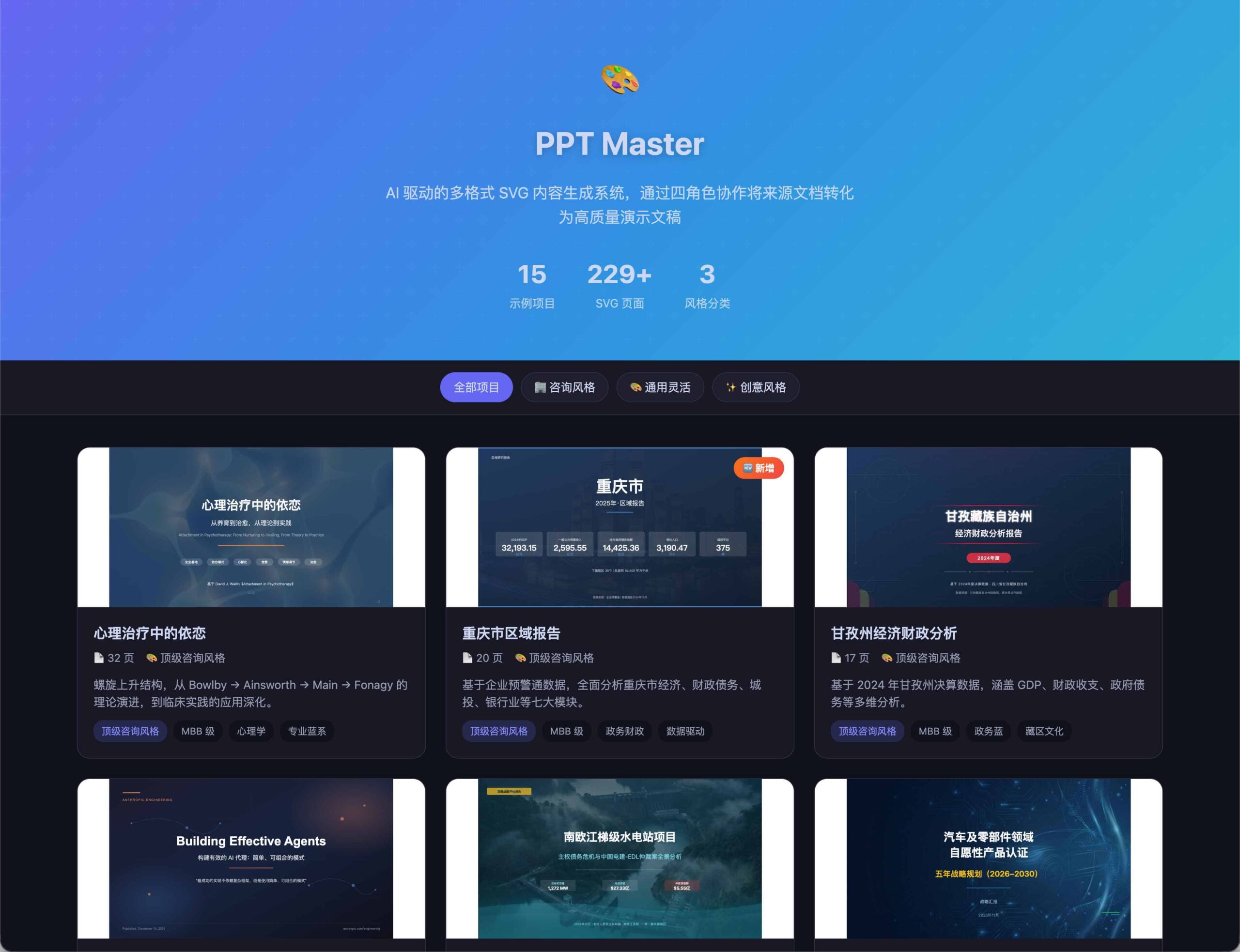
PPT Master It's not just a simple slideshow tool, but an intelligent visual creation system based on an AI-driven collaborative mechanism. By simulating the professional division of labor among "strategists, executors, image generators, and optimizers," it integrates content planning, visual design, and automated layout into the same workflow, significantly improving the efficiency of output from idea to finished product.
This system can not only quickly generate business presentations with the style of top consulting firms such as McKinsey and BCG, but also seamlessly switch to Xiaohongshu notes, WeChat Moments posters, and various marketing and promotional images, adapting to diverse content distribution scenarios.
Core Functions and Technological Advantages
🤖 Role-based AI Collaborative Flow
The system ensures the professionalism and completeness of the generated content by defining four core roles:
- Strategist: Deeply analyze user needs and build a logically rigorous overall framework.
- Image GeneratorCreate high-quality visual illustrations precisely based on the content context.
- Practitioner: Responsible for the initial implementation of component splicing and layout logic.
- OptimizerFine-tuning visual details ensures a refined final product.
🎨 Full-scene format coverage
- Business presentationSupports 16:9 and 4:3 standard PPT aspect ratios.
- social media: Adapted for Xiaohongshu cover (3:4), WeChat Moments and general social media images (1:1 / 9:16).
- Vector output :use SVG format The output ensures that the image remains clear and lossless at any resolution, and supports secondary editing.
📊 Professional Design Principles and Components
It includes a rich set of built-in visualization components (such as KPI charts, funnel charts, timelines, etc.), and all designs strictly adhere to... CRAP Visual Principles(Contrast, Repetition, Alignment, Proximity) ensures a professional, business-grade feel.
Quick Deployment and Operation Steps
- Get source codeClone the project repository via command line:
git clone https://github.com/hugohe3/ppt-master.git - Configure AI environmentLaunch an editor that supports AI collaboration; we recommend using [the one mentioned]. AntigravityAlternatively, you can choose Cursor or VS Code + Copilot.
- Issue generation commandEnter your specific requirements directly. For example:"I have a draft of the Q3 financial report. Please help me generate a 10-page standard consulting-style PowerPoint presentation."The system will automatically complete the entire process from structural analysis to graphic layout.
Recommended toolchains and models
| Tools/Models | Recommendation Index | Core advantages |
|---|---|---|
| Antigravity | ⭐⭐⭐ | Free integration with Opus 4.5, offering extremely powerful image and text generation and optimization capabilities. |
| Gemini | ⭐⭐ | The high-resolution images are excellent (downloading the original images is recommended). |
| Claude Code | ⭐⭐ | Anthropic's official CLI tool, suitable for developers to deeply customize. |
hint: If the image generated using Gemini has a watermark, you can call... gemini_watermark_remover.py The script removes it quickly.
Resource Links
- GitHub repository:github.com/hugohe3/ppt-master
- Online demo:GitHub Pages Demo
Applicable Scenarios
PPT Master significantly lowers the barrier to visual design, making it especially suitable for the following groups:
- ProfessionalsConsultants and managers who need to quickly produce high-quality reports.
- Content creatorsFor Xiaohongshu bloggers and self-media operators who need to generate visual notes in batches.
- MarketingProduct operations and marketing planners who strive for efficient graphic design.
- AI ExplorersTechnology enthusiasts interested in AI visual generation and automated typesetting.
