What is Compare2Word?
Compare2Word is a free online document comparison tool (Diff Checker) designed for professional office scenarios. It allows users to quickly compare various file formats such as Word, PDF, Excel, PPT, TXT, and CSV in their browser. By accurately identifying text insertions, deletions, and updates, it makes subtle differences between different versions immediately apparent.
The core advantage of this tool lies in "Pure local computation"All comparison logic is executed on the browser side, without the need to install client software or upload private files to the server, thus improving efficiency while ensuring extremely high data security.
Core Features and Highlights
- Privacy-first local processing: Based on WASM and Web Workers technologies, the entire file processing is completed on the local device. Documents never leave the device, are never uploaded to the cloud, and are never backed up, making it perfectly suited for highly sensitive scenarios such as legal, financial, and corporate compliance matters.
- Deep compatibility with multiple formats: Full support
.docx,.xlsx,.pdf,.pptx,.txt,.csvIt adopts mainstream formats and has been deeply optimized for actual office scenarios such as contracts, financial statements, and technical solutions. - Structured intelligent parsing: It goes beyond simple plain text comparison, and can parse the hierarchical structure of documents such as Word and Excel, accurately locating key modification points while preserving the document logic.
- Flexible dual-view mode:
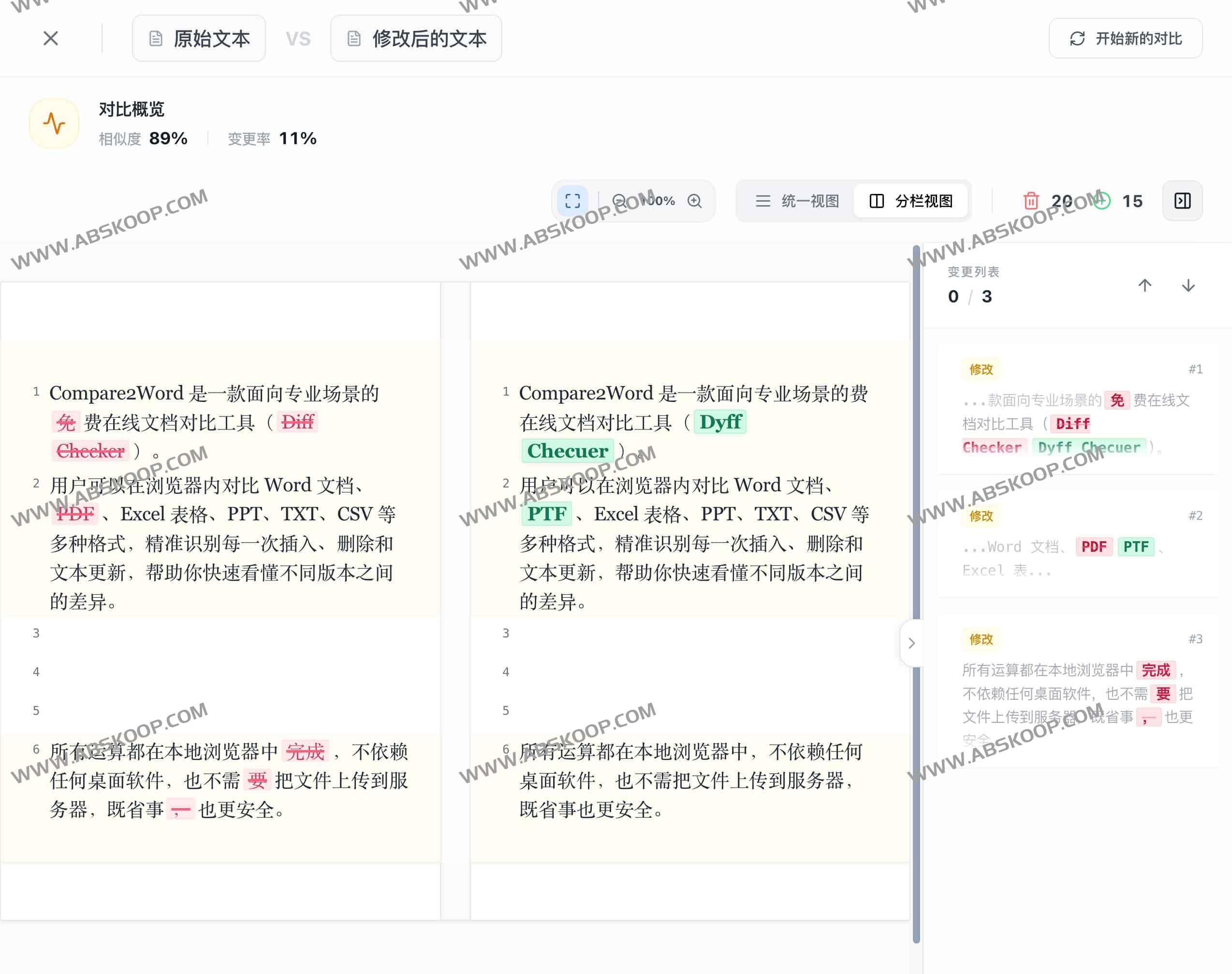
- Unified view: It aggregates and displays all differences, making it suitable for quickly scanning the overall changes.
- Column view: The original and revised versions can be viewed side-by-side, with synchronized scrolling for easy, detailed review line by line.
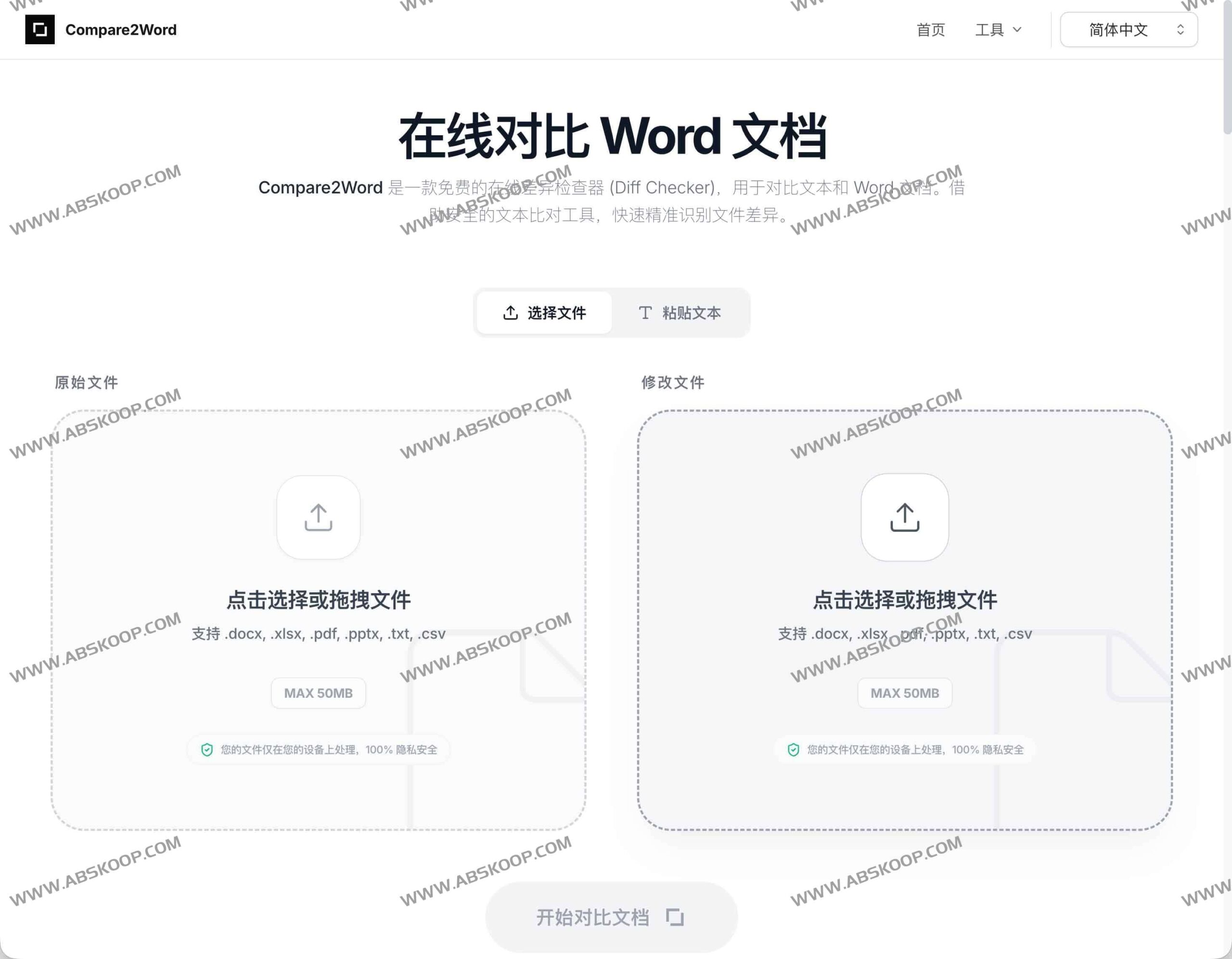
- Zero-barrier to use: No account registration or plugin installation is required; simply access the browser and drag and drop files to start immediately.
Applicable scenarios and target audience
- Legal professionals: Quickly verify changes to contract and agreement terms to prevent key legal details from being accidentally deleted or altered.
- Academic researchers: Track the iterative versions of papers and research reports to clearly understand the revisions made by your supervisor or collaborators.
- Editorial and Content Team: In the tedious manuscript review process, quickly confirm the specific content of each round of revisions.
- Product and Technology Team: Compare technical documents, configuration files, or product requirements documents (PRDs) to reduce communication costs caused by version confusion.
User Guide: How to quickly compare documents?
Whether or not you have "Track Changes" enabled in Word, you can quickly obtain the differences by following these four steps:
- Visit the site: Open https://compare2word.com/
- Import original files: Drag the old version of the document into the left panel.
- Import new file: Drag the modified document into the right panel.
- Review differences: After the engine analysis is complete, view the highlighted markers in the "Unified View" or "Column View".
In-depth analysis: Security and format support
100% Local Computation, Preventing Data Leakage
Unlike traditional online tools that require uploading files to a server for processing, Compare2Word uses... "Client-only" architecture This means that your trade secrets, internal documents, or personal privacy data will remain permanently on your device, completely under your control, eliminating the compliance risks of data interception or backup at the source.
Extensive document support capabilities
- Word (.docx): The core comparison scenarios cover text addition, deletion, and format changes.
- PDF (.pdf): Extracting text and comparing it line by line is suitable for reports and manuals.
- Excel & CSV (.xlsx, .csv): It supports comparing the entire workbook or focusing on key data in a specific worksheet.
- PowerPoint (.pptx): Extract text from slides to quickly review changes to your presentation.
- Plain text (.txt, .md): Supports fast tracing of code snippets or lightweight text.
💡 Tip: How to compare Google Docs?
Simply use Google Docs File > Downloads > Microsoft Word (.docx) Export both versions and then drag them into Compare2Word. This method is more intuitive than viewing cloud history, especially when dealing with complex formatting.
Frequently Asked Questions (FAQ)
Q: Do I need to install software to compare Word documents?
No. Compare2Word runs entirely in a browser and is compatible with all major operating systems, including Windows, Mac, Linux, and Chromebook.
Q: How well do the PDF files compare?
The tool extracts the text content from PDFs and compares them side-by-side, efficiently identifying differences at the text level.
Q: Is it safe to handle confidential documents?
It is very safe. All analysis is performed in a local browser, and files are never uploaded to any server.
Q: Is there an upper limit to the file size?
Currently, the maximum file size supported is 50MB, which is sufficient for most contracts, academic papers, and corporate reports.
Experience it now
Say goodbye to inefficient manual proofreading and the worry of forgetting to enable revision tracking. Whether you're verifying data changes in an Excel file or checking edit history in a PDF, Compare2Word provides a free, private, and efficient solution.
Official access address:https://compare2word.com/
