What does enabling AppleAI mean?
enable AppleAI This is an open-source solution designed for Macs sold in mainland China, aiming to break regional restrictions and unlock Apple Intelligence services. The project is currently compatible with macOS 15.4.1 and later, as well as macOS 26.1 beta.
Its core logic is to modify the system. countryd Configuration and eligibility The caching mechanism guides the system to identify the current device as one that supports AI services. Because this solution directly affects system configuration, it does not require a persistent background process and does not need to disable SIP (System Integrity Protection) for an extended period after initial configuration.
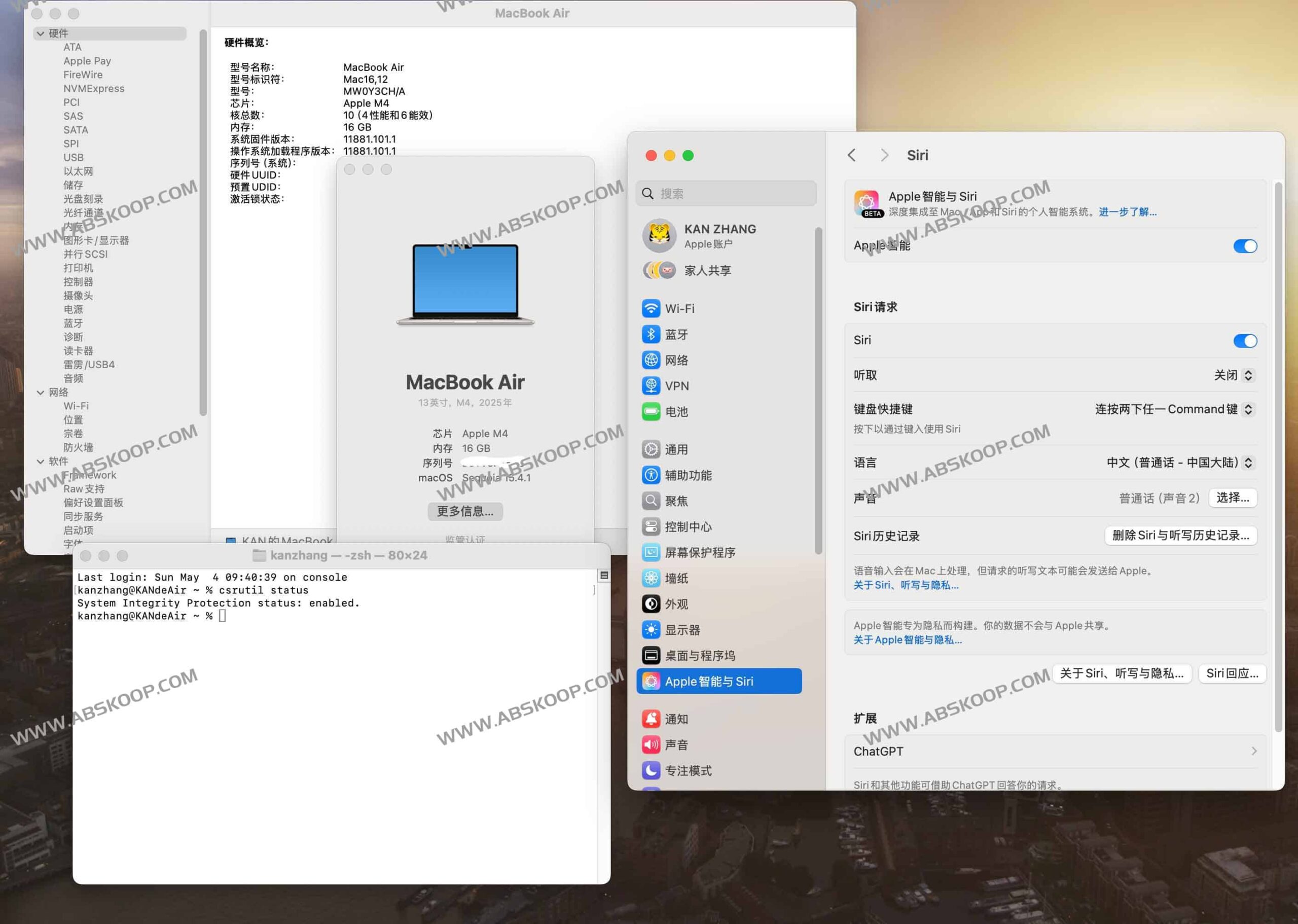
Version features and unlocking path
In version 3.X, the project introduced two different unlocking paths to accommodate different users' system environments:
- Deep unlocking solution (Method 1): Through the
eligibilitydDebug and modify the system plist file to provide the most complete AI function enabling effect. - Lightweight unlocking solution (Method 2): Based on the AiOnMac approach, only a few plist files need to be modified. This solution is an ideal alternative when Method 1 encounters errors or fails to work.
Furthermore, version 3.X significantly expands feature support. In addition to basic AI capabilities, it also includes modules such as Foundation Model and Personal QA. On macOS 26, users can use Siri to call ChatGPT, access the international version of Apple News, and access international maps, provided they use a supported regional IP address.
Technical Implementation Principles
Option 1: Simulate Device Identity
This solution involves temporary injection. eligibilityd The process simulates the device as a US version. Simultaneously, the script modifies... /private/var/db/eligibilityd/eligibility.plist The file is modified to remove region code restrictions and external boot disk detection. To prevent the system from refreshing the cache after a restart or update, the solution will add the following to the file at the end. uchg Lock permissions.
Option 2: Cache Spoofing
This solution does not involve process injection; instead, it directly modifies... eligibility Related cached files mislead macOS into believing that the current hardware meets the activation requirements for Apple Intelligence. Similarly, this scheme also... uchg Locking is used to ensure the persistence of changes.
Deployment prerequisites
Before executing the script, please ensure that your device meets the following conditions:
- hardware: Macs equipped with M1 or later series chips.
- system: macOS 15.1 or later.
- Permissions: Has administrator account privileges.
- environment: System region settings USASet the language to Chinese or a language officially supported by Apple AI.
- network: A stable network connection must be maintained during installation.
- Security settings: Must first Turn off SIP(You can restart it after the process is complete).
Installation and execution process
Step 1: Disable SIP
Enter recovery mode and execute the command in the terminal. csrutil disableThen it restarted and entered the normal system.
Step 2: Run the unlock script
You can quickly install it by running the following command directly in the terminal:
curl -sL https://raw.githubusercontent.com/kanshurichard/enable AppleAI/main/enable_ai.sh | bashNote: If GitHub access is unstable, you can try using jsDelivr to speed up the process. For users who need to troubleshoot, it is recommended to download the script, manually check the code, and then execute it.
Step 3: Activation and Verification
After the script finishes executing, restart your Mac and check the status of Apple Intelligence in System Settings. Once you confirm that the feature is enabled, you can re-enable SIP to restore system security.
Frequently Asked Questions and Precautions
- Regarding uninstallation: Version 3.X natively supports one-click uninstallation.
- The system upgrade has failed. If you find that some AI functions are missing after upgrading to macOS, please uninstall the old version of the script first, and then run the latest version of the script to unlock the new modules.
- iCloud account restrictions: Version 3.X has been reported by users to be successfully enabled on iCloud in the Chinese region; it is recommended to try this first. Method 2。
- Siri regional issues:
- macOS 26.X: Requires the use of 3.X scripts and an IP node that supports AI.
- macOS 15.X: You need to disable Siri's location permissions or configure a global proxy.
- Image Playground cannot display images: At this point, the system language needs to be temporarily switched to [language name]."English (United States)"。
- Multilingual support: The extent of support for Traditional Chinese and other languages depends on Apple's official update schedule.
Project Resources: GitHub – enable AppleAI
