When faced with complex photo editing needs, are you looking for a simpler solution?
无论是电商卖家需要快速优化产品主图,自媒体博主在制作封面时被背景杂物困扰,还是普通用户想要修复一张模糊的老照片,传统的修图软件往往学习成本过高,且安装繁琐。如果能有一个无需安装、无需注册,且能一键实现专业效果的工具,将极大提升创作效率。
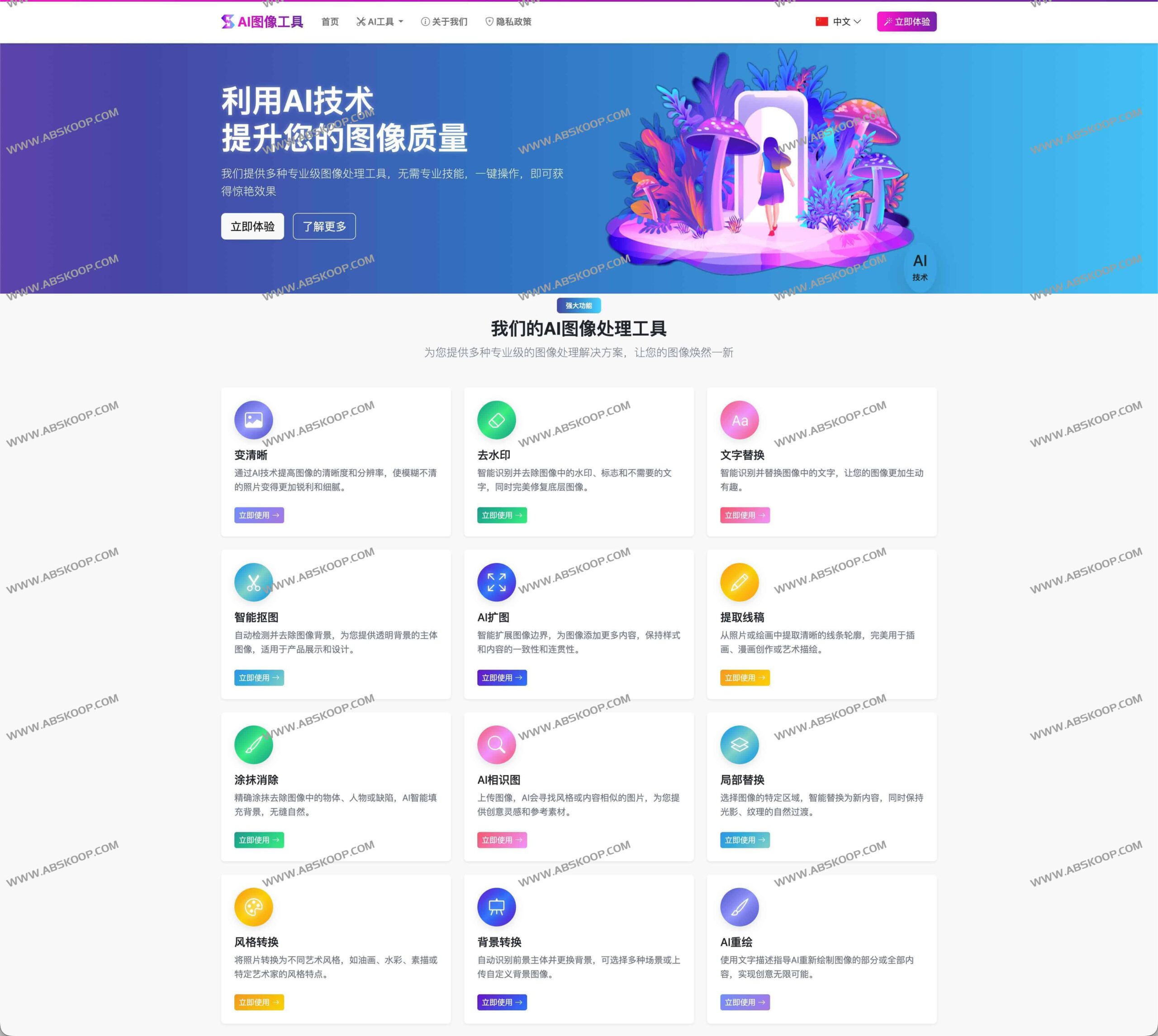
AI Image Editor (aiimageeditor.me) 正是为了解决这些痛点而生。它将 12 款专业级 AI 图像处理工具集成在一个免费的在线平台中,让用户无需掌握复杂的修图技巧,即可实现从画质增强到创意扩图的高质量处理。
目前,该平台已累计处理超过 1000 万 + 张图像,服务 85 万 + 忠实用户,凭借 99.8% 的综合满意度,成为了个人与团队值得信赖的在线图像助手。
为什么选择 AI Image Editor?
In addition to its powerful AI capabilities, the platform achieves an extremely lightweight user experience:
- 零门槛使用: 完全免费,无需注册账号,没有广告干扰。
- 广泛兼容: 支持 JPG、PNG、WEBP、BMP、TIFF 等多种主流图像格式。
- 商业友好: 处理后的结果可直接下载,并支持用于商业项目。
核心功能详解:12 款 AI 工具覆盖全场景
AI Image Editor 将复杂的算法转化为简单的功能按钮,让普通照片也能达到“设计师级”水准。
1. 画质修复与增强
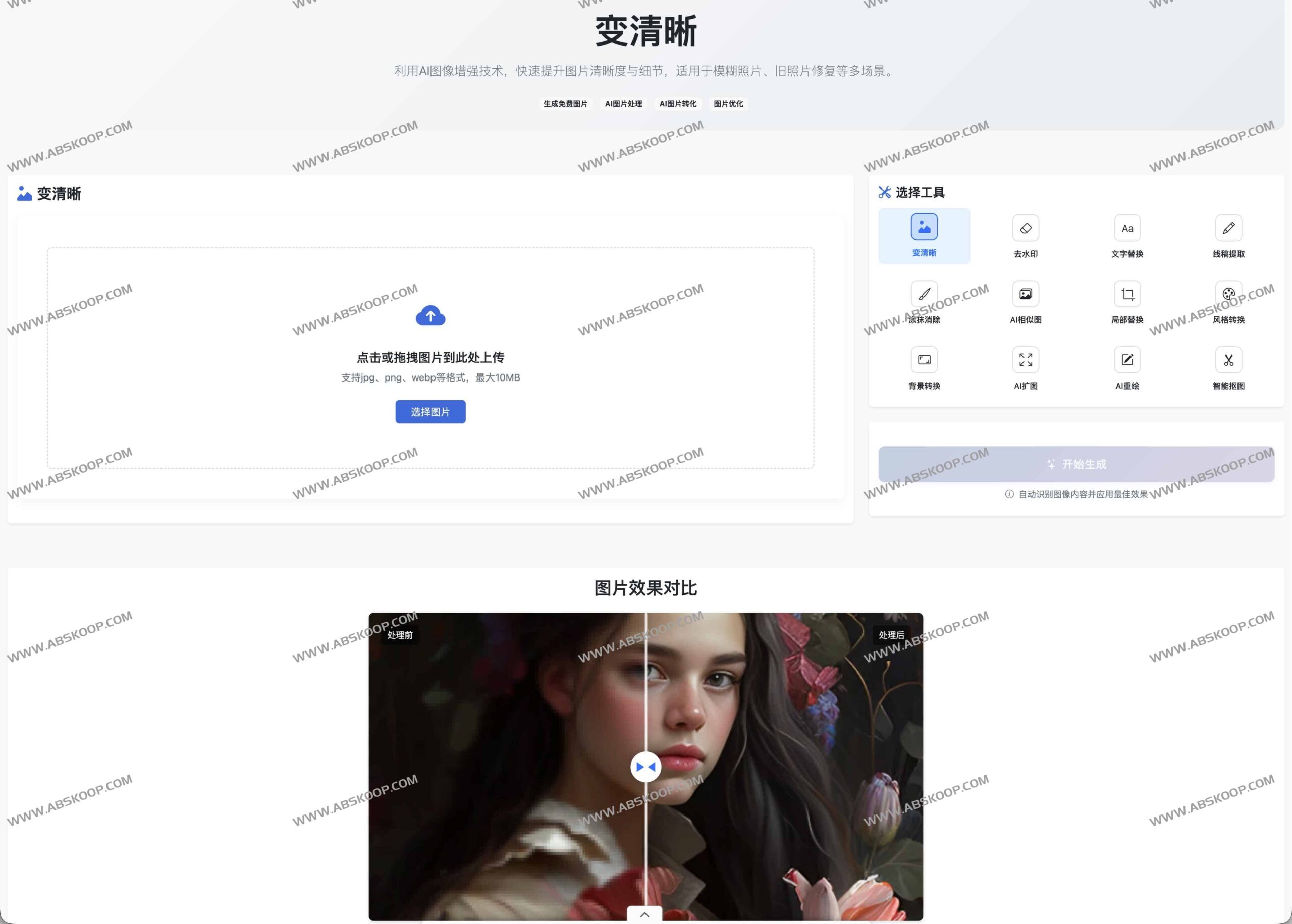
- 变清晰: 针对模糊照片、低分辨率图像进行 AI 锐化与细节补全,是老照片修复和手机随拍补救的利器。
2. 瑕疵去除与元素精修
- 去水印: 智能识别并抹除水印、LOGO 或冗余文字,同时自然修复底层画面。
- 涂抹消除: Quickly erase passersby or minor blemishes; AI automatically fills the background, ensuring seamless edge transitions.
- 局部替换: 针对指定区域更换内容,在保持光影与纹理协调的同时,快速优化产品细节。
3. 创意设计与艺术生成
- 风格转换: 一键将照片转化为油画、水彩、素描等多种艺术风格。
- AI redraw: By using simple text descriptions, AI can be guided to reconstruct parts or the entire image, generating entirely new visual works.
- AI 扩图: While maintaining the original style, the canvas is intelligently extended to reserve more layout space for posters and cover images.
4. Highly efficient creative assistance
- Intelligent background removal and transformation: Quickly extract the subject and generate a transparent background, or replace it with a solid color or scene image with one click, greatly improving the efficiency of e-commerce main image production.
- 文字替换: This tool can identify and modify text in images, making it suitable for quick poster redesigns or multilingual version creation.
- Extracting line art: Transform photos or illustrations into clean lines, providing a foundation for comic creation and secondary coloring.
- AI 相似图: 通过上传图片寻找风格或内容相近的图像,快速激发设计灵感。
Quick Start Guide
通过以下三个简单步骤,即可在几分钟内完成高质量编辑:
- 上传图像: 从设备中选择主流格式的图片导入。
- 配置处理: 选择所需的 AI 工具并调整简单参数,实时预览效果。
- 导出结果: 确认无误后,直接下载高清原图。
隐私安全与性能表现
本地化处理,保障隐私: The platform employs a local processing solution, promising not to save user-uploaded images. All operations are completed locally, without uploading to servers. Users need not worry about the risk of leakage for commercial design drafts or sensitive private photos.
专业级性能: 基于深度学习算法, AI 模型能精准理解复杂图像内容。优化后的算法让绝大多数处理任务在数秒内完成,且在细节保留度和色彩还原上表现优异,足以应对高标准的品牌物料制作。
Applicable scenarios and target audience
Regardless of your background, you can find ways to improve efficiency in AI Image Editor:
- 电商从业者: 快速产出高质量的产品主图、详情页及促销海报。
- Content creators: Create eye-catching cover images and illustrations for short videos and social media.
- 专业设计师: 快速获取线稿、寻找灵感参考图或进行风格化实验。
- 企业团队: 低成本、高效率地制作品牌物料与活动 KV。
- 普通用户: 简单地修复照片、去除干扰元素,提升生活记录的质感。
关于 AI Image Editor
AI Image Editor 团队致力于通过深度神经网络与计算机视觉技术,降低图像处理的门槛。我们的目标是 让每个人都能轻松创作精美图像,将复杂的技术逻辑隐藏在简洁的界面之后,让创意在指尖自由流动。
官方访问地址: https://aiimageeditor.me/zh
