One-KVM:低成本、开源的 BIOS 级远程管理方案
One-KVM 是一款基于开源项目 PiKVM 深度定制的 DIY IP-KVM 方案。它旨在通过廉价的硬件(如 S905 芯片的电视盒子、各类开发板等),为用户提供一个非商业化的远程控制通道,实现对服务器或工作站 BIOS 级别的远程管理。
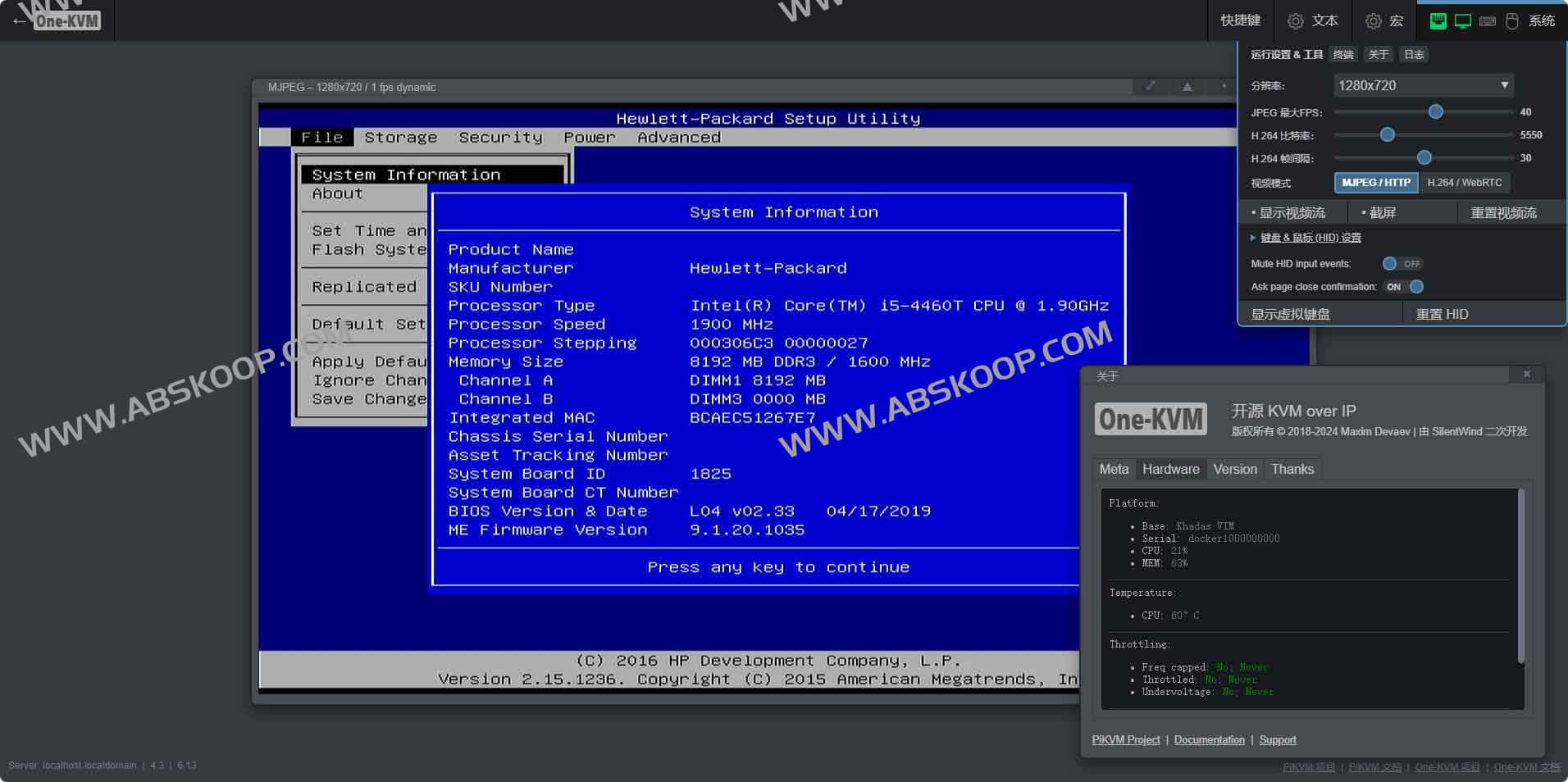
核心功能与技术亮点
- 硬件零侵入: 无需在目标机器安装任何驱动或软件,可直接进入 BIOS/UEFI 界面进行底层配置。
- 极低部署成本: 兼容树莓派、电视盒子等通用硬件,打破了传统企业级 IP-KVM 昂贵的定价。
- 功能增强定制: The PiKVM framework now includes a Chinese web interface, video recording, a web terminal, and a one-click installation script.
- 广泛的架构兼容: 支持 amd64、arm64 及 armv7 架构的 Linux 系统,提供 Docker 镜像与整合固件两种部署路径。
- 全方位控制: 集成了 VNC 控制、虚拟存储、ATX 电源管理、WebRTC 低延迟视频流及 WOL 远程唤醒。
部署指南
方法一:Docker 快速部署(推荐)
通过以下命令可一键搭建完整运行环境:
curl -sSL https://docs.one-kvm.cn/quick_start.sh -o quick_start.sh && bash quick_start.sh方法二:固件镜像直刷
针对玩客云、我家云、私家云二代等特定设备,项目提供了预配置的整合包,实现开箱即用。
- GitHub 仓库: github.com/mofeng-git/One-KVM
- CDN 加速链: http://sd1.files.one-kvm.cn
- 百度网盘: 提取码
mqjg(点击跳转)
Applicable Scenarios
- HomeLab 玩家: 远程管理家庭实验室中的多台物理主机。
- 运维工程师: 对远程服务器进行 BIOS 修复或系统级故障排查。
- 开发环境: 远程控制测试机,无需物理接触设备即可重启或重装系统。
竞品对比分析
| Features | One-KVM | PiKVM | ArmKVM | BLIKVM |
|---|---|---|---|---|
| 中文 WebUI | ✅ | ❌ | ✅ | ✅ |
| Docker 部署 | ✅ | ❌ | ❌ | ❌ |
| 视频录制 | ✅ | ❌ | ❌ | ❌ |
| 成本控制 | ✅ | ✅ | ✅ | ✅ |
| Commercialization support | ❌ | ✅ | ✅ | ✅ |
相比于其他方案,One-KVM 在 易用性 (中文界面)与 部署灵活性(Docker 支持)上具有明显优势,更适合个人开发者与小型团队。
开源贡献
One-KVM 由个人开发者维护,欢迎通过 GitHub 提交 Issue 或 Pull Request 共同完善项目。
End of text
