Get started with ChartFromText quickly: Transform text data into professional charts in seconds
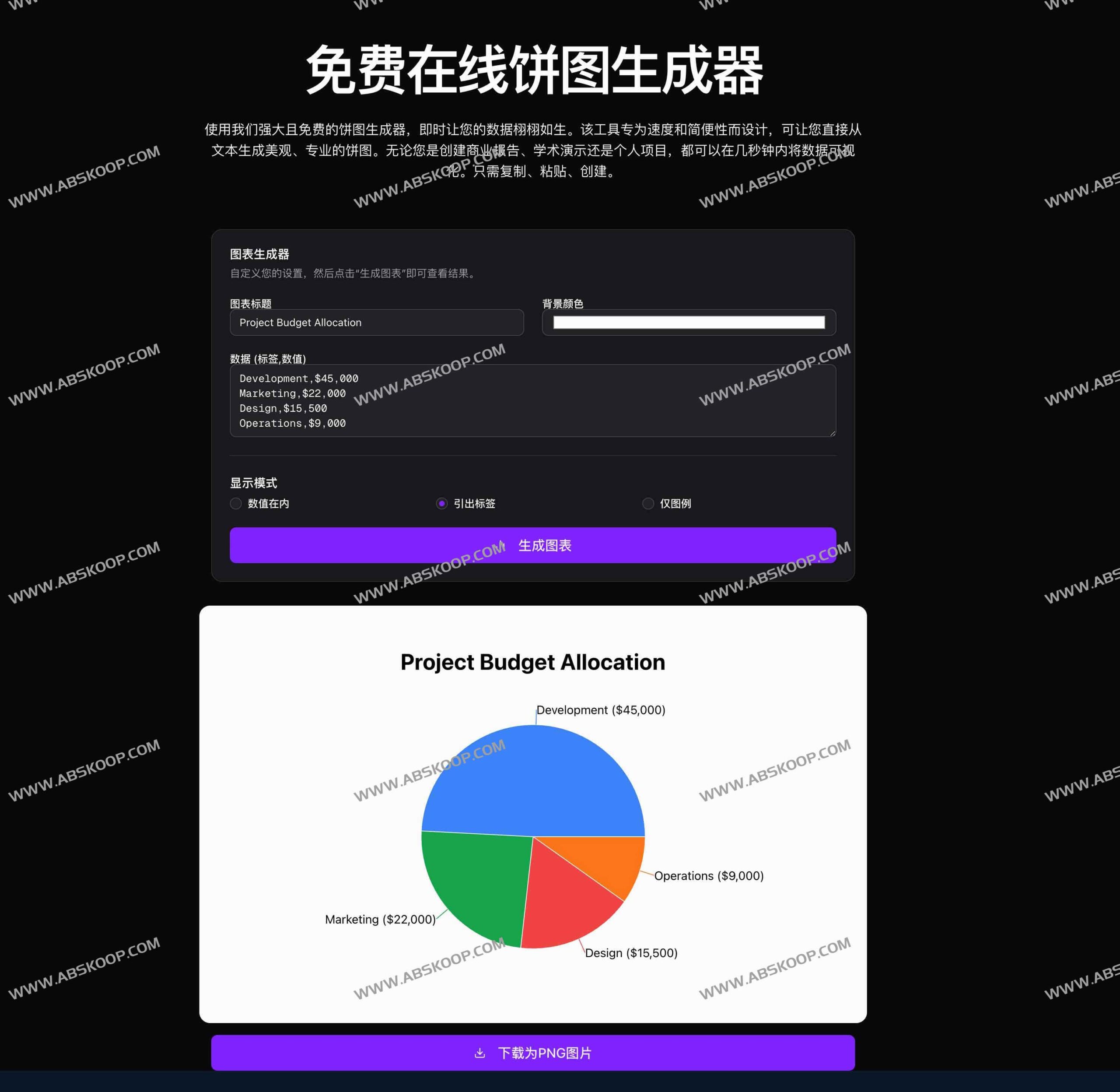
ChartFromText It is a highly efficient online visualization tool designed to transform plain text data into professional charts with the simplest operations. It breaks away from the complex configuration processes of traditional charting software; users do not need to register an account, and can generate various visualization formats such as pie charts, bar charts, line charts, donut charts, and horizontal bar charts in real time simply by pasting data.
Official website:https://ChartFromText.com/zh
Three-step simplified operation process
- Data input Copy directly from Excel, document, or text editor
Tags, valuesPaste the formatted data, and the system will automatically parse it. - Visual customizationAdjust the chart title, label layout, background color, and color scheme according to actual needs to ensure that the chart style is consistent with the presentation theme.
- Export ImageAfter previewing the effect in real time, download the high-definition PNG image with one click, which can be seamlessly embedded into reports, PPTs, or web pages.
Core Features Highlights
- Rapid conversionIt supports direct conversion of text to charts, saving you the tedious steps of manually entering data.
- Zero-barrier to useIt's completely free, requires no registration or login, eliminates concerns about privacy leaks, and has no watermark restrictions.
- Diverse stylesIn addition to the classic pie chart, a more modern ring chart (donut chart) option is also available.
- High-quality outputSupports exporting high-resolution images, ensuring clarity during printing or large-screen presentations.
Best applicable scenarios
Although ChartFromText supports various chart types, its pie charts and donut charts are less suitable for processing. Overall composition ratio It performs best under the following conditions:
- Financial AnalysisSuch as budget distribution, fund flow, or departmental expenditure ratio.
- Market researchDisplay questionnaire statistics or brand market share.
- Resource ManagementQuantify the allocation of team manpower or the distribution of time costs.
- Core highlightsWhen it is necessary to emphasize the position of a dominant category within the whole.
- Simplified categoriesThe visual effect is most ideal when there are 2-6 data categories.
Frequently Asked Questions (FAQ)
- How to choose between a pie chart and a donut chart? The pie chart has a lighter and more modern look, and the central blank space can be used to place key indicators.
- What is the recommended data format? Recommended
Tags, valuesUse CSV format for the most stable parsing results. - Can the tags be customized? Supported; users can choose to display labels inside sectors or use connecting lines for labeling.
- What if there are too many categories? When the pie chart becomes too crowded due to too many data items, it is recommended to switch to [another format]. bar chartThis makes the comparison more intuitive.
- Fees and limitations? Completely free, with no hidden fees, and no personal information required.
End of text
