高效、纯净的在线录屏方案:Recorder Online
Recorder Online 是一款无需安装、无需注册的浏览器端屏幕录制工具。它通过极简的 Web 流程,让 Windows 和 Mac 用户能够快速捕捉屏幕画面并直接导出为 MP4 格式,是追求效率且关注隐私的用户的理想选择。

核心功能解析
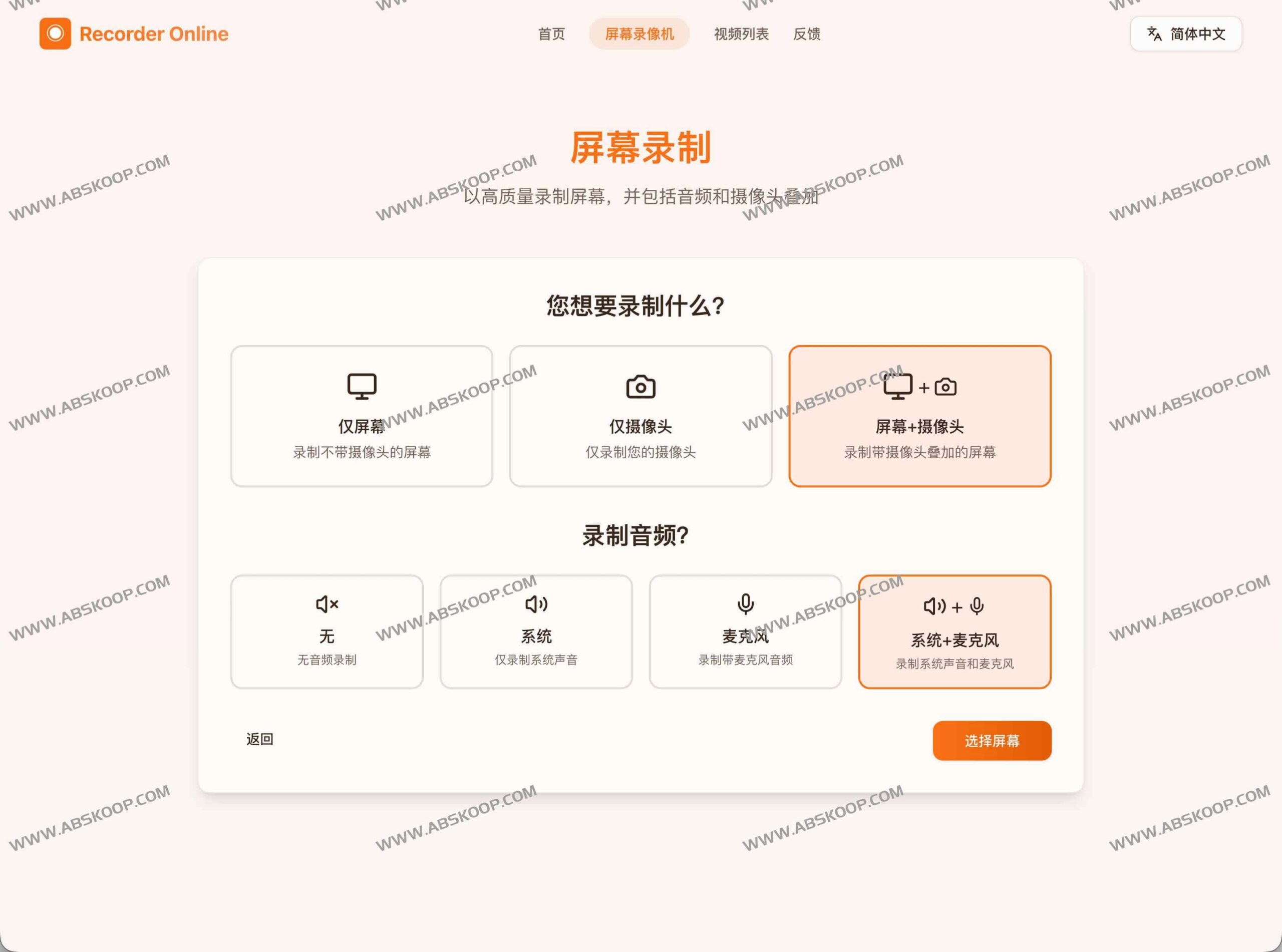
该工具将录屏流程简化为“打开网页即录制”,在保证轻量化的同时提供了完整的采集能力:
- 灵活的采集源: 支持全屏、特定窗口或单个浏览器标签页,可根据演示需求精准选择。
- 多维音频捕捉: 可独立开启或同步叠加系统内部声音与麦克风语音。
- 本地化存储: 所有录制数据直接保存在用户本地设备,不经过服务器中转,确保隐私安全。
- 全功能免费: 无需解锁高级权限,所有功能均可免费使用。
- 快速后处理: 内置基础在线编辑功能,录制完成后可立即调整并导出高清 MP4 文件。
Applicable Scenarios
- 技术与产品演示: 快速复现 Bug、展示功能亮点或提交操作反馈。
- 教育与知识分享: 录制课程讲解、操作步骤指南或异步分享知识点。
- 轻量内容创作: 快速捕捉游戏瞬间、制作短视频素材或简单教程。
快速上手指南
- 配置源: 访问官网,选择需要录制的区域(全屏 / 窗口 / 标签页)并勾选音频来源。
- 执行录制: 点击启动按钮,开始捕获实时画面与声音。
- 保存导出: After recording stops, you can perform simple editing and then download the MP4 file to your local device.
能力对比:Online tools vs 桌面软件
| 维度 | Recorder Online | 传统桌面应用 |
|---|---|---|
| 部署成本 | 无需安装,即开即用 | 需下载安装,占用磁盘 |
| 启动速度 | 秒级响应 | 需加载启动时间 |
| 隐私控制 | 完全本地化存储 | 取决于软件存储策略 |
| 费用门槛 | 永久免费 | 通常包含订阅或付费项 |
常见问题解答
- 录制时长是否有上限? 录制时长不设限,仅取决于您本地硬盘的剩余存储空间。
- 视频格式是否通用? 统一导出为兼容性最强的 MP4 格式,方便在各类设备上播放。
- 安全性如何保障? 录制过程在本地完成,视频文件不上传至云端,有效防止敏感资料泄露。
Access address
Experience it now:https://recorder-online.com/zh
End of text
