About QRfromPic: A convenient online QR code parsing tool
QRfromPic is a free, online QR code recognition tool that requires no installation and is ready to use immediately. It breaks the limitation of relying on specific apps for scanning, allowing users to quickly parse QR code information in images using only a browser, greatly improving the efficiency of information transmission between different devices.
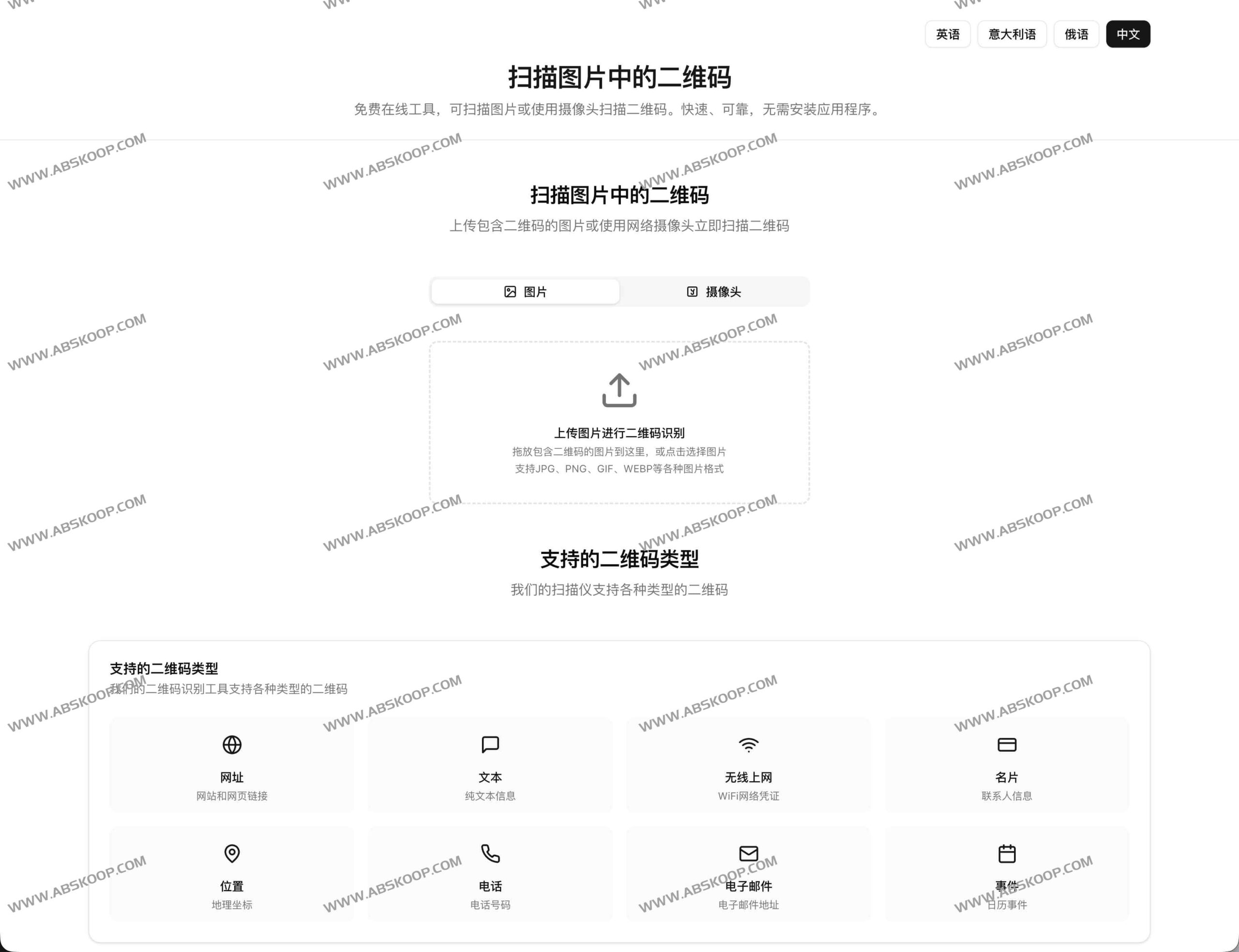
Core Functions and Technological Advantages
This tool strikes a good balance between compatibility and usability, and its key highlights are as follows:
- Flexible identification methods It supports uploading local image files directly, and can also use the device's camera for real-time capture.
- Wide format compatibility It fully supports mainstream image formats such as JPG, PNG, GIF, and WEBP, ensuring that images from various sources can be parsed smoothly.
- Comprehensive type coverage It can not only recognize regular URLs, but also parse plain text, Wi-Fi configurations, vCard electronic business cards, geolocation, phone numbers, emails, and calendar events.
- Safety-oriented design The system will display the identified content in its entirety before redirecting or dialing, effectively preventing users from accidentally clicking on malicious links.
- responsive interface Whether on PC or mobile, it provides a smooth and adaptive user experience.
Applicable scenarios: What can it recognize?
QRfromPic can handle QR codes for various purposes, including:
- Quick jump : Identify the URL and directly access the target webpage.
- Information Extraction : Parse plain text content or vCard business card (including name, phone number, email).
- Easy connection Quickly obtain Wi-Fi name and password.
- Practical for daily life It can identify latitude and longitude coordinates, phone numbers, email templates, and calendar event times.
Operating Instructions
Method 1: Recognition via image upload
- Click the "Upload Image for QR Code Recognition" button, or drag and drop the image file directly into the recognition area.
- Wait for the system to finish parsing, then you can view the results and copy or jump to the next page.
Method 2: Use a camera to scan the code in real time
- Switch to the "Camera" tab and grant camera access when the browser pops up a request.
- Place the QR code in the center of the viewfinder, and the system will automatically capture and display the parsing results.
Identification Optimization and Security Recommendations
What if recognition fails?
If you encounter a situation where the system cannot recognize the information, you can try the following optimization measures:
- Improve clarity If the image is blurry or has too much noise, please try retaking it or replacing it with a high-resolution original image.
- Adjusting the composition Ensure the QR code is complete and unobstructed, and that it occupies a large proportion of the image.
- Optimize lighting Avoid strong light reflections or excessively dark environments; enhance contrast by adjusting the shooting angle.
Safety Tips
Please be extremely cautious when dealing with QR codes from unknown sources. We recommend carefully reading the identified text or link before redirecting. If you find any unusual domain names or the page requests sensitive account passwords, please stop immediately.
Access point
Official website:https://qrfrompic.com/zh
