AI Image Similarity Checker 深度解析
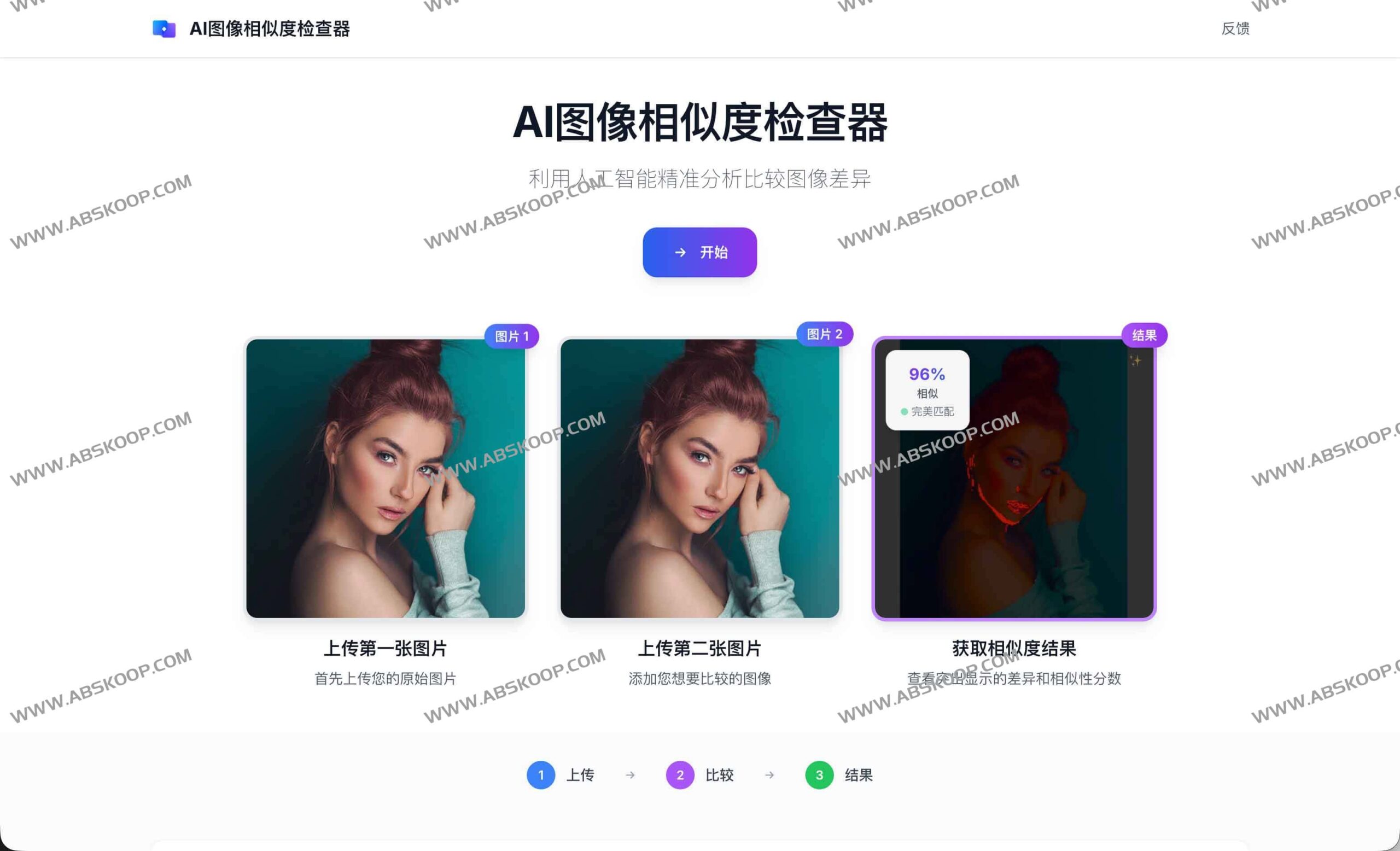
AI Image Similarity Checker 是一款融合了深度学习与数学算法的专业图像对比工具。它能够快速量化两张图片的相似程度,通过输出相似度百分比与置信度评级,帮助用户精准捕捉图像间的微小差异。
核心功能与交互模式
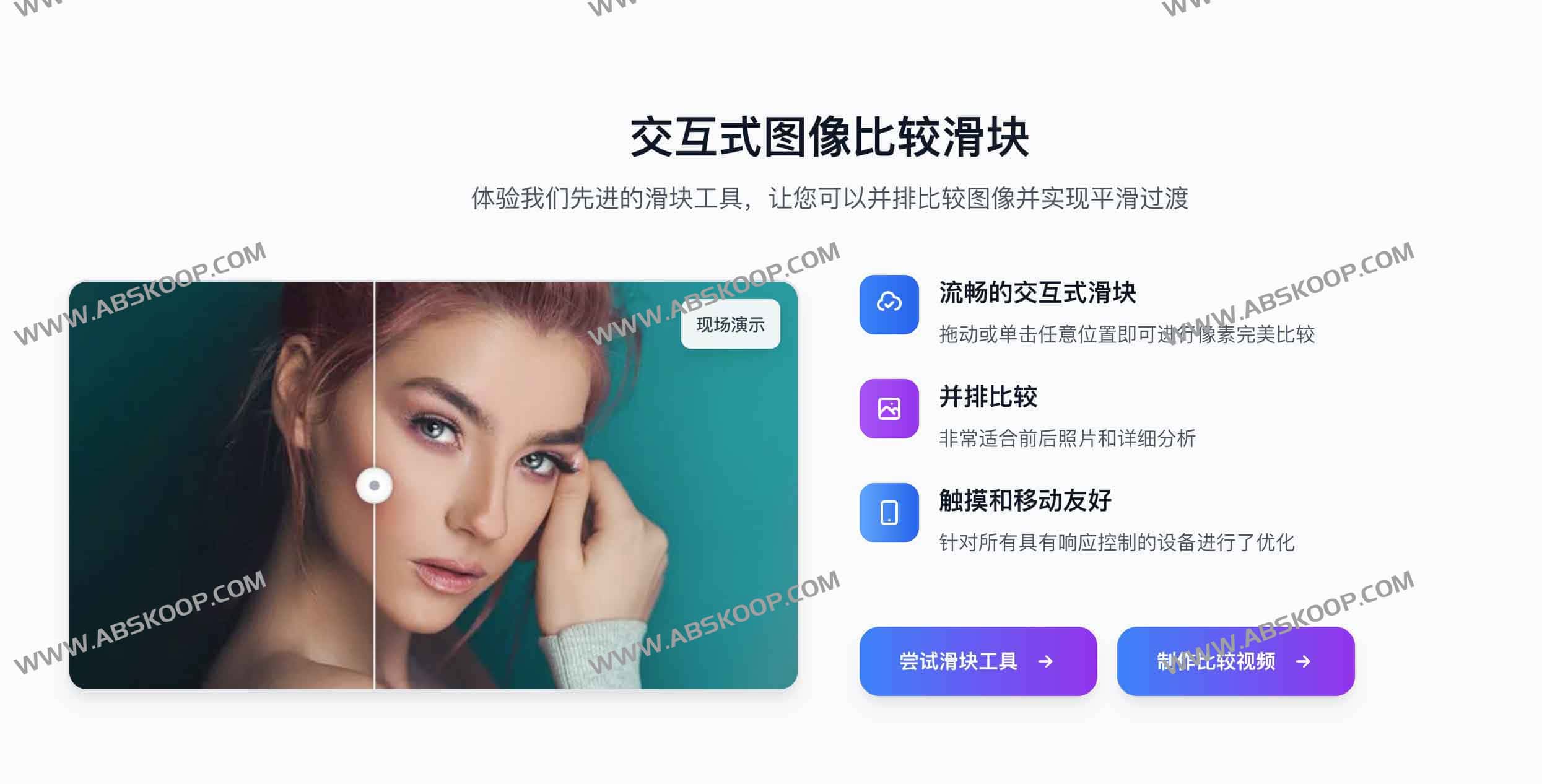
该工具不仅提供量化数据,更通过两种直观的交互模式提升审查效率:
- Diff 模式(差异高亮): 使用醒目的颜色覆盖标注出两图不同的区域,让用户无需肉眼比对即可快速定位改动点。支持通过亮度调节微调高亮效果,以适应不同场景的辨识度需求。
- Slider 模式(滑块对比): 采用两图并排的布局,用户可通过拖拽滑块在两张图片之间实时切换,实现像素级的细节审查,且完美适配移动端操作。
在结果输出方面,系统支持 实时反馈 ,上传后即可获得计算结果;同时提供 结果下载 功能,用户可将当前的差异高亮图或滑块对比视图导出保存。
Technical Principle: The combination of mathematical algorithms and AI
To ensure the objectivity of the scoring, the system uses a multi-dimensional weighted average algorithm to calculate the final score:
- Feature extraction: High-level visual features are extracted using deep learning models, ensuring strong robustness even in complex scenarios.
- Vector metric: pass Cosine Similarity Measure the angle between feature vectors to analyze the overall similarity direction.
- Pixel quantization: Introduction Euclidean Distance Quantify the distance between two images from the perspective of physical pixel differences.
- Confidence level classification: Based on the reliability of the algorithm results, the confidence level is labeled as "high/medium/low".
Quick Start Guide
- Upload image: Upload the reference image (first image) and the image to be compared (second image) separately.
- Analysis results: View the similarity percentage, confidence rating, and highlighted differences generated by the system.
- Detailed review: Switch to Slider mode to drag and compare, or observe the color markings in Diff mode.
- Save the output: Download the comparison view or highlight image to your local machine for review or sharing.
Specifications and Safety Assurance
Technical Specifications
- Supported formats: JPEG, PNG, WebP.
- File limit: A single image can be up to 10MB in size.
Privacy and security
- Local processing: The preview process before uploading is completed locally on the browser.
- Temporary storage: The server only processes data securely during analysis and deletes it immediately after processing; it is not permanently stored.
- Safety precautions: 部署了业界通用的安全响应头等措施,全方位保护用户数据隐私。
Applicable Scenarios
- Version iteration comparison: Quickly check the subtle changes in UI design drafts and webpage snapshots before and after iterations.
- Image retouching effect review: Compare the differences in detail before and after image processing to verify the quality of image retouching.
- Pixel-level detection: In scenarios requiring extremely high precision, subtle changes that are difficult to detect with the naked eye can be identified through visual highlighting.
Official access address
Visit the official website:https://aiimagesimilaritychecker.com/
End of text
