When building product interfaces, designers and developers often face the same dilemma: how to quickly determine a color gradation that matches the brand tone, ensures visual consistency, and is accessible? Manually creating dozens of color gradation variables in Figma or repeatedly debugging RGB values in CSS files is not only inefficient but also prone to color discrepancies during delivery.
Color Generator Kigen It was created precisely to address this pain point. It is not only an online color matching tool, but also a plugin deeply integrated into Figma, designed to transform "inspired color schemes" into "design system variables" that can be engineered and implemented.
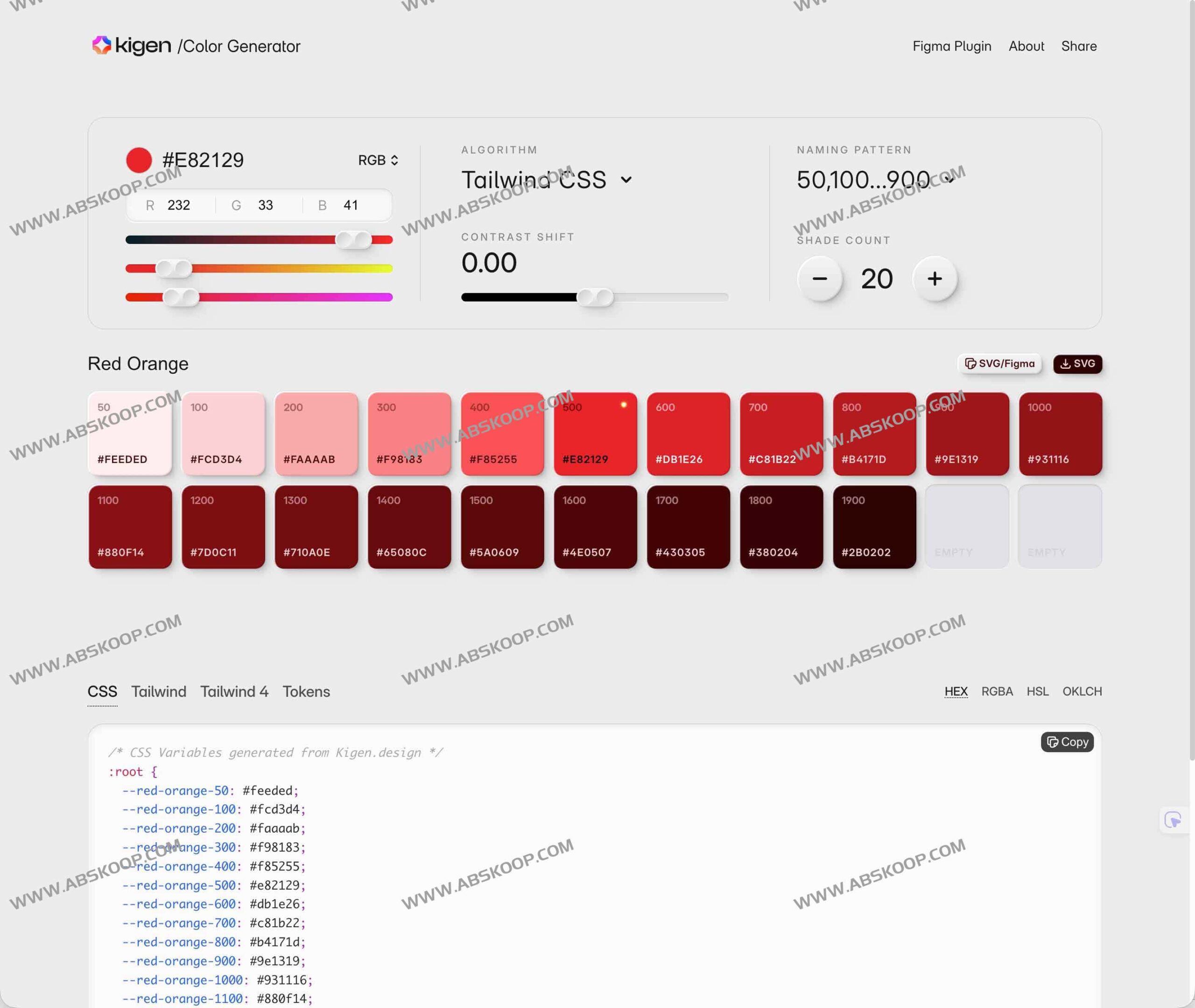
Core functions and technical features
1. Industrial-grade algorithms and preset color palettes
Kigen is not simply a random color generator; it incorporates original color palettes from mainstream design systems such as Material, Fluent, Tailwind, and Polaris. Users can quickly fine-tune the color scheme by inputting RGB values or directly accessing presets, combined with various color matching algorithms (such as "contrast shifting" and "complementary colors"), ensuring that the generated color tones possess professional-grade aesthetics and logic.
2. Support for the modern color space OKLCH
In addition to the traditional HEX, RGBA, and HSL, Kigen has introduced key technologies such as... OKLCH Format. Because OKLCH is based on a perceptual brightness model, it effectively avoids the low-contrast trap and natively supports the P3 wide color gamut. This means that developers can more easily implement color schemes that meet accessibility standards and achieve higher-fidelity visual effects on high-end displays.
3. Standardized color level management
- Smooth transition: It provides 11 shade count levels by default, ensuring a natural visual transition from very light to very dark.
- Semantic naming: Using a 50-900 hierarchical naming system (consistent with Tailwind CSS), the design tokens are highly readable when referenced in code.
4. One-click end-to-end export
To bridge the communication gap between design and development, Kigen supports directly exporting the generated solutions as follows:
- CSS/SCSS variables: 适用于原生 Web 项目。
- Tailwind v4 Token 文件: 完美适配现代前端框架。
- JSON 配色清单: 便于在各种技术栈中进行程序化调用。
适用场景与用户群体
- UI/UX 设计师: 快速搭建品牌基准色与语义色,并直接在 Figma 中生成完整的样式文档,告别手动配置。
- 前端开发者: 直接获取标准化的 Token 文件,无需在设计稿中手动拾色,大幅提升还原度。
- 品牌增长团队: 在快速迭代的营销页面中,灵活调整情绪色调并保持全链路视觉统一。
快速上手指南
- 进入工具: 访问 Kigen 在线页面或在 Figma 插件市场安装插件。
- 选定基色: 输入品牌主色或从内置的经典设计系统色板中挑选。
- 精细调节: 切换配色算法,调整 Shade Count 与对比度,实时预览视觉效果。
- 合规检查: 确认 OKLCH 等数值是否满足无障碍对比度标准。
- 集成导出: 选择所需的导出格式(CSS/Tailwind/JSON),直接集成至项目代码中。
资源链接
通过 Kigen,配色不再依赖于不确定的灵感,而是一套兼顾美学、可用性与工程实现的系统化流程。
官方地址: https://kigen.design/color
相关工具推荐:
