How can I quickly find publicly available resources among a vast number of Lark documents?
For many users, Lark is not only an enterprise collaboration tool, but also a hub for high-quality knowledge bases. However, when you try to find a publicly available industry solution, study notes, or project report across the entire internet, you often find the limitations of native search: it focuses more on documents with access restrictions within the organization, while high-quality resources set to "public" are easily buried in the sea of information due to the lack of a unified external index.
In order to break down this barrierFeisouxia v1.0 This tool was created to address this need. It focuses on searching publicly available Lark documents, supports both web and Android devices, and allows users to locate and access target documents within seconds with a single click by simply entering keywords.
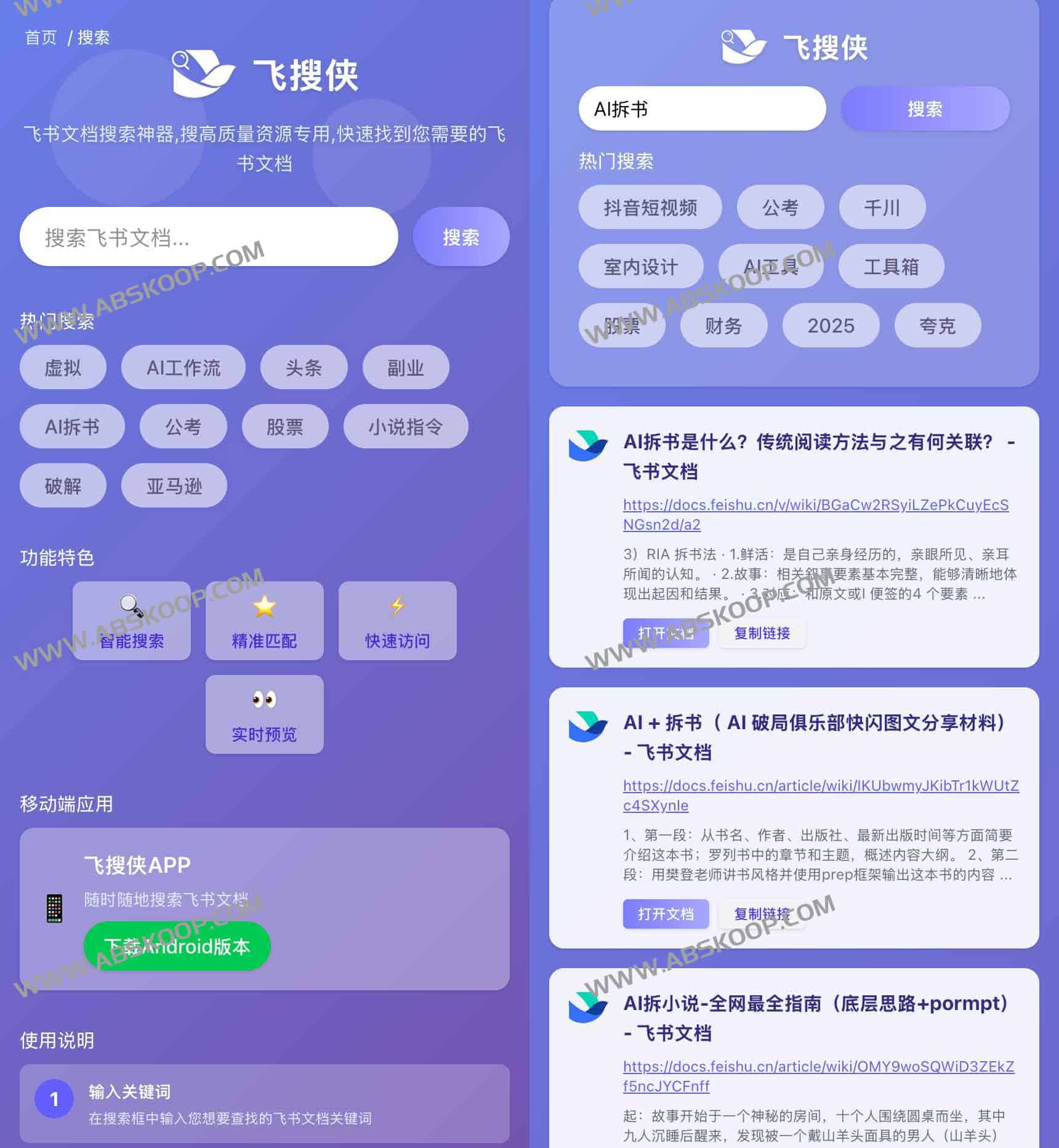
What core pain points does Feisouxia solve?
- Breaking down "information silos"Native Lark search still requires cumbersome switching steps when crossing spaces and knowledge bases. Lark Searcher aggregates public links to directly present high-quality notes scattered across different teams.
- Shorten the search pathIt eliminates the need to go through the lengthy process of "copying the link $rightarrow$, opening it in the browser $rightarrow$, and then jumping to Lark", achieving a seamless connection between retrieval and reading.
- Improve discovery efficiencyMany valuable public documents are difficult to find due to a lack of indexing. Feisouxia uses keyword matching technology to make hidden knowledge resources readily available.
Core Functions Explained
🔍 Full-text ultra-fast search
Search is no longer limited to titles. FeisouXia supports deep matching of titles, body text snippets, and author names, resulting in higher search accuracy and ensuring you can precisely capture key information from documents.
📂 Intelligent Dimensional Filtering
Faced with a large number of search results, you can... Creation time, document type, sharing scope Filter quickly across dimensions to rapidly locate the latest information or documents in a specific format.
⚡ One-click access and sharing
Clicking on the result will directly pull up the original Feishu document, and it also supports quick copying of links, making it easy to immediately synchronize the discovered resources with team members.
🤖 增强搜索算法
By initiating crawling requests to Lark's public domain and combining them with local indexing technology, Feisouxia provides a wider public domain coverage than native search while ensuring response speed.
Feisouxia vs. Feishu Native Search
| Dimension | 飞搜侠 | Lark Native Search |
|---|---|---|
| Coverage | Publicly available documents across the entire network (cross-enterprise, cross-team) | The main internal space is visible to the logged-in account. |
| Platform support | Web/Android/iOS/macOS/Windows | Web/Android/iOS/macOS/Windows |
| Open efficiency | One-click access to the page | You need to select and jump to the results list. |
| Filtering Dimensions | Title, Body, Time, Type | Title, body text, collaborating partners, etc. |
对比小结:Native search is a powerful tool for internal collaboration within an organization, emphasizing access control and real-time collaboration; while Feisouxia is a powerful "knowledge excavator," more suitable for data research, inspiration gathering, and collection of public resources.
Applicable Scenarios
- 内容创作者:在撰写方案时,快速检索行业标杆范例,告别低效的手动爬网。
- Product and OperationsQuickly obtain competitor feature analysis and industry standard documents to efficiently build a research material library.
- 独立学习者Overcome corporate barriers by searching for publicly available course notes, project reports, and reading shares.
快速上手指南
- Installation and DeploymentDownload and install Feisouxia v1.0.1 on your Android device.
- 权限配置On first launch, please allow the application to obtain storage and network permissions to ensure that crawling and caching functions work properly.
- 检索阅读:输入关键词 $rightarrow$ 筛选结果 $rightarrow$ 点击阅读或复制分享。
Precautions:飞搜侠专注于 公开域 检索。若需搜索私有空间或公司内部加密文档,请继续使用飞书客户端或调用飞书开放平台 API。
下载与访问
飞搜侠填补了跨组织知识获取的空白,为需要高效获取公开信息的用户提供了简洁的入口。建议将其作为原生搜索的补充工具,在调研公开资料时使用,在深度协作时回归官方客户端。
下载地址:网盘下载
