NetworkPanel Explained
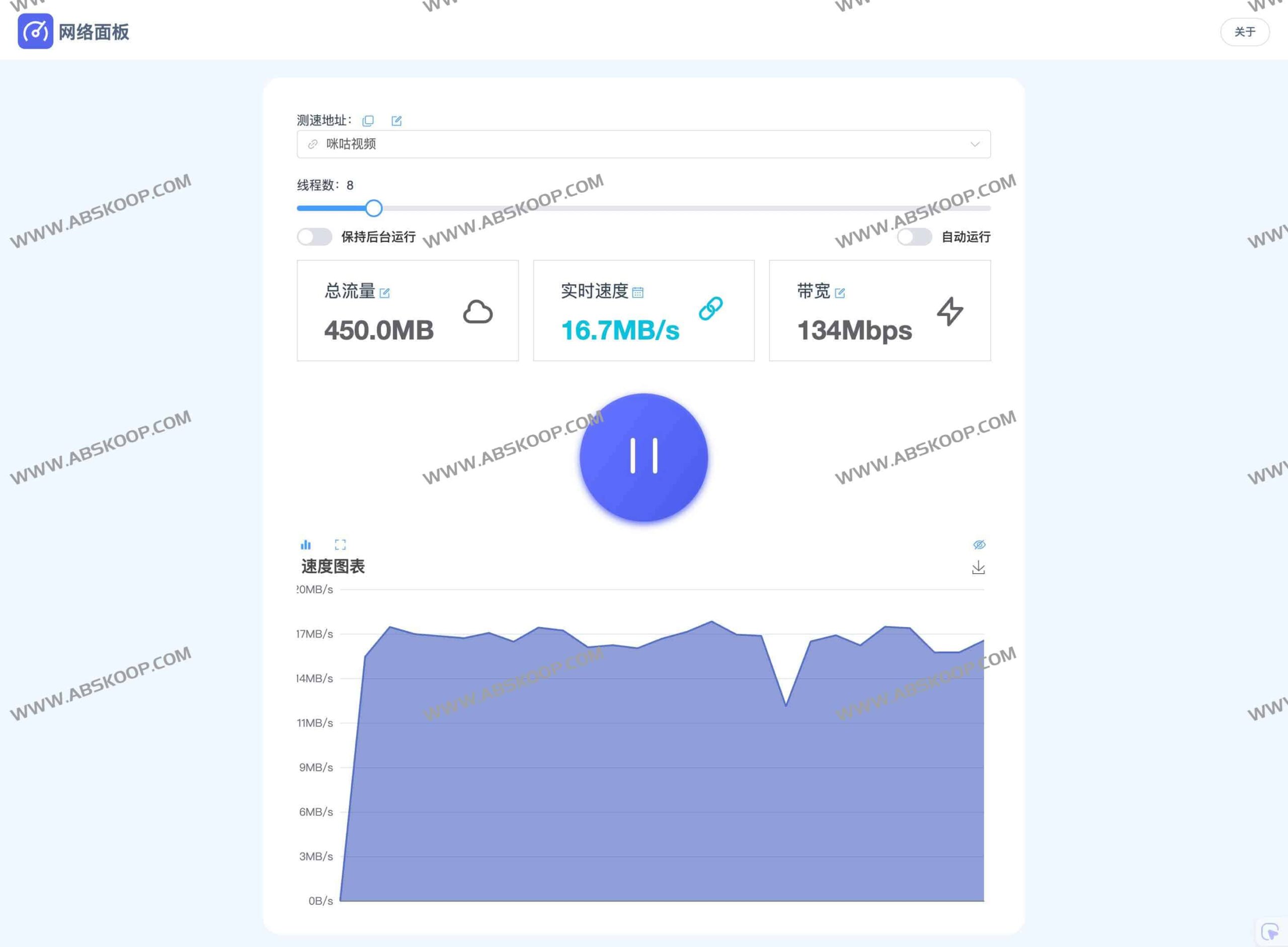
NetworkPanel is a professional Online traffic consumption and network monitoring toolsIt aims to help users monitor their network environment in real time, accurately obtaining bandwidth consumption, average speed, and latency data as low as 9ms through a global multi-node speed test service. The tool supports multi-threaded concurrency and quantitative traffic testing, and has been optimized for background operation on iOS to ensure uninterrupted monitoring.
Core features
Multi-exit IP monitoring and high-efficiency speed measurement
NetworkPanel allows users to simultaneously query public IP addresses and execute speed tests through multiple different exit points. To improve testing efficiency, the system employs a multi-threaded design (8 threads by default), allowing users to flexibly adjust the number of threads based on actual bandwidth conditions and supporting the setting of fixed traffic volumes for accurate testing.

iOS 后台运行优化
For mobile users, NetworkPanel has optimized its background operation mechanism on iOS. Even when the browser is in the background, the speed test and data statistics functions can continue to work, solving the pain point that mobile network monitoring is easily suspended by the system.
Diverse deployment options
Depending on their technical proficiency, users can choose from the following three deployment methods:
- Static file deployment:No complicated packaging process is required; simply download the project archive and extract it to the server's root directory for quick access.
- Docker Quick Start:The service can be run with a single click using the following command:
docker run -d --rm -p 8080:80 netart/network-panel:latest - 腾讯云一键部署:针对云端用户,支持在腾讯云平台快速部署,无需手动配置环境。
Vue3 重写版本的升级亮点
在新版本的 Vue3 架构下,NetworkPanel 在交互与灵活性上有了显著提升:
- 动态配置:支持添加自定义测试节点,修改节点信息或线程数后立即生效,无需重启服务。
- 状态持久化:线程数设置与后台开关状态将自动保存,提升重复使用体验。
- 交互优化:界面设计更加直观友好,并预留了榜单功能(需后端配合)。
