My bookmarks bar is too cluttered. How can I quickly create visual partitions?
As you accumulate more and more bookmarked web pages, the bookmark bar at the top of your browser often becomes a long, indistinct list of titles, requiring repeated scanning to find specific links, which is inefficient. If, like folders, an intuitive "visual divider" were added to the bookmark bar to physically separate links for different categories such as work, study, and entertainment, the browsing experience would be greatly improved.
Bookmark Separator Pro This free tool was created specifically to address this pain point. By inserting elegant separators into the bookmarks bar, it helps users quickly build a hierarchical categorization system, instantly making messy links neat and organized.
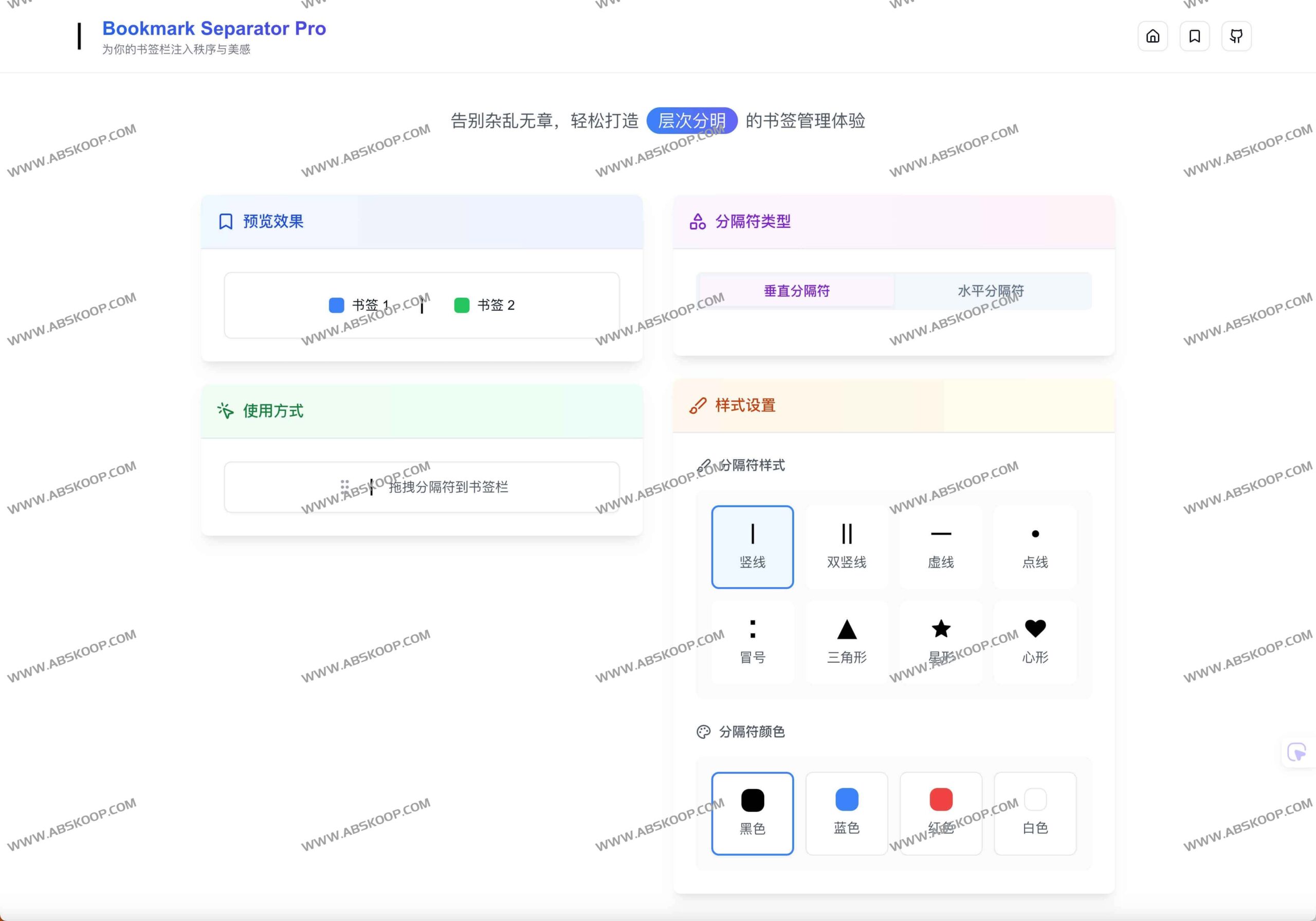
Lightweight design, no installation required
Unlike traditional bookmark management plugins, Bookmark Separator Pro requires no extension installation or account registration. Its core logic is extremely simple: the separator is essentially a lightweight special bookmark (only a few KB in size), and you can simply drag and drop your desired icon into the drag-and-drop browser's bookmark bar to complete the deployment.
This tool is perfectly compatible. Chrome, Edge, Safari and Opera It works on most mainstream browsers. Since it doesn't run in the background, it doesn't consume system resources or affect page loading speed. If you enable your browser's built-in bookmark sync feature, these personalized section styles will also sync across your multiple devices.
Highly customizable visual style
To cater to diverse aesthetic preferences, the tool offers over 16 distinct icons, ranging from restrained minimalism to vibrant colors. Users can not only freely choose icons but also create their own unique visual identity through unlimited color schemes and custom text.
In addition, it supports Horizontal and vertical Two layout modes are available, perfectly adapting to whether your bookmarks bar is at the top or side. If you're not satisfied with the current layout, simply delete the old icons and drag in the new design for a quick refresh.
Core Features Overview
- Plug and play:No installation is required; grouping can be achieved simply by dragging and dropping.
- A vast selection of styles:16+ 款精美分隔符,支持自定义颜色与文字。
- 全平台兼容:适配所有主流浏览器,支持多设备同步。
- 零资源占用:轻量级书签实现,不影响浏览器性能。
- 纯净免费:永久免费,且不收集任何用户隐私数据。
快速上手
访问官方网站即可开始创建你的有序书签栏:https://separator.site/
