PixPin: A versatile tool for efficient screenshotting and pasting.
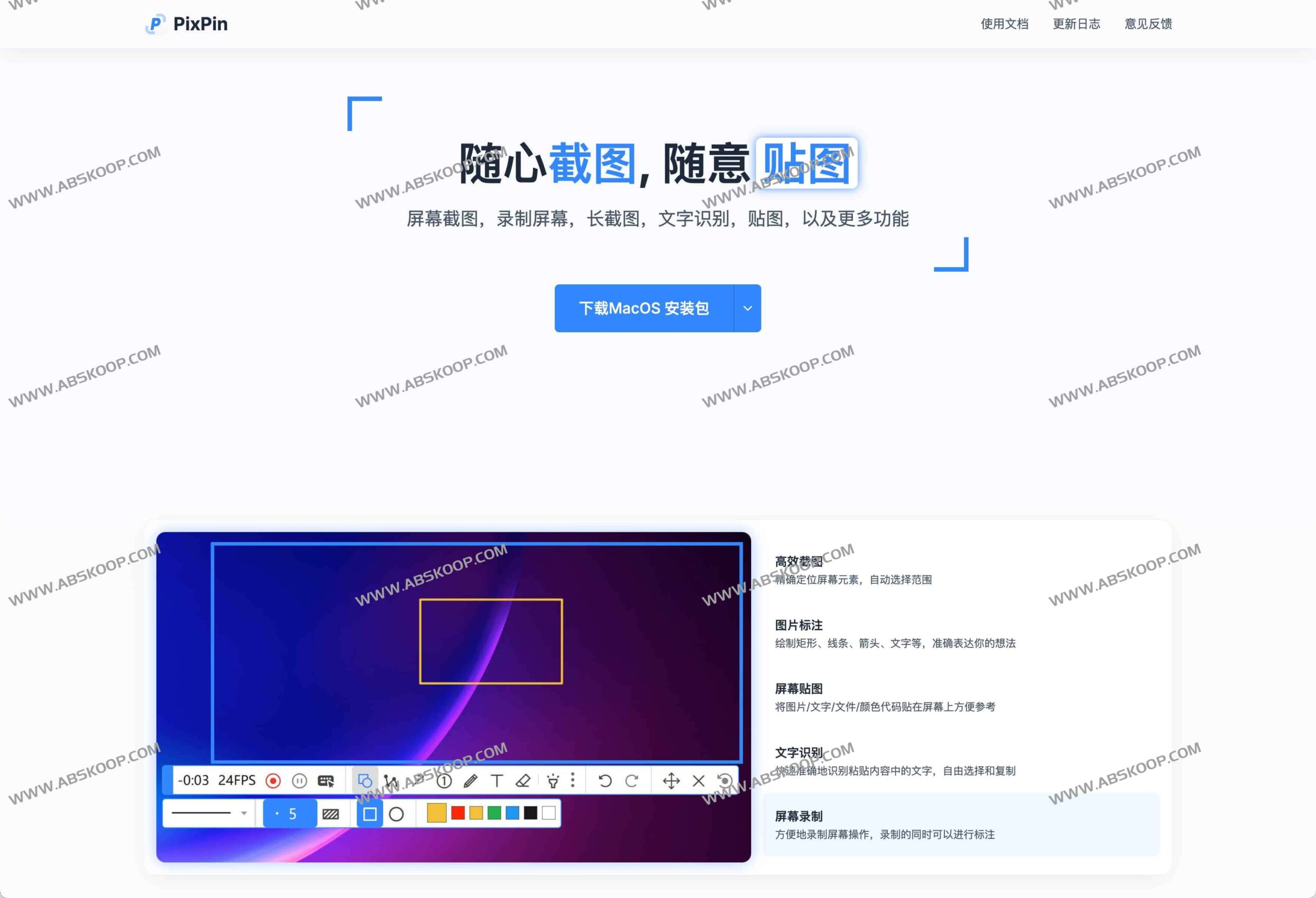
PixPin is a free, cross-platform productivity tool that supports Windows and macOS. It deeply integrates various functions such as screenshotting, image pasting, long screenshots, OCR text recognition, screen recording, and GIF creation, aiming to provide designers, developers, and office workers with an ad-free, registration-free, and easy-to-use information management solution.
Core Features Overview
- Flexible screenshot and annotation: It supports full-screen, window, and custom area screenshots, and includes various annotation tools such as rectangles, arrows, numbers, highlighters, and mosaics to make communication intentions more intuitive.
- High-efficiency screen mapping: Images, text, documents, or color codes can be pinned directly to any position on the screen without having to frequently switch between multiple windows for reference materials.
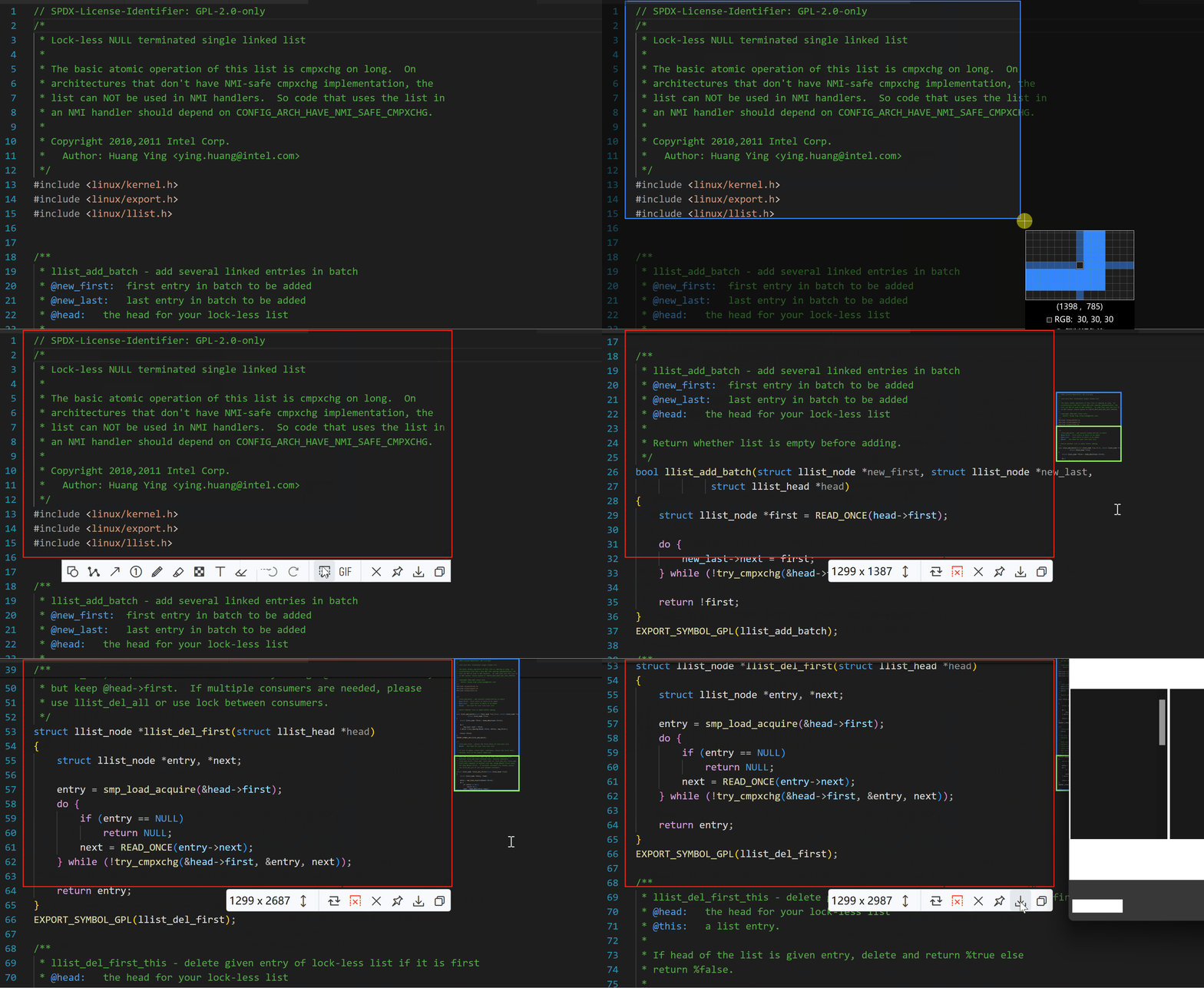
- 智能长截图: With its built-in stitching algorithm, it can smoothly capture vertical content that extends beyond the screen, such as web pages, chat logs, or code.
- Local OCR recognition: Quickly extract text from images. The entire recognition process is completed locally, without uploading to the cloud, ensuring data privacy.
- Dynamic recording: It supports screen recording and generates GIF animations, and annotations can be added in real time during the recording process.
Quick Start Guide
1. Screenshots and Images
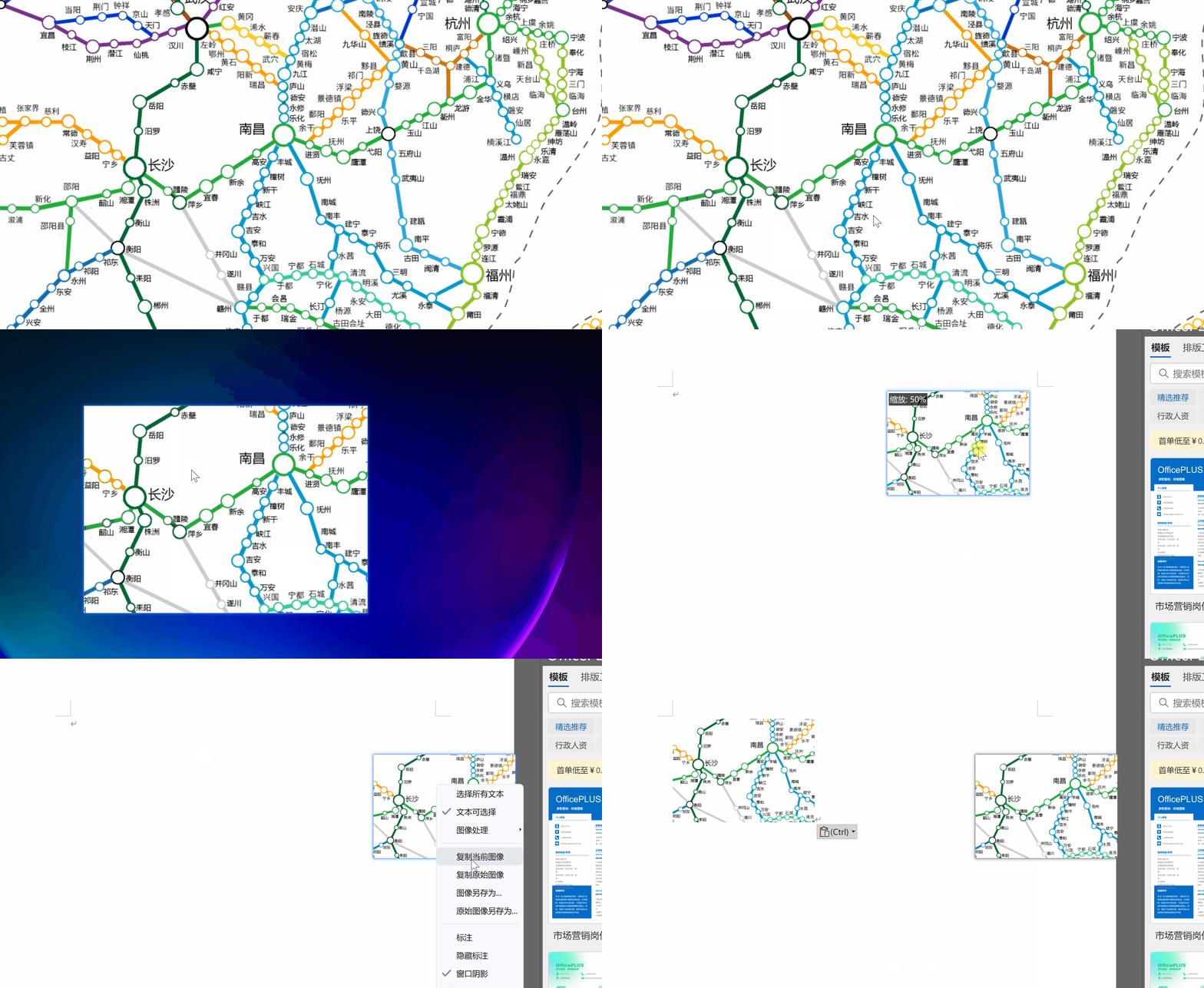
Mastering two core hotkeys is all you need for efficient operation:Ctrl + 1 (Screenshot) 和 Ctrl + 2(贴图)。
- 快速贴图: 按下
Ctrl + 1选取区域 $rightarrow$ 按下Ctrl + 2$rightarrow$ 选区立即贴在屏幕上。 - 常规粘贴: 选取区域后双击,图像将保存至剪贴板,可直接在微信、Word 等软件中粘贴。
2. 图像标注
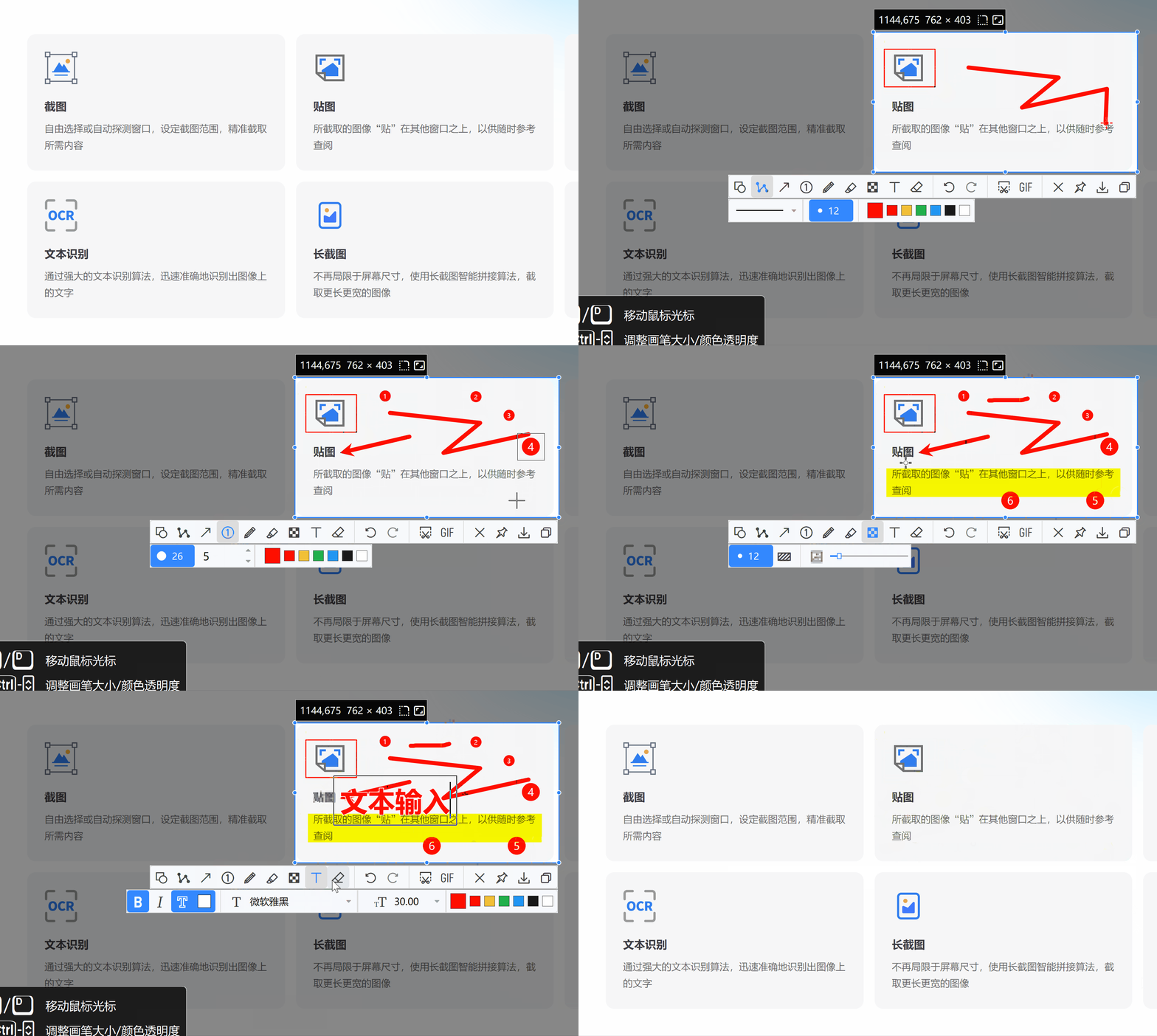
在截图或贴图状态下,可直接调用内置工具栏,使用折线、椭圆、铅笔或文字等工具对重点内容进行强调。
3. 文字识别 (OCR)
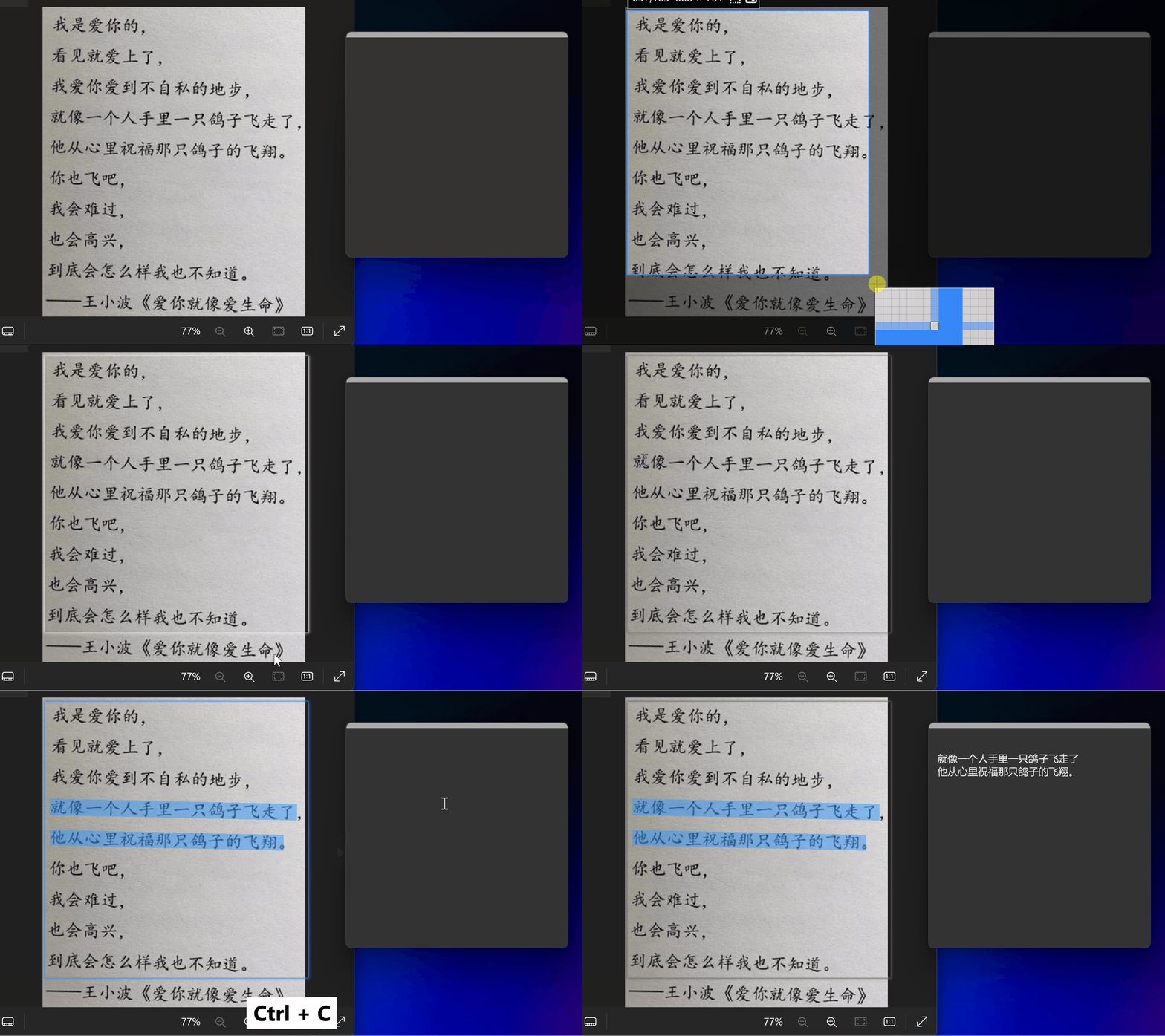
针对贴图中的文字,可直接启动识别功能将其转换为可编辑文本,高效完成信息迁移。
4. 截取长图
针对长表格或长文章,操作流程如下:
按下截图快捷键 $rightarrow$ 框选需要滚动的区域 $rightarrow$ 点击 长截图图标 $rightarrow$ 滚动鼠标滚轮或拖动滚动条 $rightarrow$ 软件自动拼接生成长图。
资源下载与官网
官方网站: https://pixpin.cn/
软件下载: 点击进入网盘下载
正文完
