iUnlocker: A risk detection tool for used Apple devices
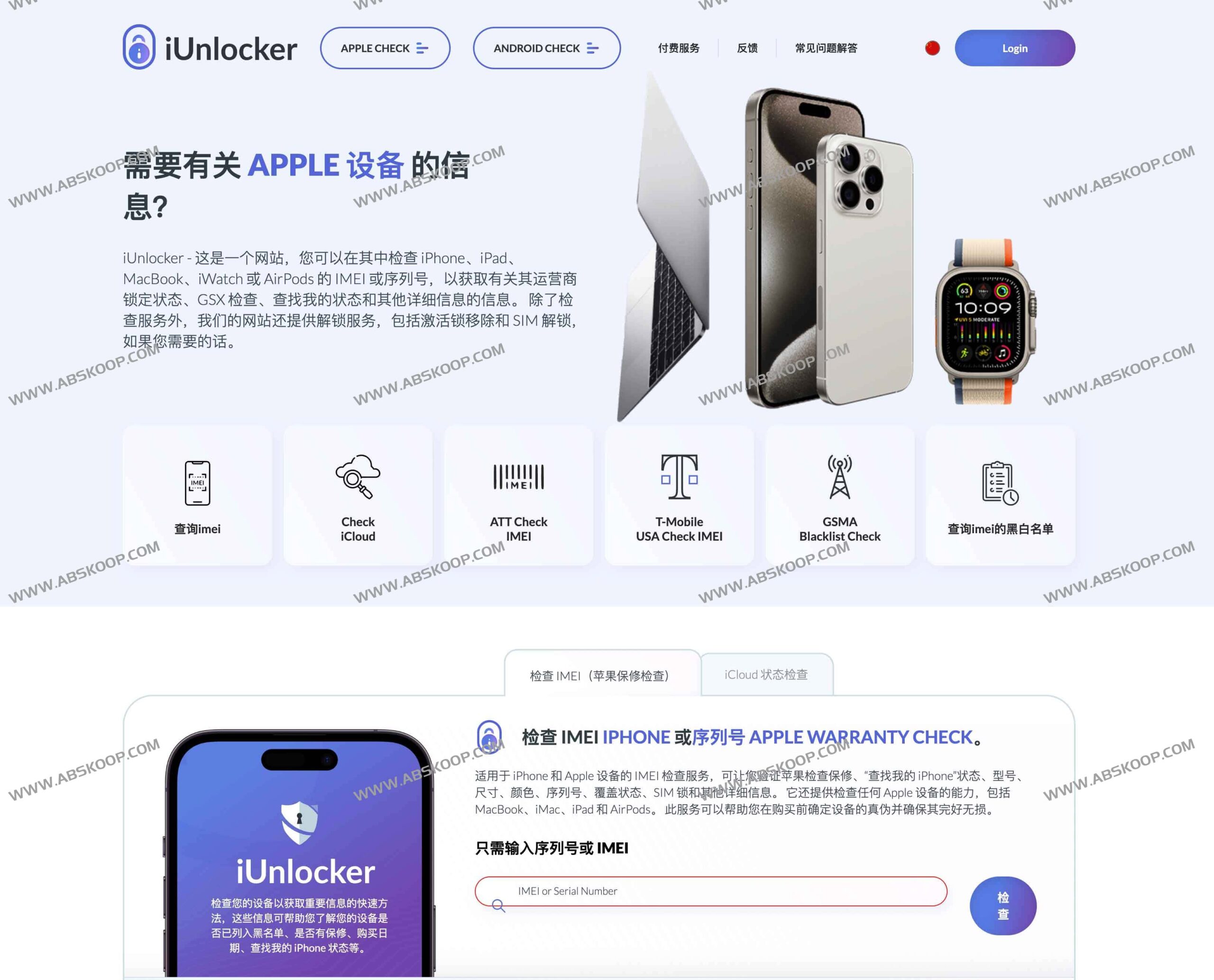
When buying a used iPhone, iPad, or MacBook, it is often difficult to determine by visual inspection whether the device is locked by iCloud, has a SIM card lock, or is an expanded storage device or a monitored device.iUnlocker It is a professional, free online IMEI checking tool designed to help users avoid transaction risks through data verification.
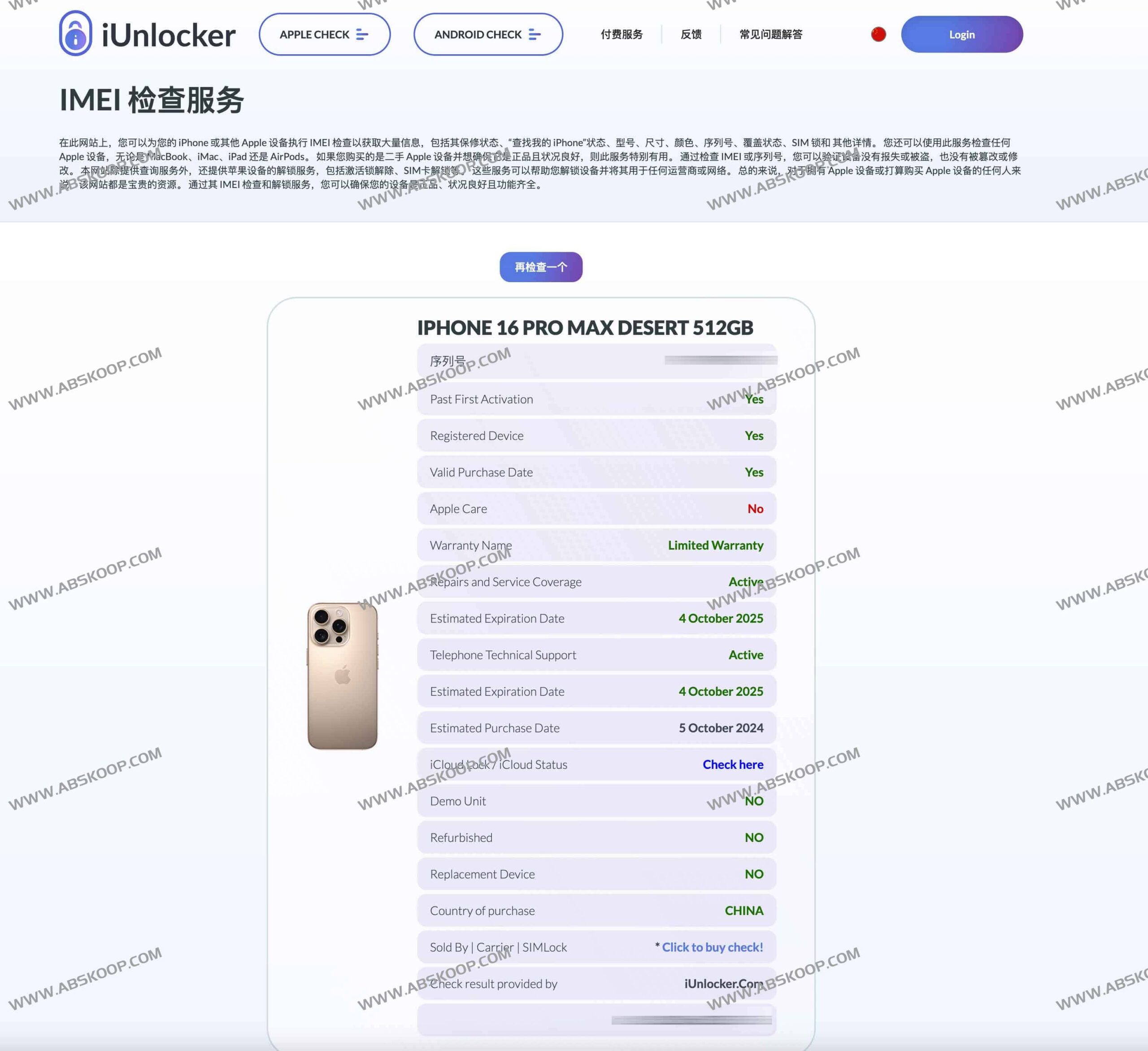
This platform directly accesses authoritative data from Apple's Global Service Exchange (GSX) and boasts over 12 years of market verification experience. Users only need to enter their device's IMEI code or serial number to quickly obtain the following core information:
- Locked status: Real-time monitoring of activation lock and SIM card lock status.
- Equipment specifications: Verify the true color, storage capacity, and specific model to identify illegally expanded storage devices.
- Status Log: Check warranty validity and insurance claim records to identify resource machines or monitoring machines.
Operating Instructions
Using iUnlocker to verify the device is very simple. Please refer to the following steps:
- Visit the official website:https://iunlocker.com/
- Enter the device name in the search box on the homepage. IMEI or Serial Number。
- Click the query button and wait for the system to retrieve information from the GSX database.
- 核对返回的设备规格与锁定状态,确认无误后进行交易。
Applicable Scenarios
We recommend using iUnlocker for pre-checking in the following situations:
- Personal transactions: Before purchasing a used Apple device privately, ask the seller to provide the IMEI code for verification.
- Platform receiving goods: Upon receiving the used equipment, the first thing to do is to check whether the hardware specifications match the description.
- Equipment settings: 通过保修状态和索赔记录,判断设备的实际价值与损耗情况。
