What is watermark.com?
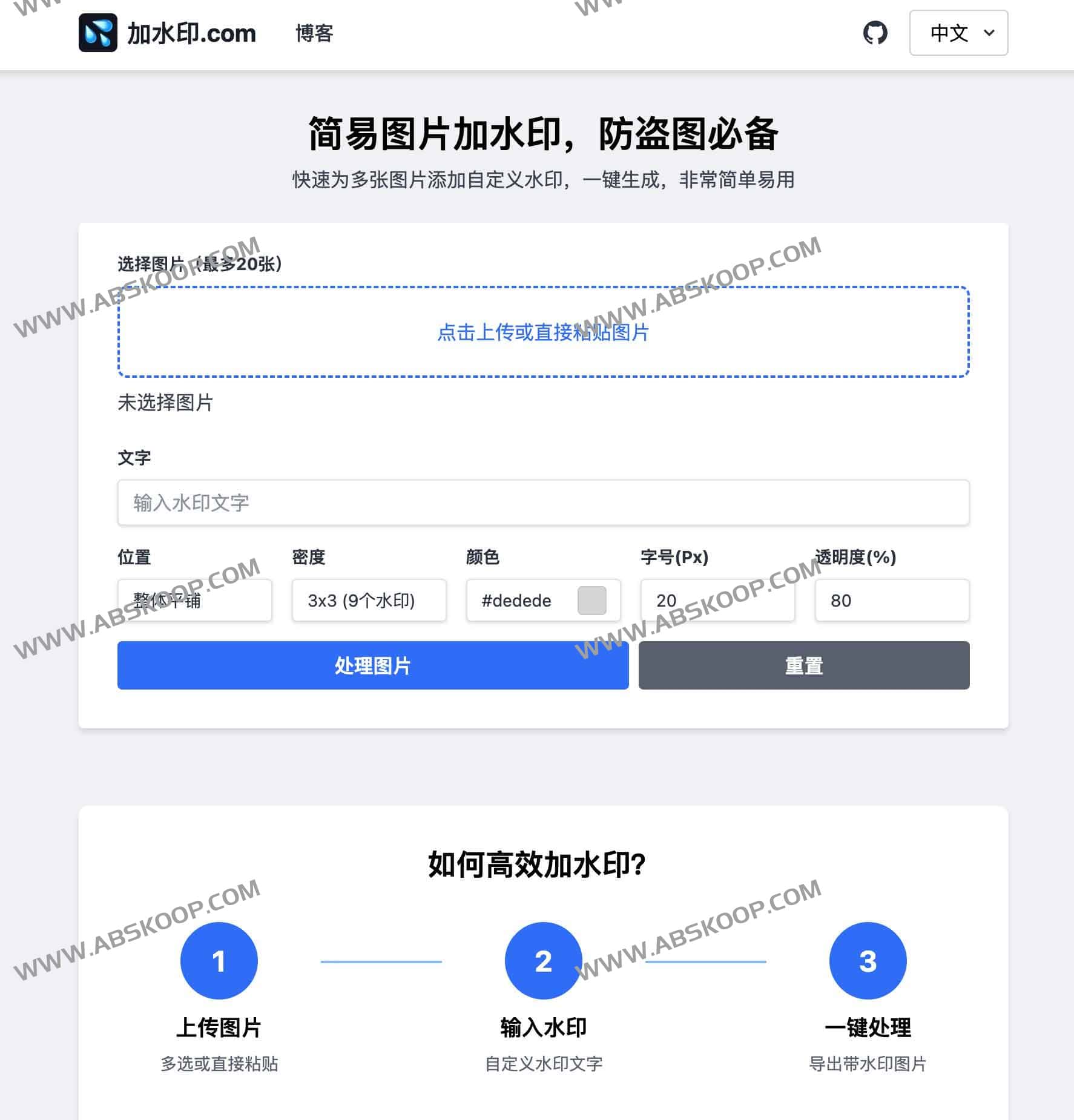
Add watermark.com This is a free online image watermarking tool that prioritizes privacy protection and extreme convenience. Unlike traditional tools, it operates on a local browser, meaning all image processing is completed locally on the user's device, eliminating the risk of data leakage at its source.
This tool requires no registration and supports batch processing of up to 20 images at a time. Users can quickly add brand logos or copyright notices to images by customizing text, color, transparency, and position, and it supports real-time preview and one-click download.
Core features
To meet the copyright protection needs of different scenarios, this tool offers a wealth of customization options:
- Flexible layout options: Supports center positioning, positioning in all four corners, and full map coverage. Overall flat tiling The tiling density can be adjusted from 1×1 to 6×6.
- Depth Vision Customization: It provides a color picker, font size adjustment, and transparency control to ensure that the watermark style is harmonious and consistent with the image background.
- Efficient operation flow: It supports drag-and-drop image upload or direct pasting, and the processing results can be previewed in real time and can be zoomed in for viewing.
- Diverse output methods: Users can directly copy the processed images to the clipboard, or package all files into a ZIP archive for download with one click.
- Multilingual support: The interface offers the option to switch between Chinese and English to suit the habits of different users.
适用场景
- 版权保护: 为摄影作品、原创设计图添加唯一标识,防止盗图。
- 证件安全: 在身份证、营业执照等敏感证件照片上添加“仅限办理 XX 业务”的水印。
- 品牌推广: 为产品宣传图批量添加公司 Logo 或品牌名称。
- 私域运营: 在分发私域素材时添加渠道水印,方便追踪来源。
快速开始
访问官网地址即可直接使用:https://jiashuiyin.com/
正文完
