How can I quickly obtain direct links to files on a cloud drive?
When sharing resources or configuring automated downloads, we often encounter a pain point: most cloud storage services provide sharing links that require redirecting to a preview page or login page, making it impossible to directly access the file itself via the URL. If you need to embed cloud storage files directly into web pages, media players, or download them via command-line tools, then an efficient... Cloud Drive Direct Link Acquisition Tool This makes it extremely important.
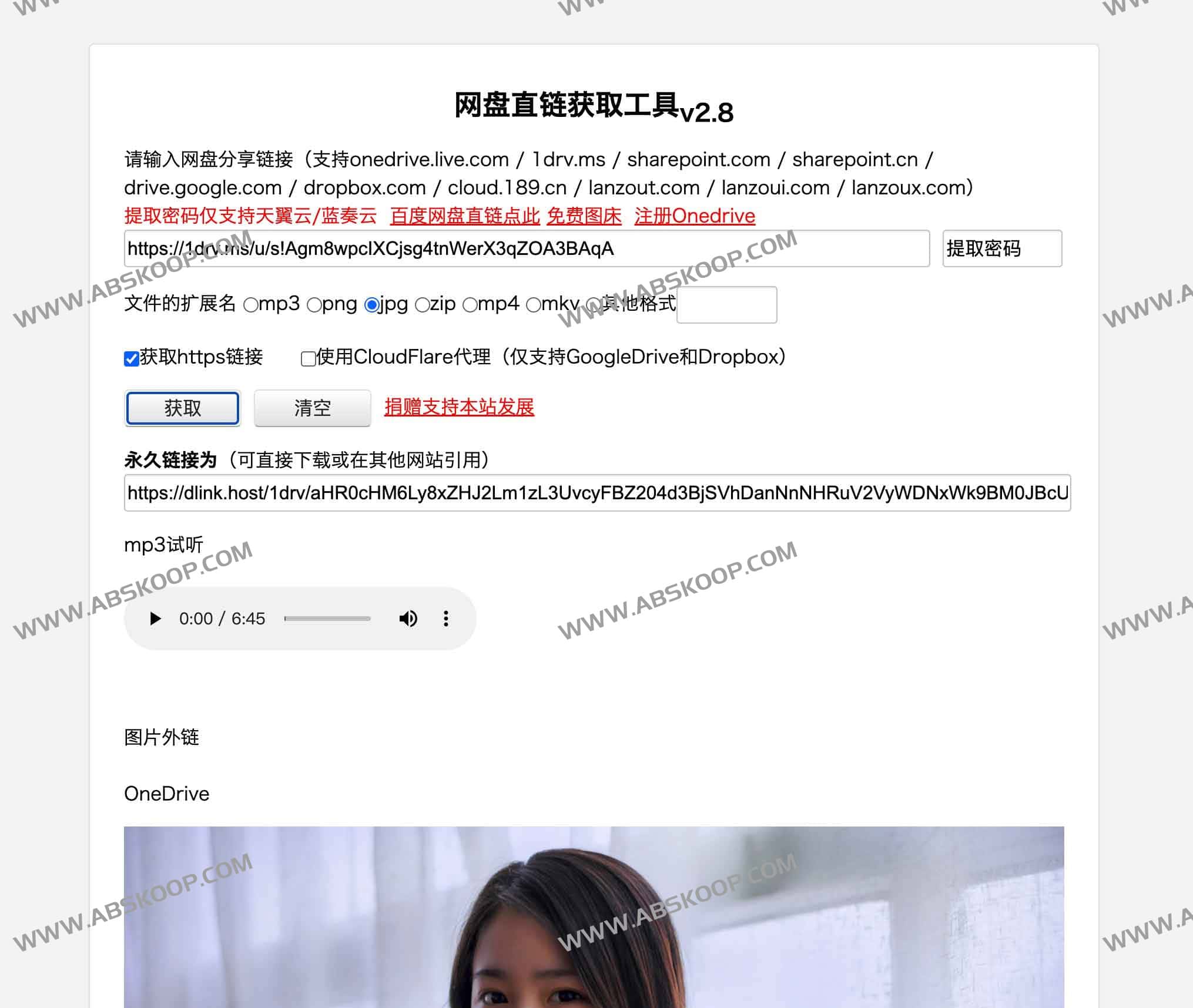
Features and Support Scope
This tool aims to simplify the extraction process. Users simply paste the share link into the input box and click "Get" to quickly generate a direct download link for the file. It boasts broad compatibility, covering major domestic and international cloud storage platforms.
- Major international cloud storage services:It supports Google Drive (drive.google.com), OneDrive (onedrive.live.com / 1drv.ms), Dropbox, and SharePoint (sharepoint.com / sharepoint.cn).
- Convenient domestic storage:It supports China Telecom Cloud Drive (cloud.189.cn) and various types of Lanzou Cloud (lanzout.com / lanzoui.com / lanzoux.com).
- Multi-format support:Whether it's common document archives (zip), images (png, jpg), or multimedia files (mp3, mp4, mkv), direct links can be effectively extracted.
User Guide
操作步骤:Copy the target cloud drive's sharing link $rightarrow$, paste it into the tools page $rightarrow$, click Get $rightarrow$, and copy the generated direct link to use it.
